Participating Frequently
April 22, 2020
Question

how to do this matte colored effect in photoshop?

  • April 22, 2020
  • 3 replies
  • 1292 views

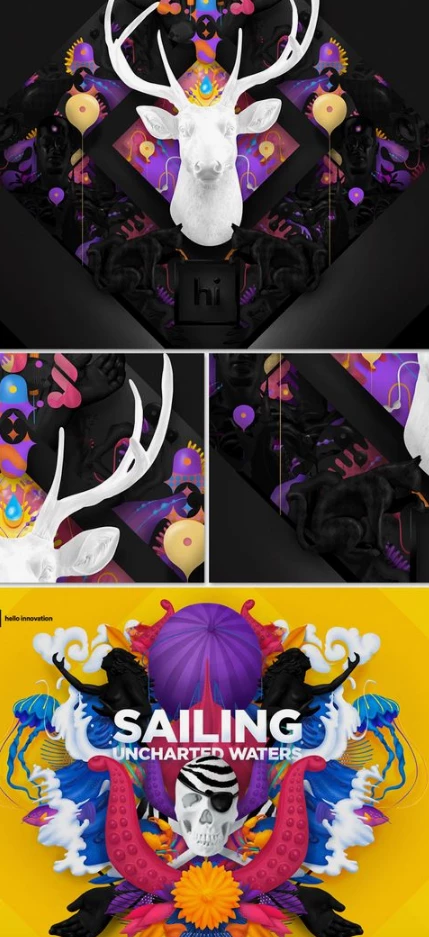
Could someone help me make this colorful and matte effect in photoshop?
 

This topic has been closed for replies.

3 replies

Participating Frequently
April 27, 2020
Participating Frequently
April 27, 2020
c.pfaffenbichler
Community Expert
Community Expert
April 22, 2020

The »Sailing …« image seems to be largely illustrated, the skull might be a rendering but much of the rest appears to be either drawn/painted outright or traced. 

So it would appear a question on choosing your colors and combining the appropriate elements. 

For the mirroring it would naturally be prudent to use two Smart Object instances, so that editing the one would always also apply to the other. 


From what material are you starting? 

Participating Frequently
April 22, 2020

I understand . Is it not possible to arrive at a close result using some effect by combining several?

Participating Frequently
April 22, 2020

I tried to use the Hue Saturation colorize mode, but the texture remains. In the example I showed, it seems to me that there is no texture in the objects, they are smooth and matte. It is exactly this result that I am looking for.