
Participant
January 8, 2017
Answered

How to open Photoshop in split screen

  • January 8, 2017
  • 2 replies
  • 17912 views

So I'm watching some of the tutorials and I'd like to have Photoshop open in the split screen so I can follow along without having to switch back and forth. So far I haven't found a way to do this. Does anyone have any alternative solutions?
    This topic has been closed for replies.
    Correct answer Barb Binder

    Great. Is your application frame on? (Window > Application Frame)

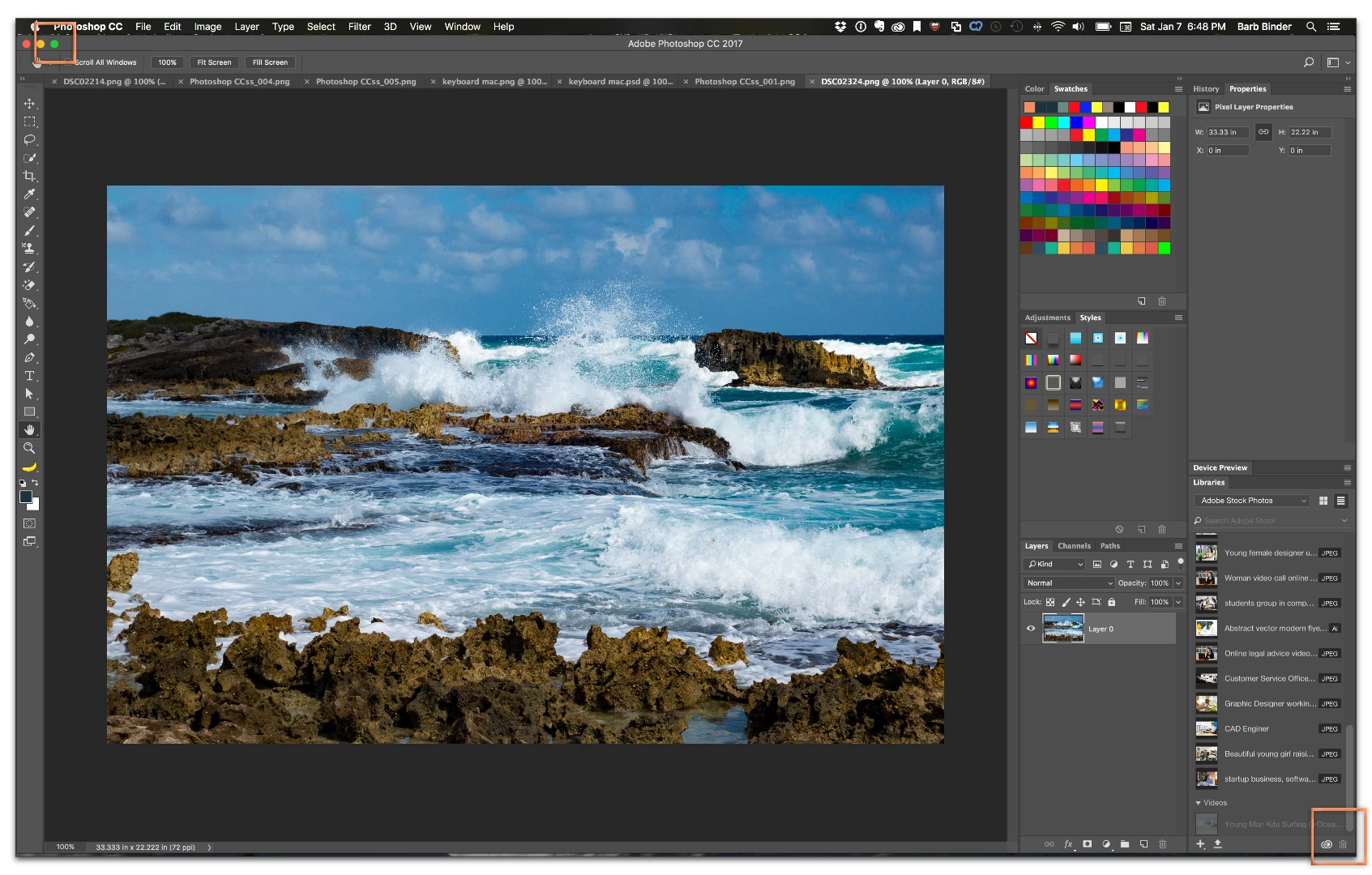
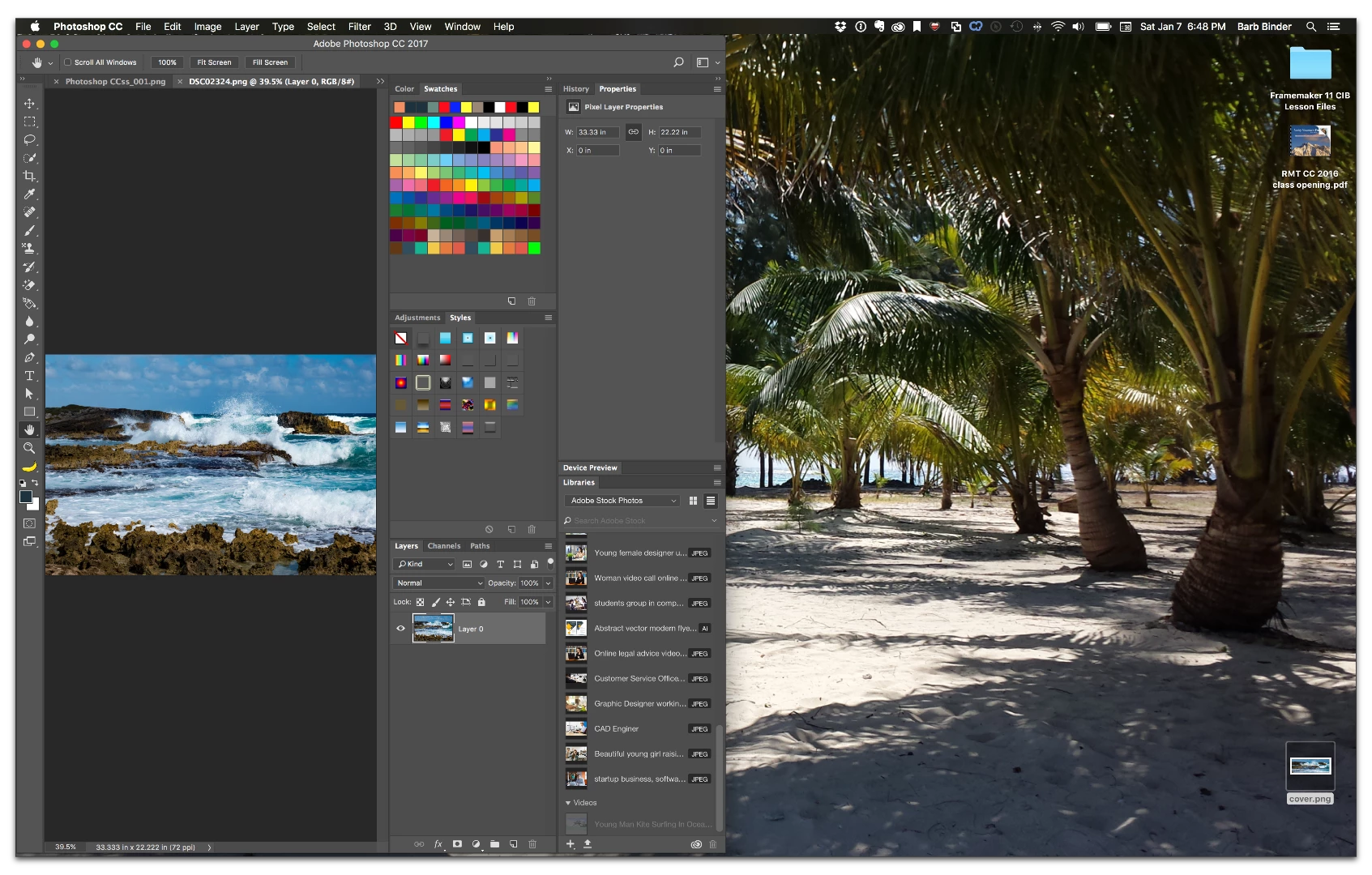
    Just grab the bottom right corner of the Photoshop application frame and drag it to the left. Then you will have room to position the video next to it. (if you can't get the bottom left corner to respond, you may need to click the green light button on the top left of the application.)

    2 replies

    Barb Binder
    Community Expert
    Community Expert
    January 8, 2017

    Great!

    ~Barb at Rocky Mountain Training
    Barb Binder
    Community Expert
    Community Expert
    January 8, 2017

    You are trying to put the video on half the screen, and Photoshop on the other half? What operating system are you on?

    ~Barb at Rocky Mountain Training
    Participant
    January 8, 2017

    Yes, I'm using mac OS

    Barb Binder
    Community Expert
    Barb BinderCommunity ExpertCorrect answer
    Community Expert
    January 8, 2017

    Great. Is your application frame on? (Window > Application Frame)

    Just grab the bottom right corner of the Photoshop application frame and drag it to the left. Then you will have room to position the video next to it. (if you can't get the bottom left corner to respond, you may need to click the green light button on the top left of the application.)

    ~Barb at Rocky Mountain Training