
Participant
September 16, 2018
Answered

How to remove hair on a hand? beauty retouching

  • September 16, 2018
  • 6 replies
  • 4703 views

Hello everyone,

I appeal to your lights and your precious advice for a simple subject. I'm doing photo editing for my little e-commerce and to make it simple I'm trying to get this done (see PJ)
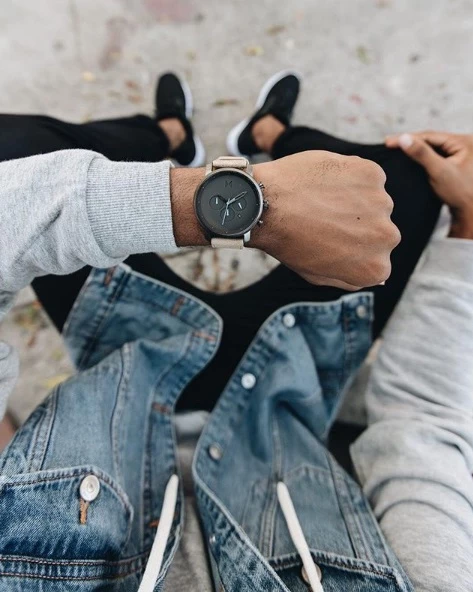
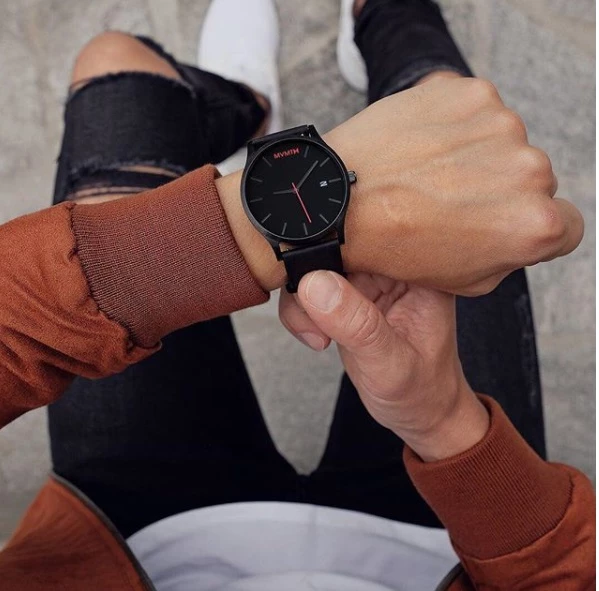
Basically I would like to remove the hair in post production. I use Photoshop.

I can not believe that the guys shave their hand to take the picture. This must be done in post prod. Or at age 40 it's not hands they will have but bear paws. Moreover we see on some photos that it has not been removed from everywhere.

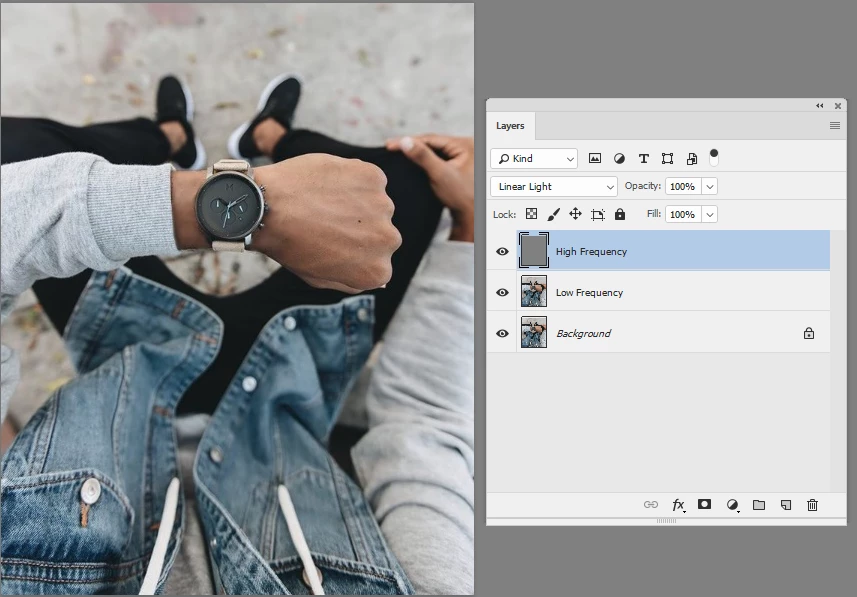
I tried to use this with the corrector tool and frequency separation but more than average result and especially very very long (hair by hair). Do you have a tip because I find no answer anywhere.

I remain available if you need more details

Thank you in advance,

Jérémy
    This topic has been closed for replies.
    Correct answer davescm

    Hi

    I am puzzled when you say that frequency separation does not work. I just tried it on your image - separating and then using the spot healing brush on the upper (high frequency) layer.

    Dave

    6 replies

    KShinabery212
    Community Expert
    Community Expert
    May 2, 2022

    I think I would just shave the hair on the hand before photographing it next time.  But it does look like a solution was provided!!!

    Also in today's world, you do not need to do so much heavy editing.  People like to see real people.  You can do some light editing and it would work perfectly.  Sometimes being more human is appealing when marketing a brand or a product. 

    Let's connect on LinkedIn. https://www.linkedin.com/in/kshinabery/
    Ivan Zajats
    Inspiring
    May 2, 2022

    The topic's title... well, I thought beauty photography is about female models and their make up 🙂

    KShinabery212
    Community Expert
    Community Expert
    May 2, 2022

    Not necessarily.  Retouching models in any aspect can fall under beauty retouching in my opinion.  Especially when it comes to marketing.


    Remember there are hand models out there that get paid big bucks and I am sure that even their hands get slightly retouched from time to time.

    Let's connect on LinkedIn. https://www.linkedin.com/in/kshinabery/
    davescm
    Community Expert
    davescmCommunity ExpertCorrect answer
    Community Expert
    September 17, 2018

    Hi

    I am puzzled when you say that frequency separation does not work. I just tried it on your image - separating and then using the spot healing brush on the upper (high frequency) layer.

    Dave

    lambiloon
    Community Expert
    Community Expert
    September 17, 2018

    hi you can do clone stamp tool also or content aware move tool can do it very easily....thanks

    Ali Sajjad / Graphic Design Trainer / Freelancer / Adobe Certified Professional
    Trevor.Dennis
    Community Expert
    Community Expert
    September 17, 2018

    The spot healing brush would probably produce the best result, but it would be a lot of work.  Negative Clarity in the Camera RAW filter cleans up fine detail without destroying larger content, and if you make the layer a Smart Object, you get a mask to control where it happens.

    If I had a few of these to do though, I'd pay for a decent stock image of a clean arm and hand, and composite the watches on to it.  Or use the Shoot-it-again filter.   I just can't think that anything short of the spot healing brush, is going to give a commercial quality image.

    Sjaani
    Community Expert
    Community Expert
    September 17, 2018

    I would use the spot healing brush and the patch tool to remove the hairs quite quickly on that image.

    angie_taylor
    Legend
    September 17, 2018

    An easy way is to make a selection of the area and ise the dust and scratches effect. If this doesnt work there are more precise methods that may help. You could use the healing brush to paint away the hairs. There are lots of viseos and tutorials online showing techniques like these. Just search for Photo-retouching/ beauty on Google for more ideas.