
Participant
September 13, 2013
Answered

How to use the rectangular marquee tool?

  • September 13, 2013
  • 3 replies
  • 42788 views

i am trying to use the rectangular marquee tool to make spaces in my text. im making a side nav bar for a website for a family member.

so i need to add in dviders to go between each text link. i need to make selections 210 by 1 pixel using the rectangular marguee tool between each line and fill with the colour #1e1e1e.

How do i do that? im not sure where to find those settings. im following a turtial so thats why its like this.

here is a pic of what im trying to do.
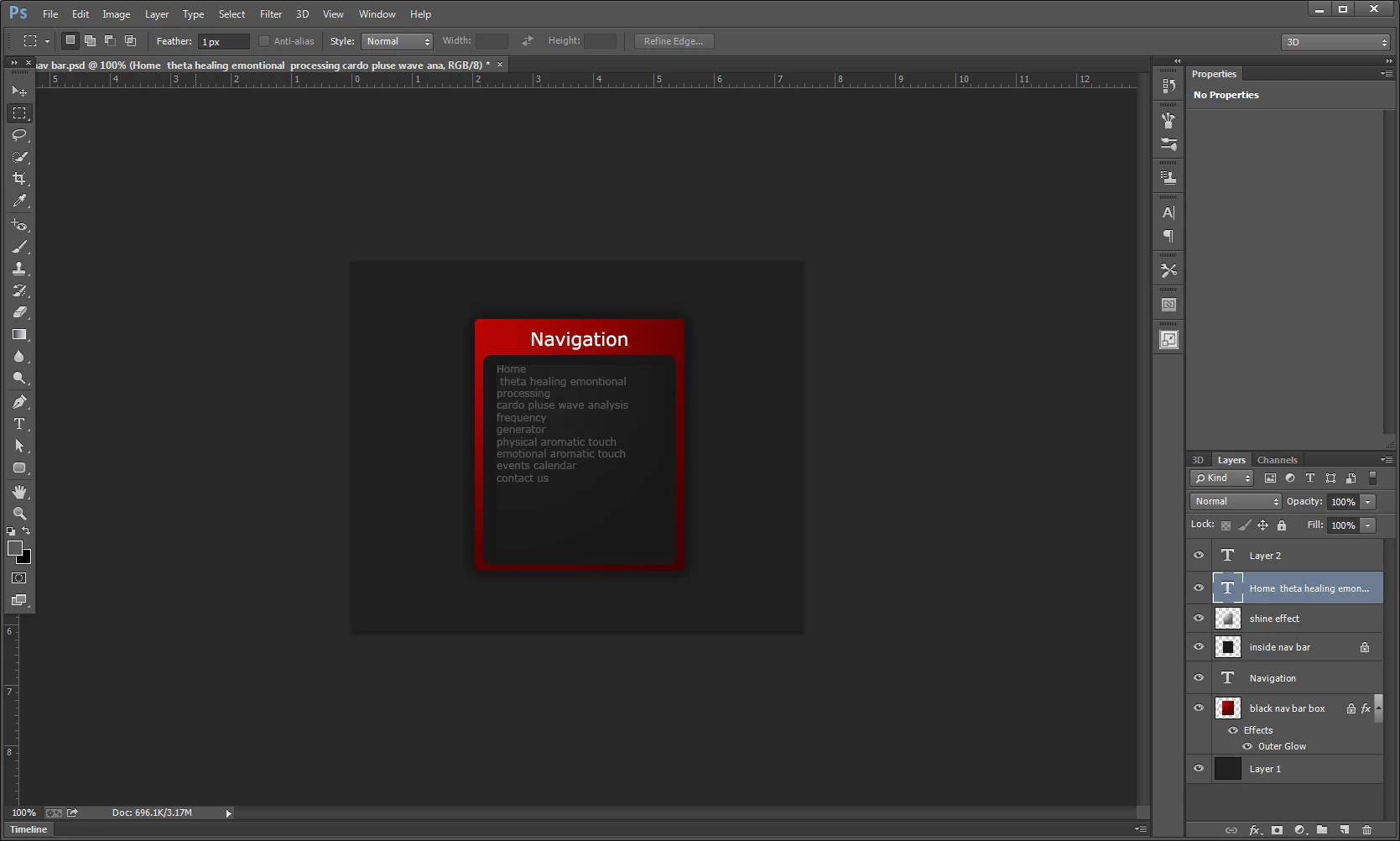
any help would be great thanks!

This topic has been closed for replies.
Correct answer John Waller

How would I do this?

Hard to explain in a single forum post.

Best if you upload your site to the web and post a link.

Then it's a matter of creating a CSS-based navbar (there are plenty of tutorials - and tools/utilities to make the process easier - online) and tweaking the CSS rules to taste

One example: http://css3menu.com

All this is strictly off-topic for a Photoshop forum, of course. Which web editing software do you use? Perhaps take the discussion there.

3 replies

Participant
October 19, 2013

i have some text i want be a hyperlink when i click on the text. is there someway to do this?

these links are for a website for a cliet.

John Waller
Community Expert
Community Expert
October 19, 2013

Same as the answer to your earlier post http://forums.adobe.com/thread/1295865

Photoshop does not do hyperlinks (or hotspots on images). It's an image editor. Hotspots (clickable links on images) are a feature of web pages which work in browsers.

You create the image/artwork in Photoshop as you have done.

Then you use a web editor such as Dreamweaver to import the image into a web page then add hotspots in DW. Then upload to the web.

John Waller
Community Expert
Community Expert
September 14, 2013

i am trying to use the rectangular marquee tool to make spaces in my text. im making a side nav bar for a website for a family member.

so i need to add in dviders to go between each text link.

Just a thought: Since the end goal of this exercise is making components for a webpage, you'd be better off creating your dividers and whitespace using Cascading Stylesheets (CSS) using whichever web editor you use.

One feature of navbars on webpages is that they're prone to change over time and it's far easier tweaking text rules in a stylesheet than re-visiting Photoshop to create new graphics every time you want a small change in the nav bar.

Participant
September 14, 2013

Ok I can see your point. I have used CSS before. How would I do this? Good thought too! I hadn't thought of that!

John Waller
Community Expert
John WallerCommunity ExpertCorrect answer
Community Expert
September 14, 2013

How would I do this?

Hard to explain in a single forum post.

Best if you upload your site to the web and post a link.

Then it's a matter of creating a CSS-based navbar (there are plenty of tutorials - and tools/utilities to make the process easier - online) and tweaking the CSS rules to taste

One example: http://css3menu.com

All this is strictly off-topic for a Photoshop forum, of course. Which web editing software do you use? Perhaps take the discussion there.

gener7
Community Expert
Community Expert
September 13, 2013

You could go up to the Marquee tool Options bar and at Style, change it from Normal to Fixed Size and enter the pixel width and height.  210 w x 1 h  Set Feather to 0 px or the line looks blurry.

Then from Photoshop's color picker, enter the hex value to set the foreground color.

Use the Alt + Delete keyboard shortcut to fill that rectangle with the foreground color wherever you position the rectangle.

Gene