Participant
June 2, 2013
Answered

I can't change my font style from "regular"

  • June 2, 2013
  • 3 replies
  • 27389 views

I am captioning a picture and my font style is frozen on regular. How can I unfreeze font style?

This topic has been closed for replies.
Correct answer EricaLynneLarson

Hi there Jon,

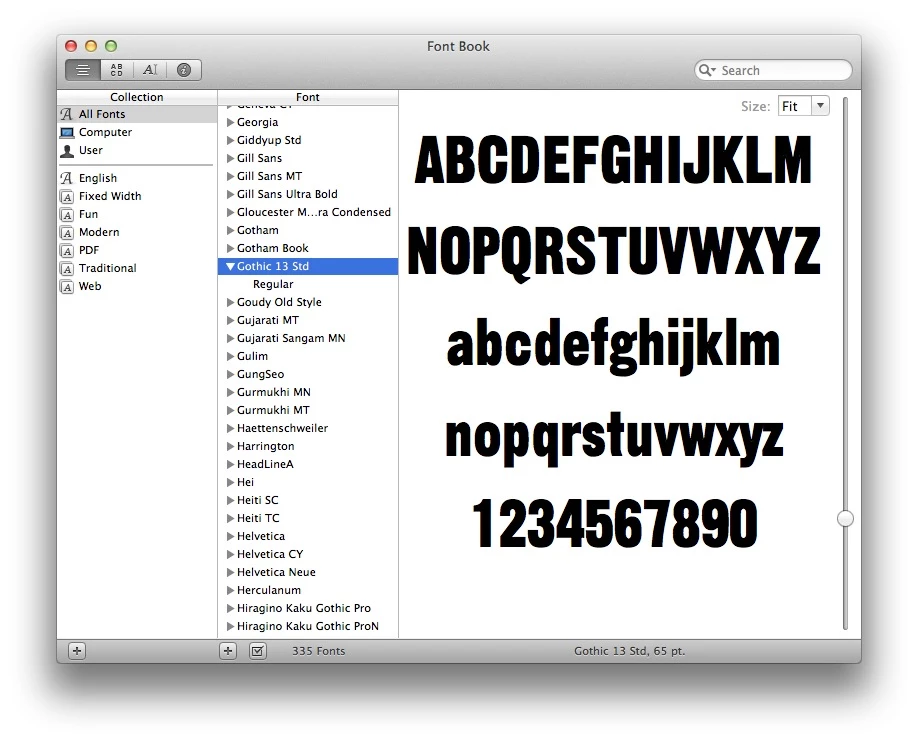
Everything Mylenium said is true. If you are on a Mac, you can see what fonts you have installed by opening the Font Book application. Though the available fonts will be displayed in the Photoshop type menu, you can confirm this in Font Book, too. Once it is open, locate the font you were trying to use in Photoshop and click the twirly to see the entire "font family." You can see below that my font Gothic 13 Std only comes in regular.
To use the faux bold and faux italic buttons on the character panel, follow the directions below.

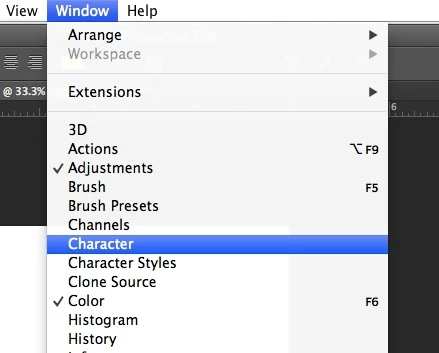
1: Open the character panel by going to Window > Character.
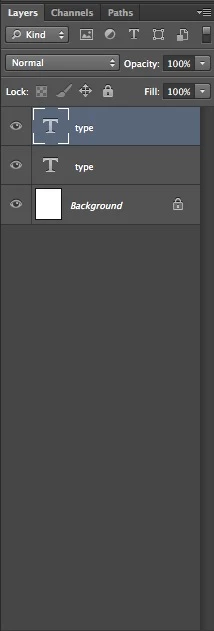
2: Select your type by double clicking on the "T" icon in the layers panel.
3: Click on one of the icons marked below for faux bold and/or italic.
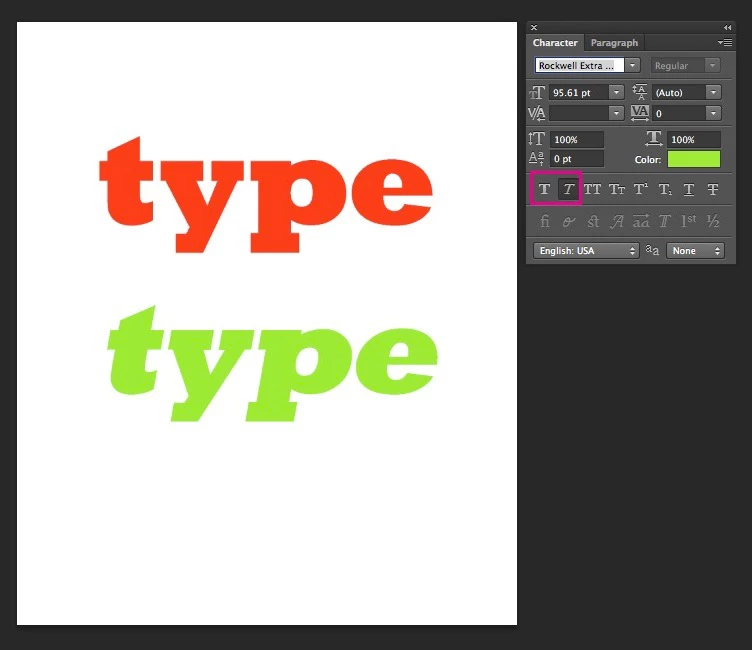
Like Mylenium said these options might not have results that look as good as a typeface that was designed specifically as an italic/oblique or heavier weight. In fact, many designers would avoid using the faux options entirely... but this is up to your discretion. Another solution, especially if you're captioning a large number of images, would be to change to a font that includes different weights and an italic.

Let us know if we can help any further!

3 replies

PECourtejoie
Community Expert
Community Expert
June 3, 2013

Hello, Jonmarschall, welcome to the forum!

Here is a document that deals about troubleshooting font problems: http://helpx.adobe.com/photoshop/kb/troubleshoot-fonts-photoshop-cs5.html

(It also deals about CS6)

EricaLynneLarsonCorrect answer
Adobe Employee
June 3, 2013

Hi there Jon,

Everything Mylenium said is true. If you are on a Mac, you can see what fonts you have installed by opening the Font Book application. Though the available fonts will be displayed in the Photoshop type menu, you can confirm this in Font Book, too. Once it is open, locate the font you were trying to use in Photoshop and click the twirly to see the entire "font family." You can see below that my font Gothic 13 Std only comes in regular.

To use the faux bold and faux italic buttons on the character panel, follow the directions below.

1: Open the character panel by going to Window > Character.

2: Select your type by double clicking on the "T" icon in the layers panel.

3: Click on one of the icons marked below for faux bold and/or italic.

Like Mylenium said these options might not have results that look as good as a typeface that was designed specifically as an italic/oblique or heavier weight. In fact, many designers would avoid using the faux options entirely... but this is up to your discretion. Another solution, especially if you're captioning a large number of images, would be to change to a font that includes different weights and an italic.

Let us know if we can help any further!

Mylenium
Legend
June 2, 2013

What font are you using? What version of Photoshop? What system? Availability of font styles depends on actually having them installed on the system. If you never installed italic, bold and so on font variants or the font only has a regular style to begin with, there will never be alternate styles available. The best you can do then is to use the faux bold/ faux italic buttons on the character panel, but it may not look as great as a genuine, properly designed italic or bold font...

Mylenium