Participant
January 16, 2021
解決済み

I can't figure out how to enable OpenGL

  • January 16, 2021
  • 返信数 1.
  • 23570 ビュー

Hello there, 

I use Adobe Photoshop 2020 on a Windows 10 through the Creative Cloud for my job and simply want to be able to rotate the canvas, but for whatever reason under Edit > Preferences > Performance, I see NO checkbox for OpenGL on the page or under > Advacned Settings.

I've been following various tutorials online for a few hours and feel like I'm going mad. I'm not much of a tech minded person and really wish it didn't have to be this dang hard to enable what should be a basic function... Are there any patient souls out there who can help a confused artist?
Thank you in advance! 
解決に役立った回答 davescm

Thank you so much for your help guys. I haven't yet solved the issue, because every time I do I face a new problem that internet forums don't seem to have a straightforward answer to to somebody who does not speak fluent computer.

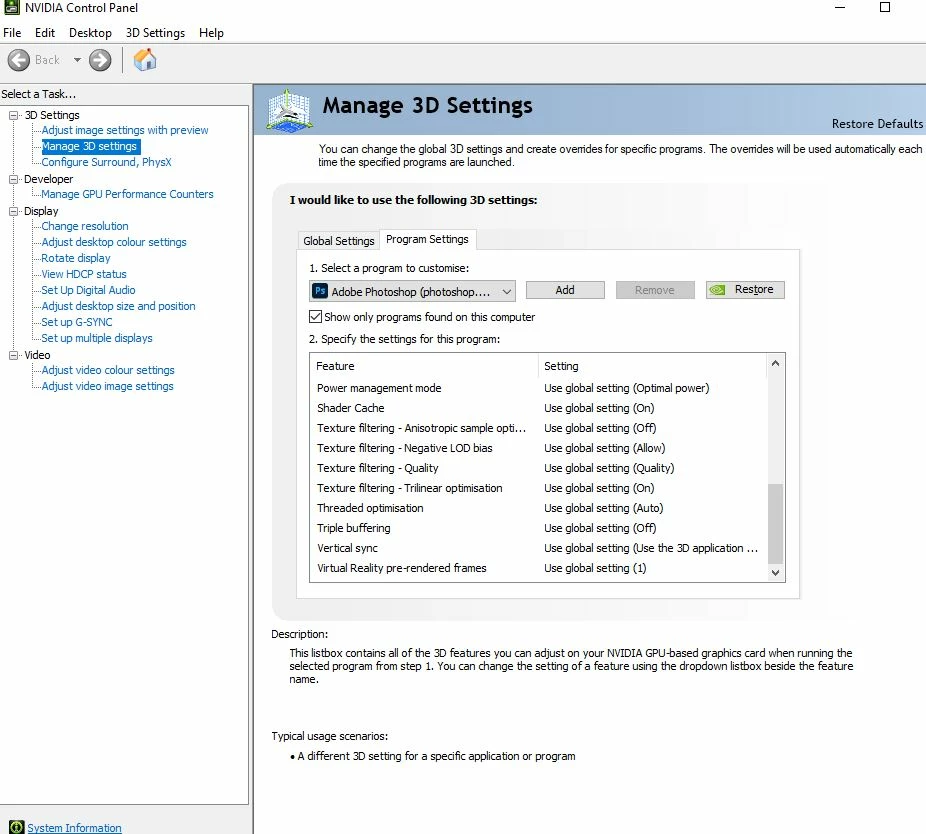
I read sections 7 and 8, but the trouble with my NVIDIA control Panel is that there is no option for "Select the preferred graphics processor for this program". I'm a little too afraid to try step 8 of simply disabling the IntelR HD Graphics 630, as I don't know what I'll do if it completely messes up the functioning of my comptuer / makes the screen go entirely black. 

Any idea of where to go from here? I've already chosen High Performance in the system settings for Adobe Photoshop 2020.

An image of my somehow incomplete NVIDIA menu is below. 


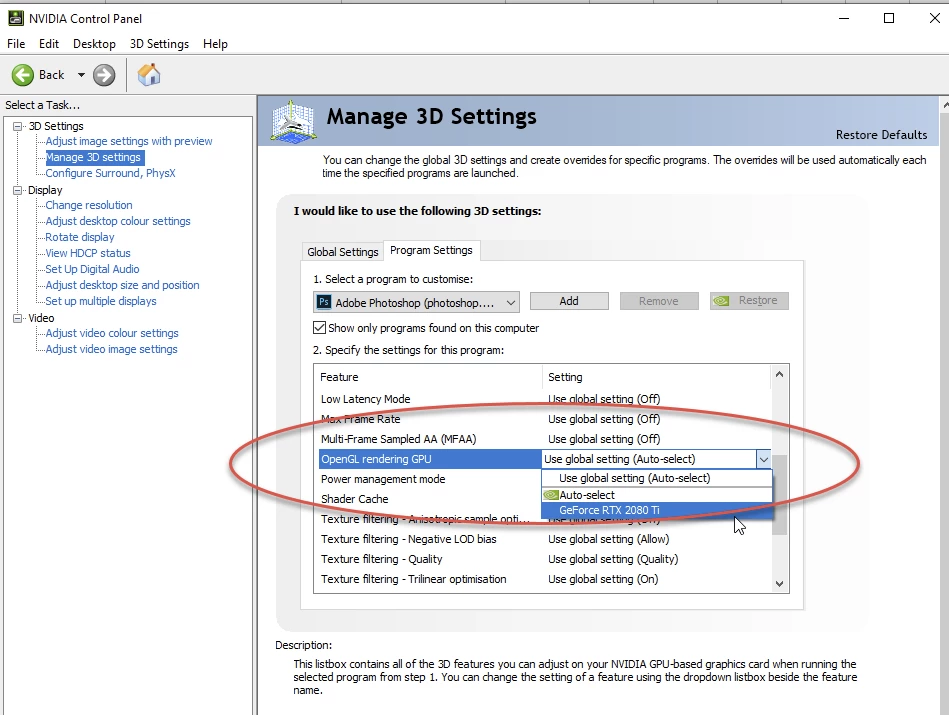
In that list, look for "OpenGL rendering GPU" and change it from Use Global Settings to the GPU you want to use


Dave

返信数 1

January 16, 2021

Hi

Are you saying that this option isn't showing or is it just greyed out

Can you post your Photoshop system info, in Photoshop go to Help > System Info, hit the copy button and paste the entire thing into this thread


Participant
January 18, 2021

Hey I think I hit post instead of just reply by accident. Nonetheless, my reply is below if you still feel you can help out - thank you again. 

Participant
February 7, 2021

Take a look at sections 7 and 8 here

https://helpx.adobe.com/uk/photoshop/kb/troubleshoot-gpu-graphics-card.html


Dave


Thank you so much for your help guys. I haven't yet solved the issue, because every time I do I face a new problem that internet forums don't seem to have a straightforward answer to to somebody who does not speak fluent computer.

I read sections 7 and 8, but the trouble with my NVIDIA control Panel is that there is no option for "Select the preferred graphics processor for this program". I'm a little too afraid to try step 8 of simply disabling the IntelR HD Graphics 630, as I don't know what I'll do if it completely messes up the functioning of my comptuer / makes the screen go entirely black. 

Any idea of where to go from here? I've already chosen High Performance in the system settings for Adobe Photoshop 2020.

An image of my somehow incomplete NVIDIA menu is below.