pascalew26606822
Participant
September 17, 2017
Answered

I CAN'T SEE ANYTHING !!

  • September 17, 2017
  • 2 replies
  • 2174 views

Hello,

I have some problem with photoshop on my new computer.
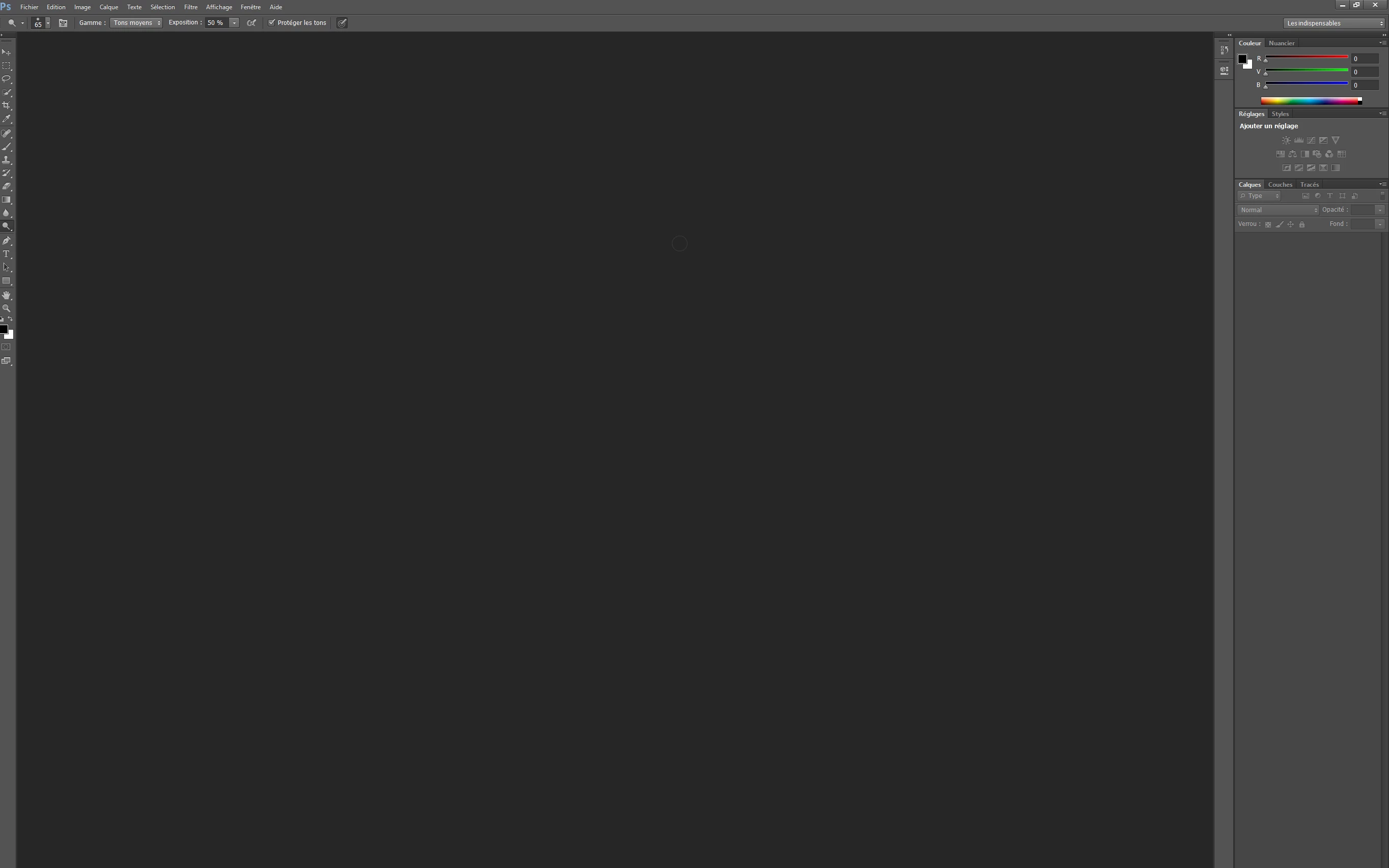
As you can see on the screenshoot, all the icons and settings are tiny and I can't see anything.

Do you have any solution to my situation ?

This topic has been closed for replies.
Correct answer davescm

Hi

The UI scaling for windows is in current versions (not CS6). There is a further public test of intermediate scaling  underway - but again it requires CC

There are some workarounds that some users have tried, using the operating system (see below) which may help you. But within Photoshop itself, with CS6, you are stuck.

Photoshop CC scaling broken on high DPI windows laptop

Dave

2 replies

davescm
Community Expert
Community Expert
September 17, 2017

If you are using the current version of Photoshop , go to Preferences , Interface and set UI scaling to 200%. You will need to close and restart Photoshop after clicking OK

Dave

pascalew26606822
Participant
September 17, 2017

I don't have the UI scaling

davescm
Community Expert
davescmCommunity ExpertCorrect answer
Community Expert
September 17, 2017

Hi

The UI scaling for windows is in current versions (not CS6). There is a further public test of intermediate scaling  underway - but again it requires CC

There are some workarounds that some users have tried, using the operating system (see below) which may help you. But within Photoshop itself, with CS6, you are stuck.

Photoshop CC scaling broken on high DPI windows laptop

Dave

Derek Cross
Community Expert
Community Expert
September 17, 2017

Which version of Photoshop and OS and is your monitor high resolution such as a retina screen?

pascalew26606822
Participant
September 17, 2017

I have Photoshop CS6. The highest resolution is 2736x1824

davescm
Community Expert
Community Expert
September 17, 2017

Our posts crossed. Are you using Mac or Windows?

Dave