
Answered
Image multiply
how can i multiply an image and put it together in one frame automatically?

how can i multiply an image and put it together in one frame automatically?
Open your picture and bring up the Canvas command (Ctrl Alt C)
Make sure that Relative is checked, and add as many multiples of the image width and height as you need.
I have doubled the canvas size below, giving me four instances of the original image
Note I have set the canvas to expand from the top left corner (green highlight)
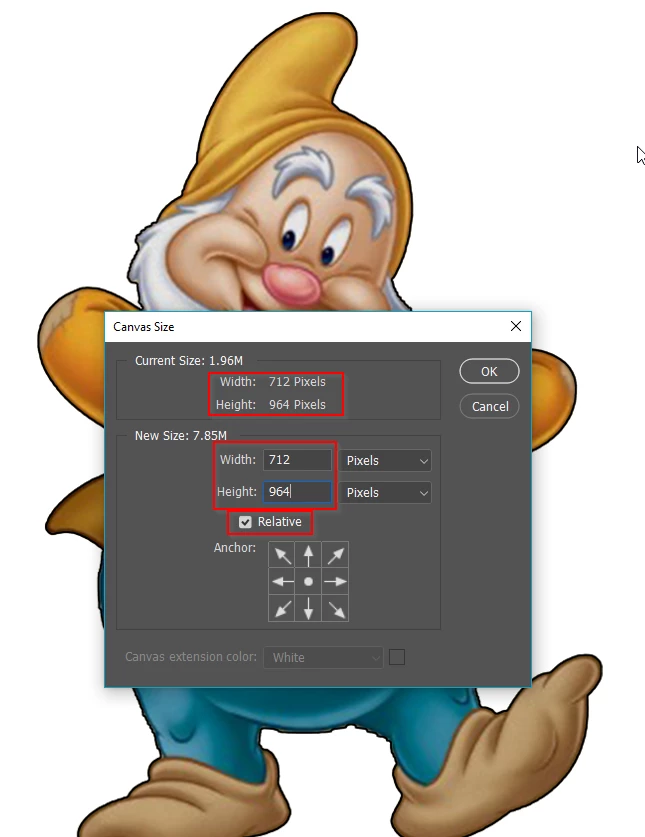
My new canvas now looks like this

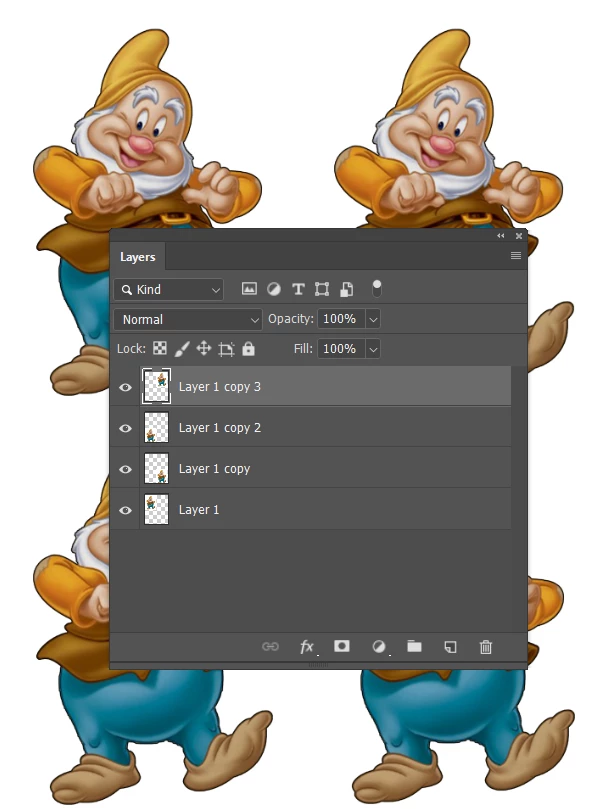
Copy the background layer three times, and drag each layer into place with the Move tool. The layers will Snap into place
Already have an account? Login
Enter your E-mail address. We'll send you an e-mail with instructions to reset your password.
 AdChoices