
Participant
March 17, 2021
Question

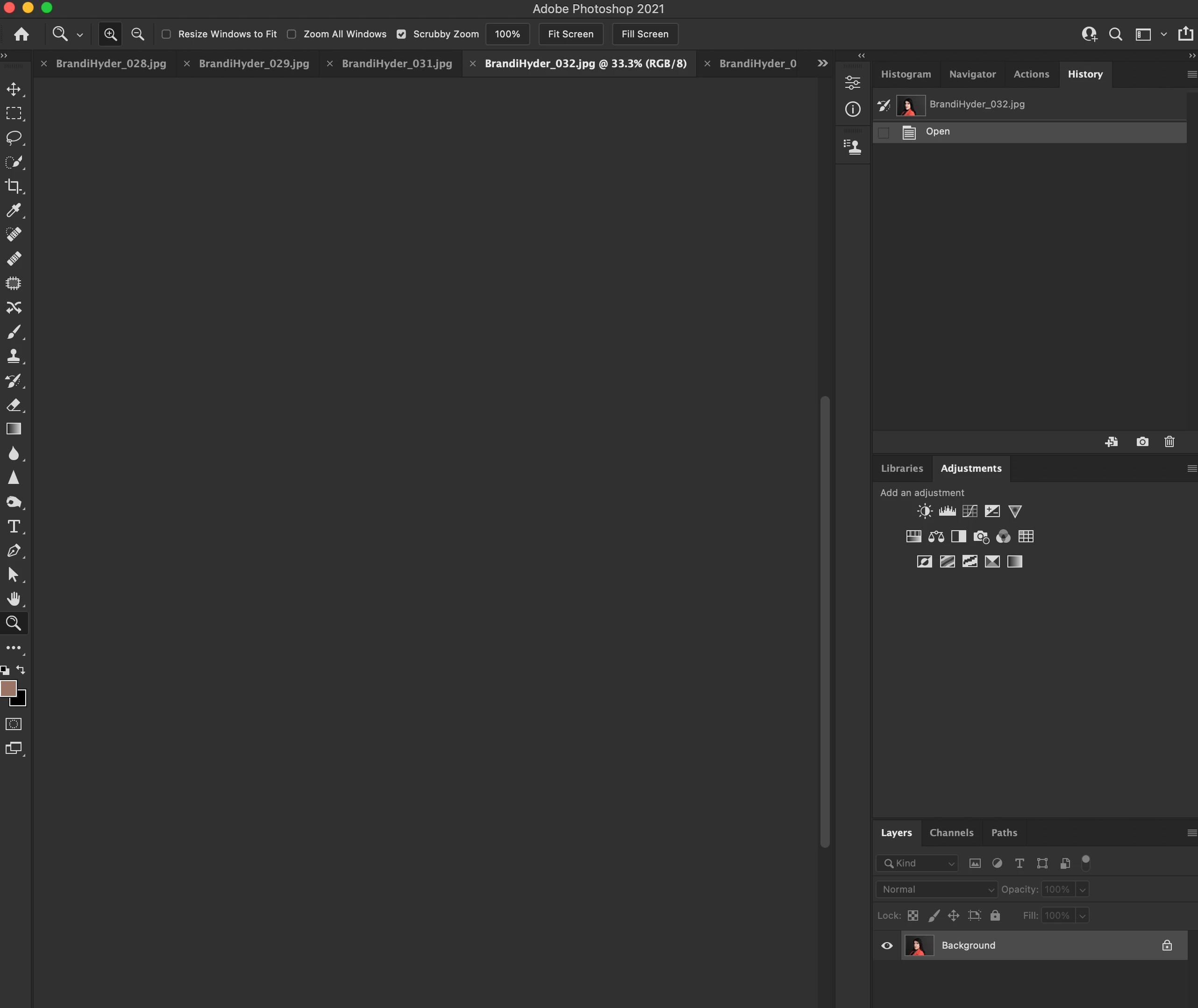
images can't be viewed in tabs

  • March 17, 2021
  • 1 reply
  • 286 views

I am opening images from bridge into photoshop.  They open in tabs, but they are not visible.  In the layers menu, I can see that the image is there.  If I switch to full-screen mode I can see and edit the image, but not in tabs.  Everything is up to date.  What is causing this issue and how do I fix it?

Big Sur 11.2.3

PS 22.3.0

MacBook Pro 
This topic has been closed for replies.

1 reply

War Unicorn
Community Expert
Community Expert
March 17, 2021

I'm going to go ahead and guess: GPU/video adapter driver screen redraw issue. Again.


Out of curiosity, if you go to Photoshop > Preferences > Performance > Graphics Processor Settings > uncheck "Use Graphics Processor," does the problem go away?

*milly*Author
Participant
March 17, 2021

Yes the images are viewable with use graphics processor unchecked.

War Unicorn
Community Expert
Community Expert
March 17, 2021

Big oof. Definitely a GPU driver issue. I've been recommending users petition Apple to try to iron this out.


(I can't honestly believe this even got past Apple, knowing the amount of Photoshop users on Mac, but then again, Big Sur is newer.)