
thisizR2R
Known Participant
February 9, 2019
Question

Importing mp4 into Photoshop and editing it there? (frame by frame)

  • February 9, 2019
  • 1 reply
  • 610 views

like fr is it possible?

I just want to do some clean up, because i cant do it in after effects. And it's like really some basic stuff - healing brush and clone stamp tool. Here's picture for what i need:
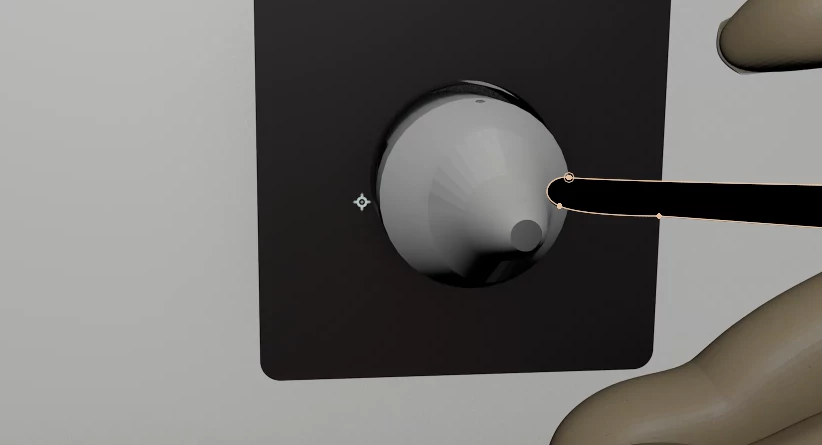
(One frame weighs around 2mbs)
Importing and exporting by one frame from after effects takes much more time than editing it in photoshop. Any advice?

This topic has been closed for replies.

1 reply

JJMack
Community Expert
Community Expert
February 9, 2019

You can have just so many frames in a frame animation.  You can import frames from a video into Photoshop  and you can convert a video timeline into a frame animation timeline. However you will lose audio.  I do not edit video however so I do not know all Photoshop's  of what Photoshop vedio feature is capaable of.  Photoshop only has some basic video editing features.  If you want to edit video you should use video editing software like premier pro and after effects. Photoshop video editing is basic.Mostly trim splice and transition effects.  Converting video layers to smart object has adds a little more video capabilites.

Photoshop Video feature is a nice added feature but is not intended for real video editing.

To do want you want in Photoshop would require you to create layers for the frames and  perhaps record and action to help to edit the layers and use the in Photoshop. You can not use smart video layers for smart object pixels can not be changed in Photoshop. You may be able to use smart filters on video smart object layers.  Shaping and blurring may be possible. Even an action would need to be interactive for object location change from frame  to frame. So you may be able to crate frame layers from a video timeline edit the frame layers and then convert back to video.

JJMack