
Participant
March 7, 2017
Question

Inaccurate image size

  • March 7, 2017
  • 2 replies
  • 1767 views

Hello,

I've been experiencing a very frustrating issue with Photoshop CC 2017 on Windows 10: the images are displayed in Photoshop are much smaller than their "real" size. If I open an image at 150 px, I see it as roughly 100px on Photoshop. The rulers and any other image properties also indicate the smaller size. When I save it or export it for web it's in the "real" size (150px). This problem persists no matter the size, format or resolution. It's basically as if everything is at zoom 66.67%

Here comes a screenshot of an image of 500px open in Photoshop and in Google Chrome.
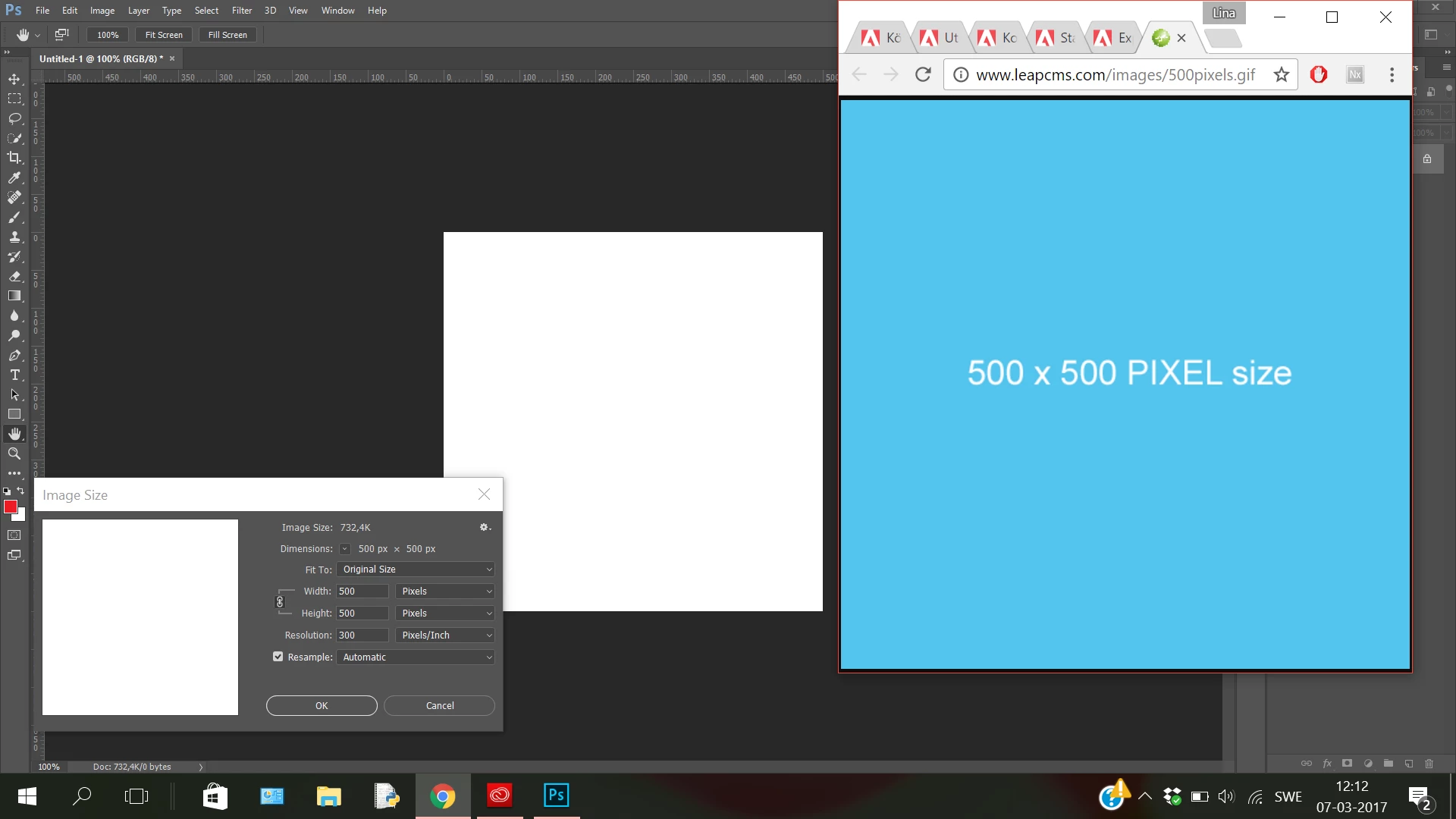
It's incredibly annoying since I need to see the work I am doing at the same size and quality as the final exported result. I have looked high and low for a solution to no avail, even reinstalling the program. Is the only solution to uninstall CC17 and revert back to Photoshop CS6 (with which I never had this issue)?

This topic has been closed for replies.

2 replies

davescm
Community Expert
Community Expert
March 7, 2017

It sounds like you have a hi res display.

At 100% zoom Photoshop maps 1 image pixel onto 1 screen pixel. That is what 100% means - it has nothing to do with a physical size.

Many browsers however, scale up the image on a hi res screen so they map 1 image pixel onto more than one screen pixel.

Photoshop is acting correctly as a pixel editor.

Dave

Just Shoot Me
Legend
March 7, 2017

In PS you have the resolution set to 300 PPI. A web browser displays things at the monitor resolution, 72 or 92 PPI.

The rulers in PS are telling you the image is 500 x 500. I don't see you have a problem. What happens if you set the resolution at 92 PPI in the Image size dialog?

Participant
March 7, 2017

Changing the resolution to 72 doesn't affect the image's size at all

davescm
Community Expert
Community Expert
March 7, 2017

It won't. Photoshop only uses the resolution to set the rulers not the display size with one exception. Print resolution and screen resolution in preferences are used to calculate the zoom level used by Photoshop to display when using View Print Size.

Dave