
Participant
April 2, 2017
Question

indexed color reduction causes distorted looking image.

  • April 2, 2017
  • 2 replies
  • 354 views

When I preview the image it looks fine
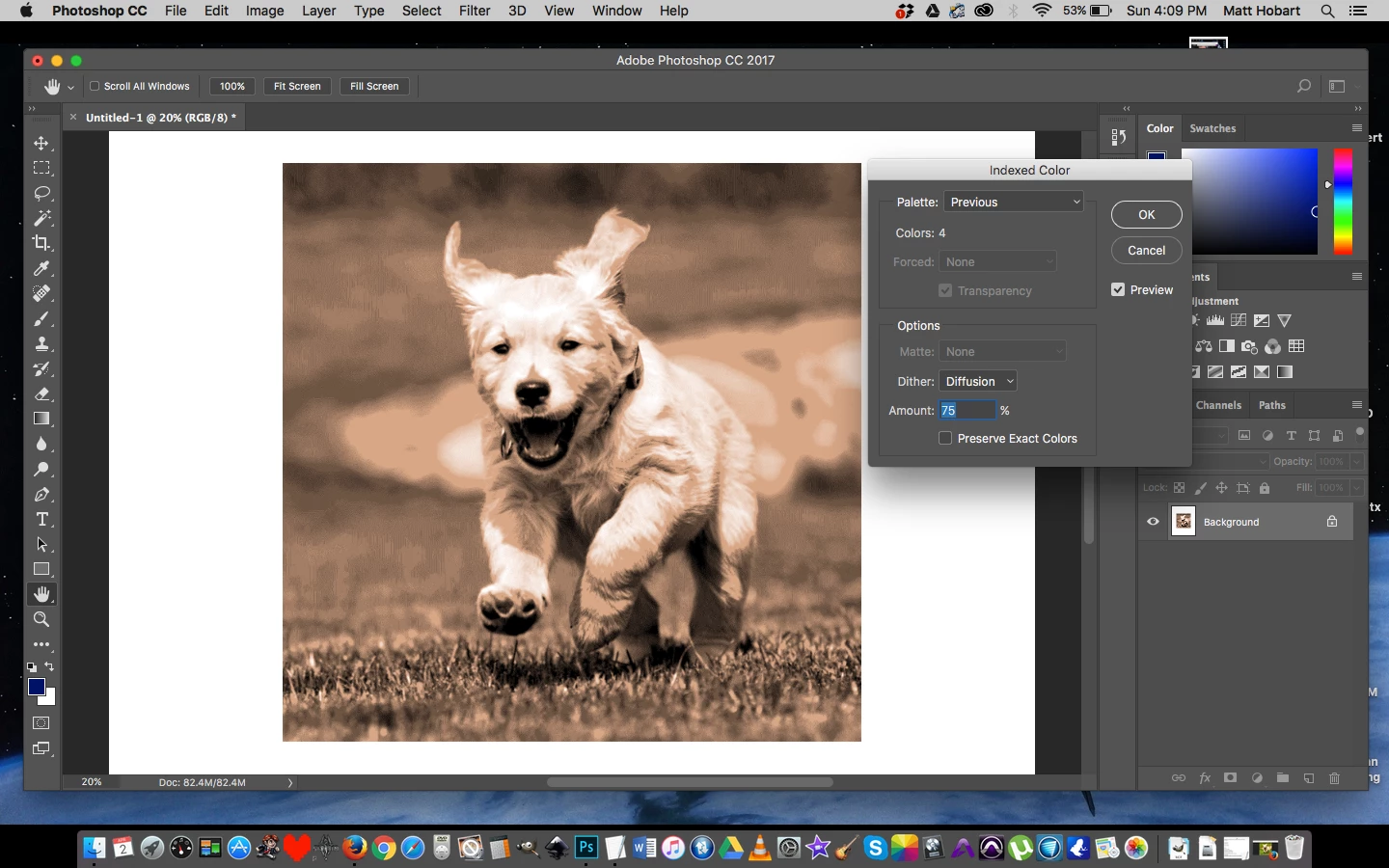
but when I hit ok it distorts the image as seen below
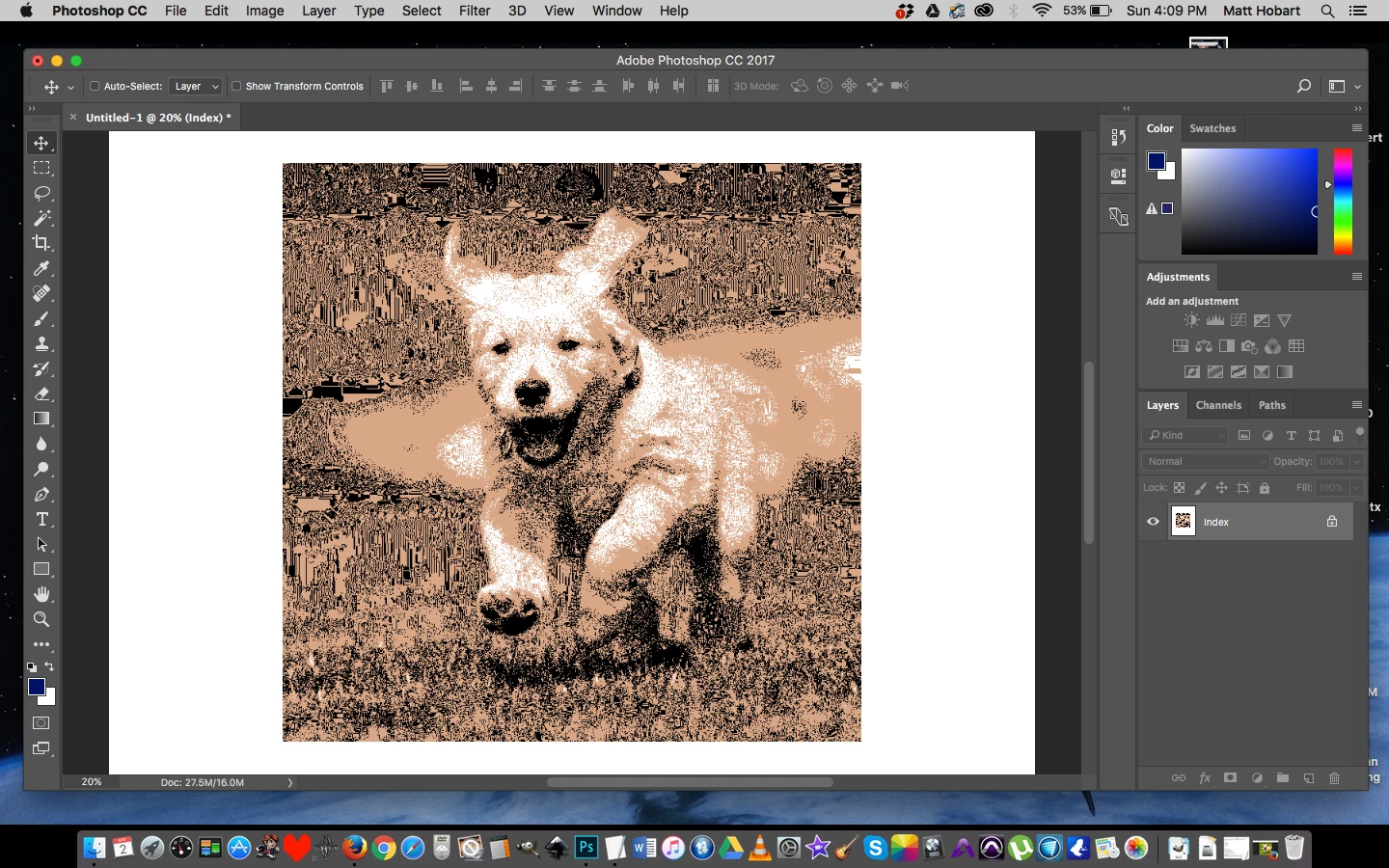
what in the world could be going on here?  I almost want to just take the high rez screenshot and import that and work with that image, but I'd rather not have to.

[Moved from non-technical Lounge Forum to specific Program forum... Mod]

[Here is the list of all Adobe forums... https://forums.adobe.com/welcome]

    This topic has been closed for replies.

    2 replies

    Chuck Uebele
    Community Expert
    Community Expert
    April 6, 2017

    This might have something to do with the resolution you're viewing the image at. What happens at 100%? You can get an interference pattern. The preview is not what you get. This is the case with many things in PS.

    Preview:

    At 20%, like your image:

    At 100%

    barbara_a7746676
    Community Expert
    Community Expert
    April 3, 2017

    I'm not able to replicate the problem. Double check that Diffusion is chosen instead of None before clicking OK.

    Alternatively, when you're ready to index the image, choose File > Export > Save for Web. If you choose 2-up, you can see a side by side comparison of the original and the indexed image that is pretty accurate.

    Participant
    April 6, 2017

    Yes diffusion is chosen.  I wonder if one of my photoshop files is corrupted?