Participant
July 13, 2018
Answered

INFORME DE BLOQUEO PHOTOSHOP CC

  • July 13, 2018
  • 3 replies
  • 22006 views

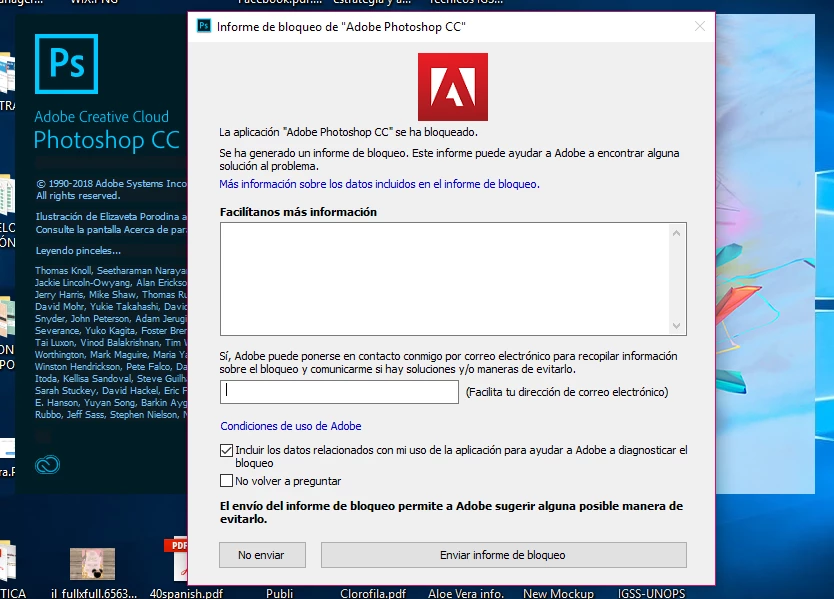
Quisiera saber porque me sale este informe de bloqueo solo en photoshop
    This topic has been closed for replies.
    Correct answer Akash Sharma

    Hi danac17271655,

    Sorry that you're Photoshop CC is crashing while launching. Could you please let us know the exact version of Photoshop you're using? As per the error message, it seems that Photoshop is crashing/freezing while loading brushes.

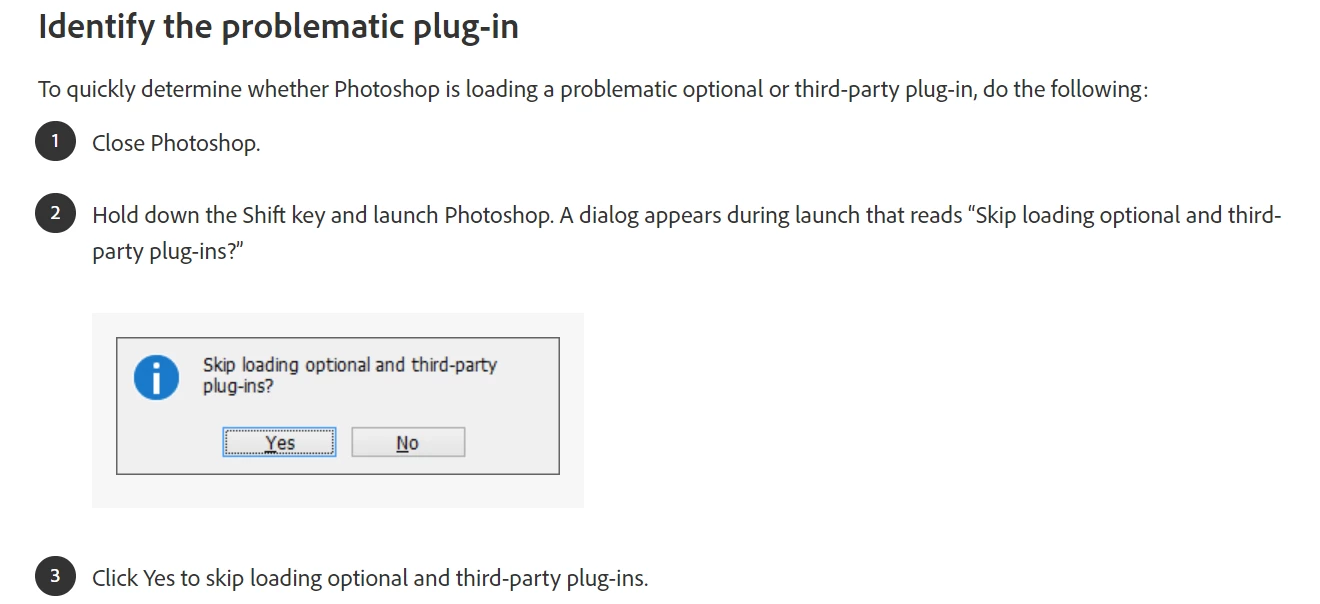
    You can try to start Photoshop holding down the shift key on the keyboard and choose yes to skip loading optional plugins. Also please provide me some more information. Which operating system are you using? Which graphic card are you using? What are the system specifications?
    Let us know how it goes.

    Thanks,

    Akash

    3 replies

    Participant
    February 1, 2021

    Hello, I've tried doing the same thing but it didn't work. I pressed shift while launching the program, then pressed "yes" to skip the plug-ins, and the same message appeared, with the program crashing again.

    marianarcmx
    Participant
    July 6, 2020

    Hola me ocurre el mismo error, ya intenté la opción de presionar Shift pero en mi caso no funcionó. 😞 ¿Qué puedo hacer? 


    Akash Sharma
    Akash SharmaCorrect answer
    Legend
    July 16, 2018

    Hi danac17271655,

    Sorry that you're Photoshop CC is crashing while launching. Could you please let us know the exact version of Photoshop you're using? As per the error message, it seems that Photoshop is crashing/freezing while loading brushes.

    You can try to start Photoshop holding down the shift key on the keyboard and choose yes to skip loading optional plugins. Also please provide me some more information. Which operating system are you using? Which graphic card are you using? What are the system specifications?

    Let us know how it goes.

    Thanks,

    Akash

    Participant
    August 28, 2018

    Presento el mismo error, pero seguí la sugerencia de mantener presionada la tecla Shift para desactivar complementos adicionales y finalmente abrió. En este caso, que complementos debo eliminar u omitir para evitar este problema la proxima vez que intente abrirlo?

    Akash Sharma
    Legend
    August 29, 2018

    Hi luiggy24,

    Thanks for posting on Adobe Forums.

    If Photoshop opens when you skip to load third party plugins, then it means that one of your plugins are causing the app not to function,

    Take a look at this article Photoshop plug-ins troubleshooting and let us know how it goes.

    Thanks,

    Akash
