rodocarda
Participating Frequently
January 10, 2017
Answered

Issues with Select&Mask and Onion skin

  • January 10, 2017
  • 1 reply
  • 4225 views

I have just recently (a few days ago) upgraded my iMac to OS Sierra and Photoshop CC 2017.
When I try to use Select and Mask two things definitely refuse to work: Onion Skin option can be selcted but nothing happens when I try to select the areas on the image, and the seleztion tool itself doesn't work.
Other options, such as on white, on black and refining tools seem to work, but first I am forced to make a selectino BEFORE invoking select and mask, and secondly the Onion Sking feautre is not working.
And yes, although I am aware that many other complained, the refining tools work very poorly, lengthening the process.
I have read quite a lot of thread, but apart from using refine and edge from previous PS version or deinstalla and reinstall (which I defenitely DO NOT want to do), no clear answer came up.
Is there any upgrade in the making from Adobe to overcome these problems?
Thank you in advance for any help
This topic has been closed for replies.
Correct answer davescm

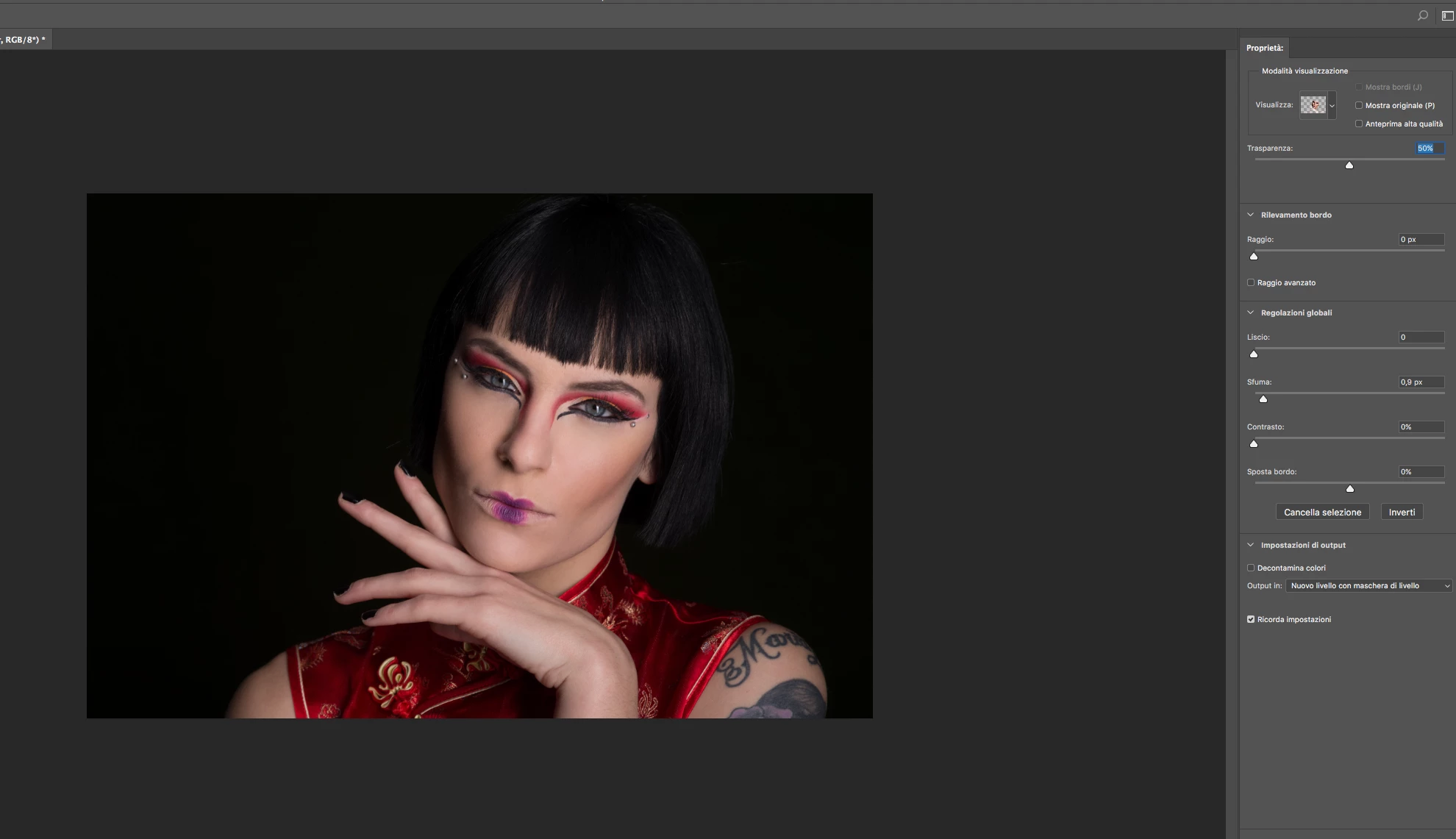
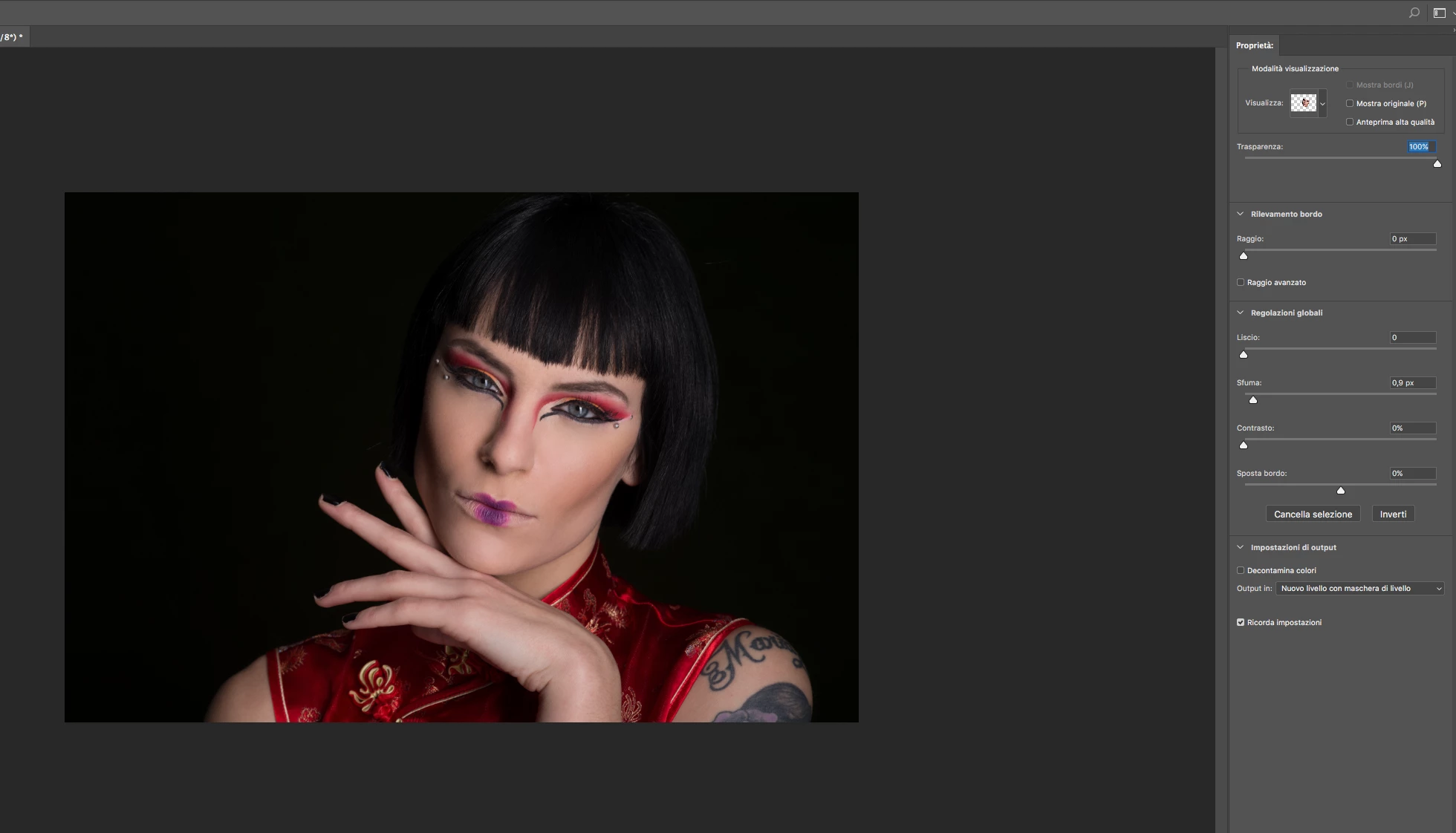
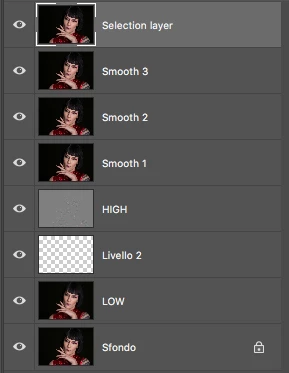
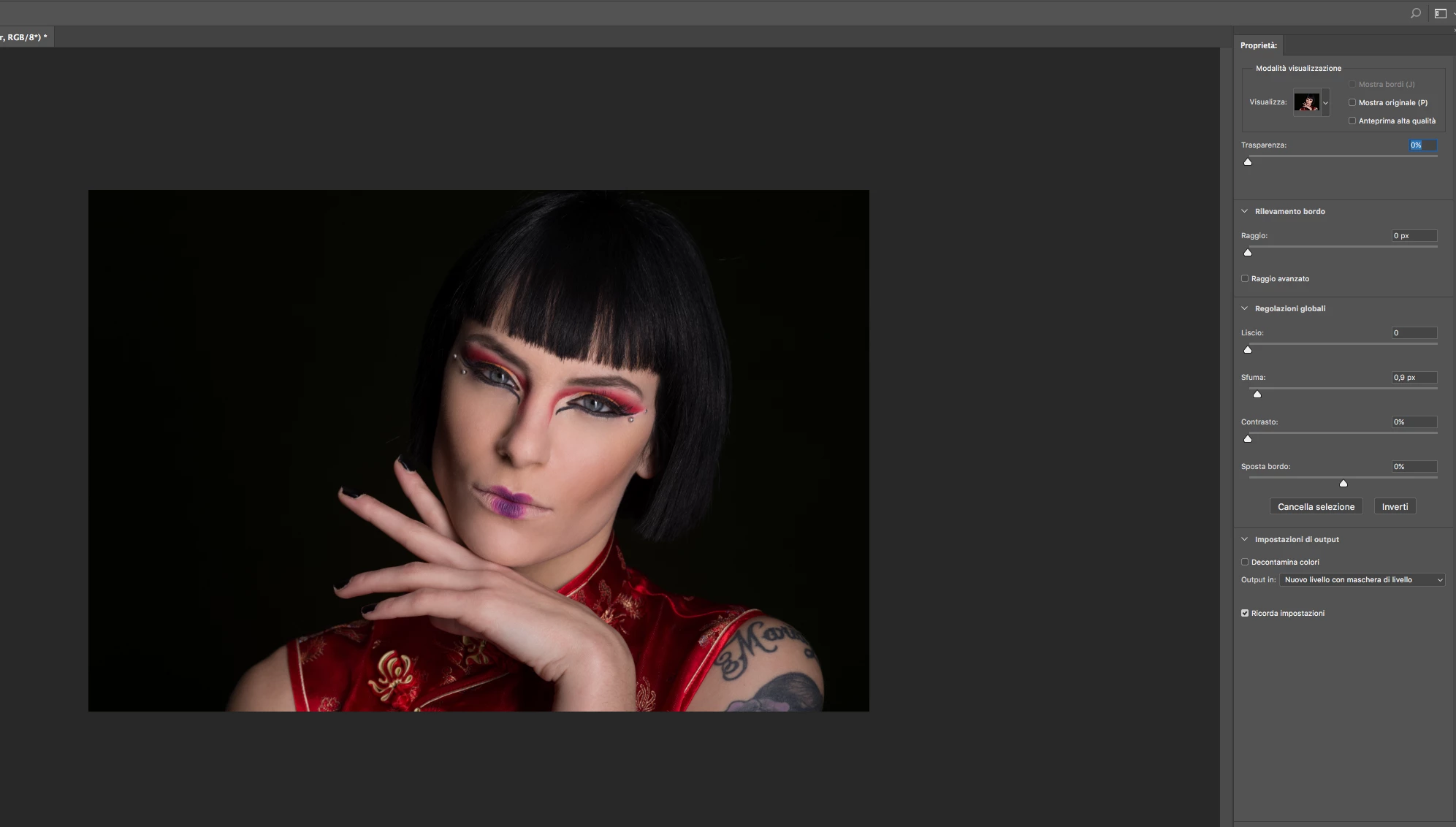
I apologize for the delay. However you will find attached the four screeshots you asked me, one with the layers and three with onion skin on a selection with three different transparency levels.
Hope that helps

Thank you
R


Hi

Thanks for posting those screenshots.

Are you sure onion skin is not working?

Onion skin shows the layer you are masking against the layers below. If there is no layer below , then it shows the masked layer against the transparency grid. (The transparency grid is always shown in the little icon at the top right regardless of the layers below) . Effectively it works the same as "On Layers" but with a variable transparency added through the slider.

Given that the layers below look the same (from your screenshot of the layers panel) it will appear that masking is doing nothing, even when there is a mask, as it is showing your masked layer against the same, or very similar, image below it.

As an experiment, can you temporarily add a different image between "Smooth 3" and "Selection layer" and check what that shows at different transparency levels?

Dave

1 reply

davescm
Community Expert
Community Expert
January 10, 2017

Hi

On the onion skin issues, have you tried changing your GPU settings (advanced / basic etc) and tried unchecking Open CL to see if it will work with any particular setting?

Refine edge has been improved and I understand that Adobe are still working on further improvements. I find it works best with a small brush set to 100% hardness and 1% spacing with radius set to 0 and Smart Radius off. The key is to ensure you are only asking it to look at edges - that is where turning on and off "Show edge" comes in useful.

Did you know that for the time being, if you have a selection made, you can also use the old refine edge brush by going to the Select Menu and holding down the shift key whilst clicking on Select and Mask. This only works in the menu - not in the options bar.

Dave

rodocarda
rodocardaAuthor
Participating Frequently
January 10, 2017

I didn't, will try later and get back to you thanks.
I will also try the "old "refine mask as suggested.
What buzzes me, but maybe will be corrected as well, is that I am not able to perform a selection WITHIN select and mask, but only the refining of a previous selection done with any selection tool.
Oh by the way: in another forum someone mentioned that Onion Skin only works on a single backgroun layer, which it sounds unreasonable to me, but I didn't try that either.
Regards
RC

davescm
Community Expert
Community Expert
January 10, 2017

Hi

You should be able to use all tools within Select and Mask. Try the GPU settings .

Also try clicking at the top right of the Select and Mask workspace and then click on "Reset Select and Mask"

Onion skin works on any layer (it would not be much use if it didn't . If there is a layer below the layer being masked, then transparency will show the layer below. If not it will show the gray and white grid.

Dave