
Answered
Layer Comps to Files_w_PNG
Hi everyone, Maybe someone can help with this unusual problem,
I’ve successfully created 8 bit PNG files using “Export/ Layer Comps to Files_w_PNG” since the fall of 2018.
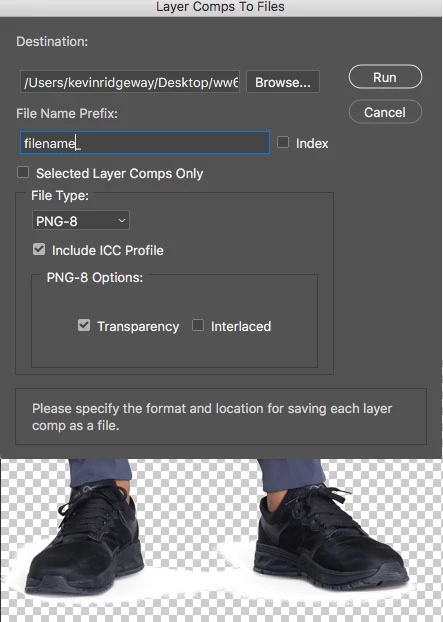
Following the latest Photoshop update to “20.0.3” on a MAC running OS 0.12.6 (16G1212) Sierra, the “Export/ Layer Comps to Files_w_PNG” I have the following problems:
Color Space is now “index” (index is unchecked).
Transparency now forms a solid white perimeter around the transparent area.
No longer do I need to add an underscore to the filename (which I am totally OK with).
Any help with why this is happening will be greatly appreciated.
Attached is a snap of the settings and "solid white perimeter around the transparent area"
Thank you,
Kevin
 AdChoices