

Answered
Layer Masks are Transparent
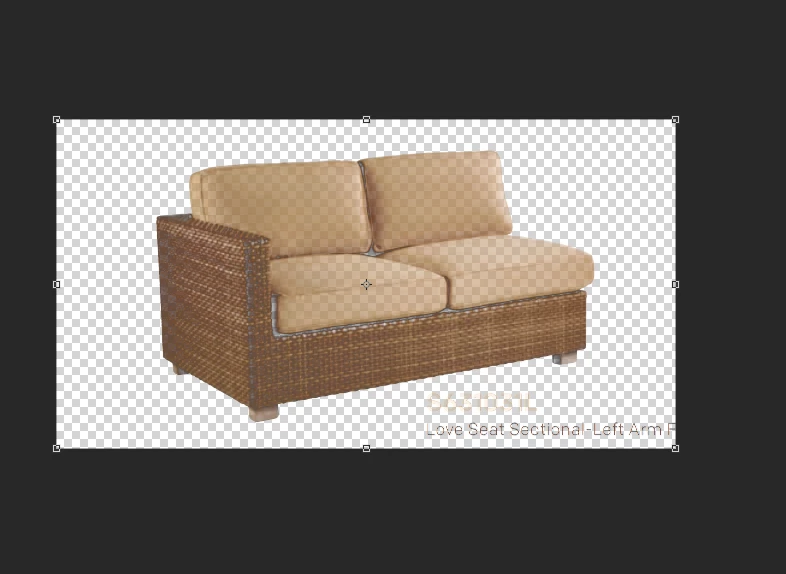
Just recently when I make a selection and add a layer mask my selected image turns transparent. For the image attached I used Color Range to make selection and when I add the layer mask it comes out looking like this. The same thing happens if I try to make a selection using Channels. I did change my mask layer display options to black and 100% opacity in Channels. I can't find anything on the wonderfully vast internet to fix this issue. Any help is greatly appreciated.
 AdChoices