
Known Participant
November 8, 2018
Answered

Liquify options are not visible? How do I turn them on?

  • November 8, 2018
  • 1 reply
  • 920 views

Hello im trying to use the liquify filter. Just like in this tutorial video. However when I select the liquify option , I dont get the same screen as in the tutorial video.

Could you please help?

this is the video
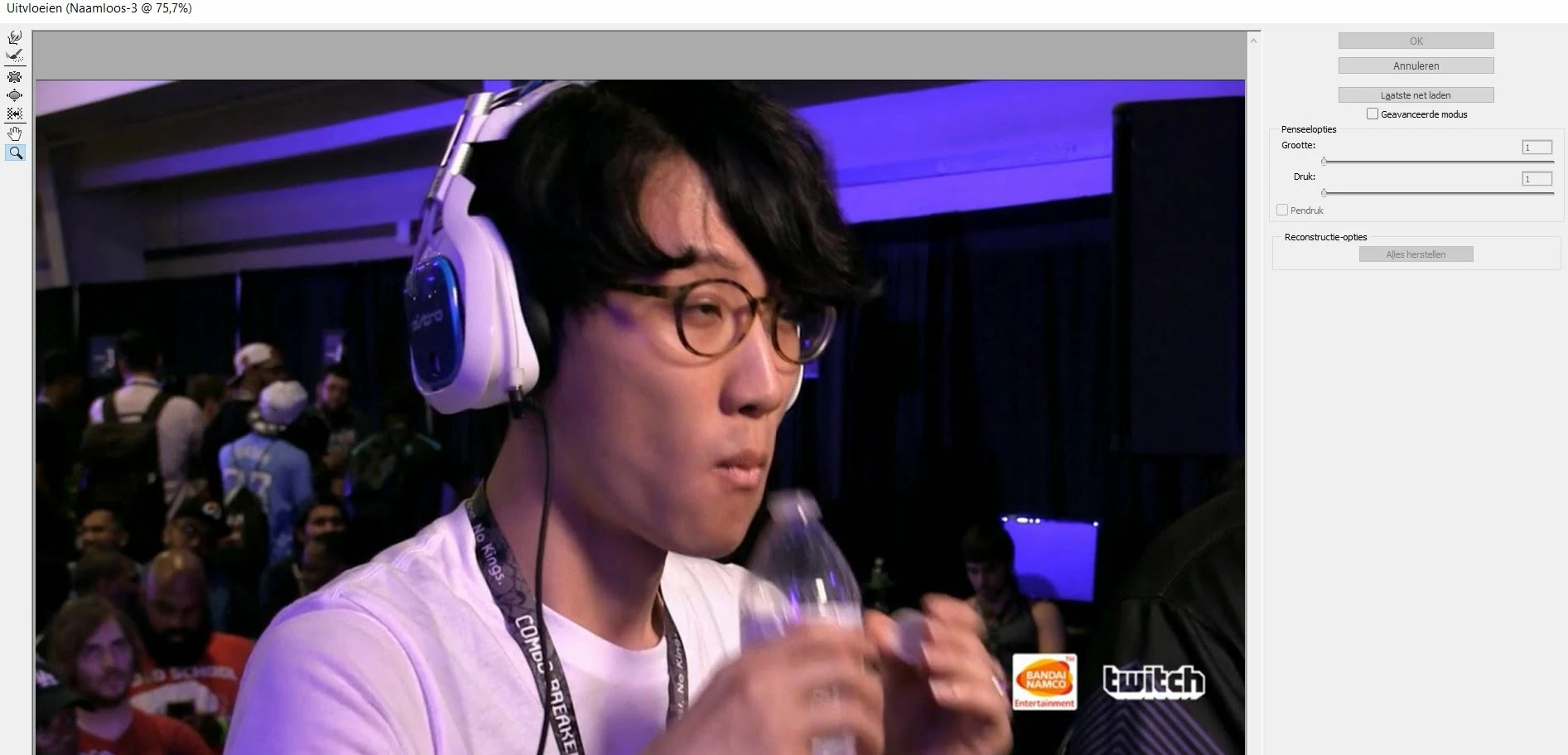
How to Change Facial Expressions in Photoshop with the Liquify Tool Tutorial - YouTube
This topic has been closed for replies.
Correct answer Muqqarib Hassan

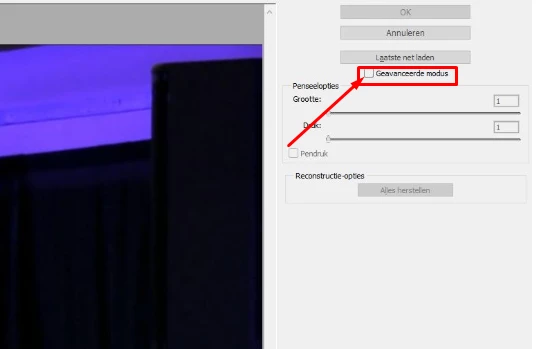
Hi, Please Select Advance mode and you will see those options.

1 reply

Chuck Uebele
Community Expert
Community Expert
November 8, 2018

Can you post what you have? What version of PS are you using. Tutorials more than likely will be a different version than what you're using.

Known Participant
November 8, 2018

thank you for your fast reply. I have 2015 cc . I have included picture.

Muqqarib Hassan
Inspiring
November 8, 2018

ah thank you very much!!


welcome!