Resuelto
losing my brushes
hello,
i have arranged my brushes and loaded additional brushes. now after today's start of photoshop all these brushes are gone.
where can i find my brushes?
thanks

hello,
i have arranged my brushes and loaded additional brushes. now after today's start of photoshop all these brushes are gone.
where can i find my brushes?
thanks
This might be like one of those situations where you are invited to 'Save' something, but forget to take note of where it being saved to, so you can never find it again.
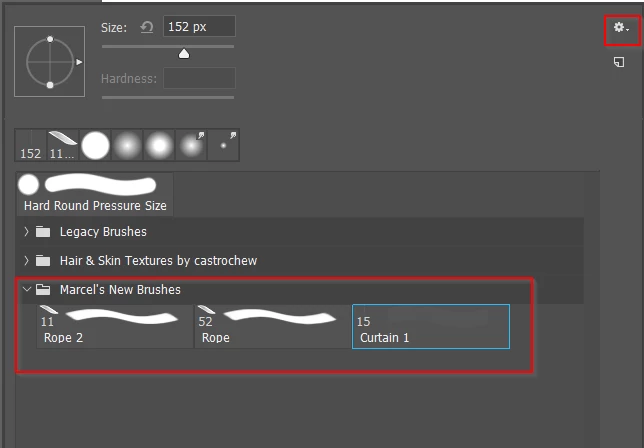
I was not sure about the next bit, so I have just tested it.
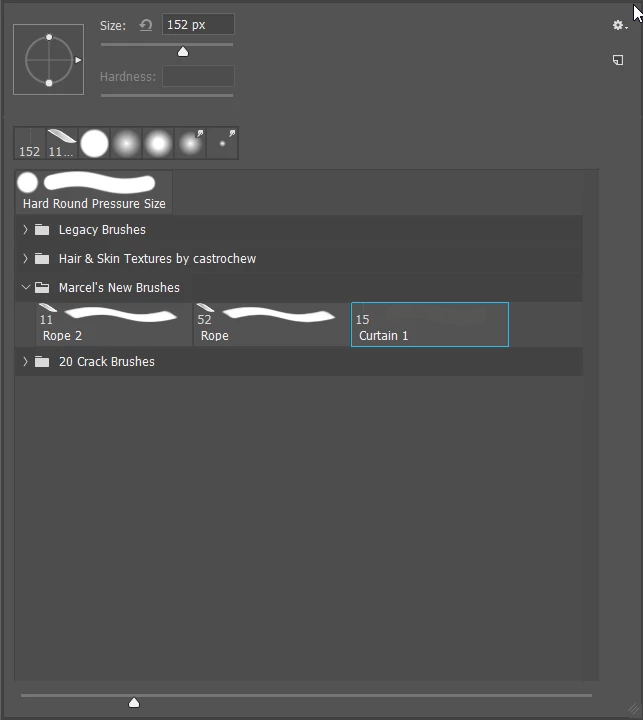
If, on the other hand, instead of double clicking the .abr file, you copy or move it to the relevant folder below, you can then delete it from the right click menu, and reload it from the little cog list
Windows
C:\Users\[user name]\AppData\Roaming\Adobe\Adobe Photoshop CC 2019\Presets\Brushes\
Mac
Users/[user name]/Library/Preferences/Adobe Photoshop CC 2019 Settings/Brushes/
Note: If you are a Windows user you will need to make Hidden files and folders viewable to access the App Data folder hierarchy. I don't know if there is a similar restriction for OSX.
You've helped me clarify this for myself, so thanks for that.
Enter your E-mail address. We'll send you an e-mail with instructions to reset your password.
 AdChoices