
Inspiring
July 11, 2020
Question

Magic Wand doesn't work

  • July 11, 2020
  • 2 replies
  • 6321 views

I first started using Photoshop with version 4.0and I've used every major version till now... CS6.


During all that time I had always used Corel as my drawing program and I was just too lazy to learn Illustrator. I finally learned to use Illustrator and I love it. best thing ever and I use it almost exclusivly. This has given me a really stupid problem. It's almost as though I've forgoten how to use Photoshop.


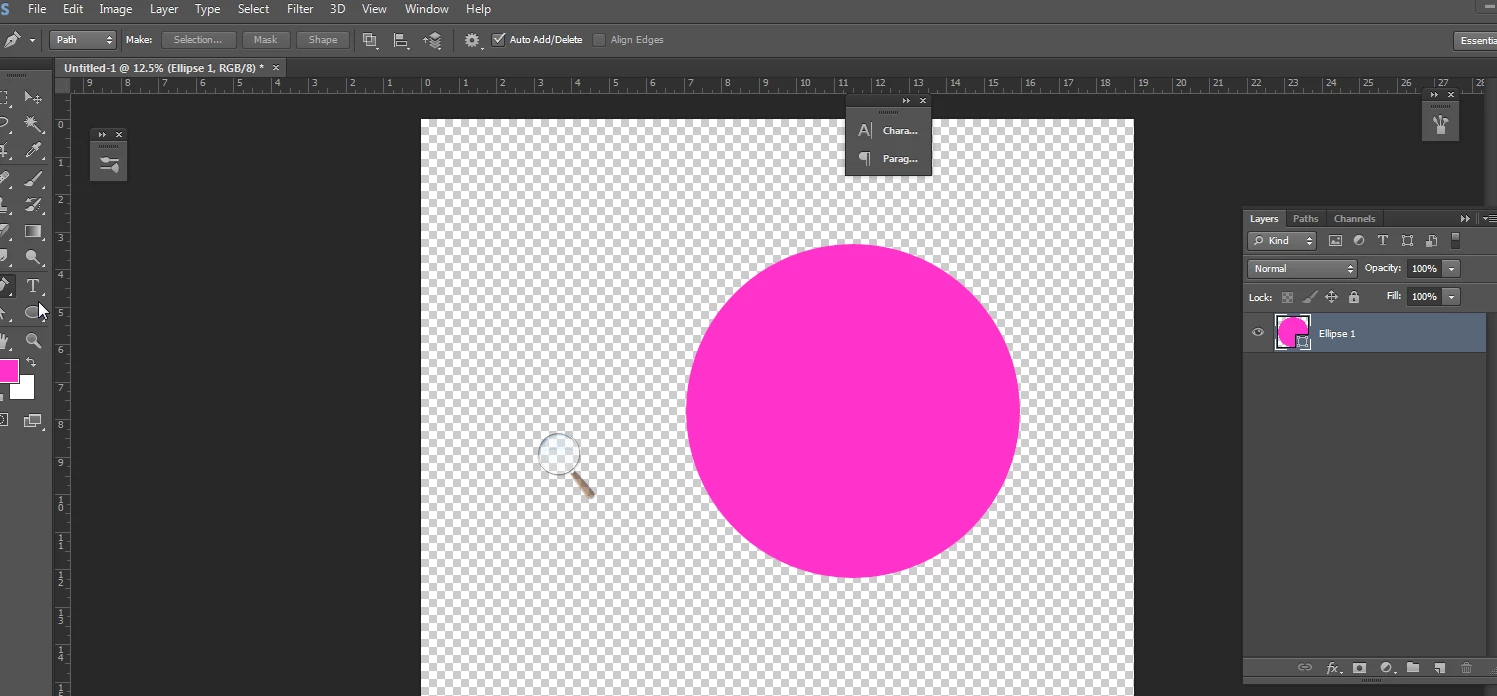
I've recently run into a problem I've never had before. I can't select things with the magic Wand tool. I get the error...


Could not use the Magic Wand tool because the target is a fill layer"  and the toll is Xed out. What am I missing. No doubt this is something new to newer versions???
This topic has been closed for replies.

2 replies

JJMack
Community Expert
Community Expert
July 11, 2020

A fill layer is canvas size and is either empty, solid color, gradient  or pattern. The shape layer you show is a pinkish shade solid fill layer with a circle vector layer mask. You can change the fill but you can not use photoshop tool on the pixels in the fill. Selection are are made from a targeted layer what do you wast to select the fill or the vector mask. It the layer Kind that is giving you  the problem. It not a raster layer that you can select areas or color  I would also think some selection tool can not be used on adjustment layers. There are many Photoshop Tools and like 24 layer kinds. Using a Wrong tools will result in message like that.

JJMack
Bojan Živković11378569
Community Expert
Community Expert
July 11, 2020

Use Ctrl + click on layer's thumbnail to load selection from transparency.