
Known Participant
May 24, 2020
Answered

Make a complex image rainbow colors style to stroke Gradiant

  • May 24, 2020
  • 1 reply
  • 8305 views

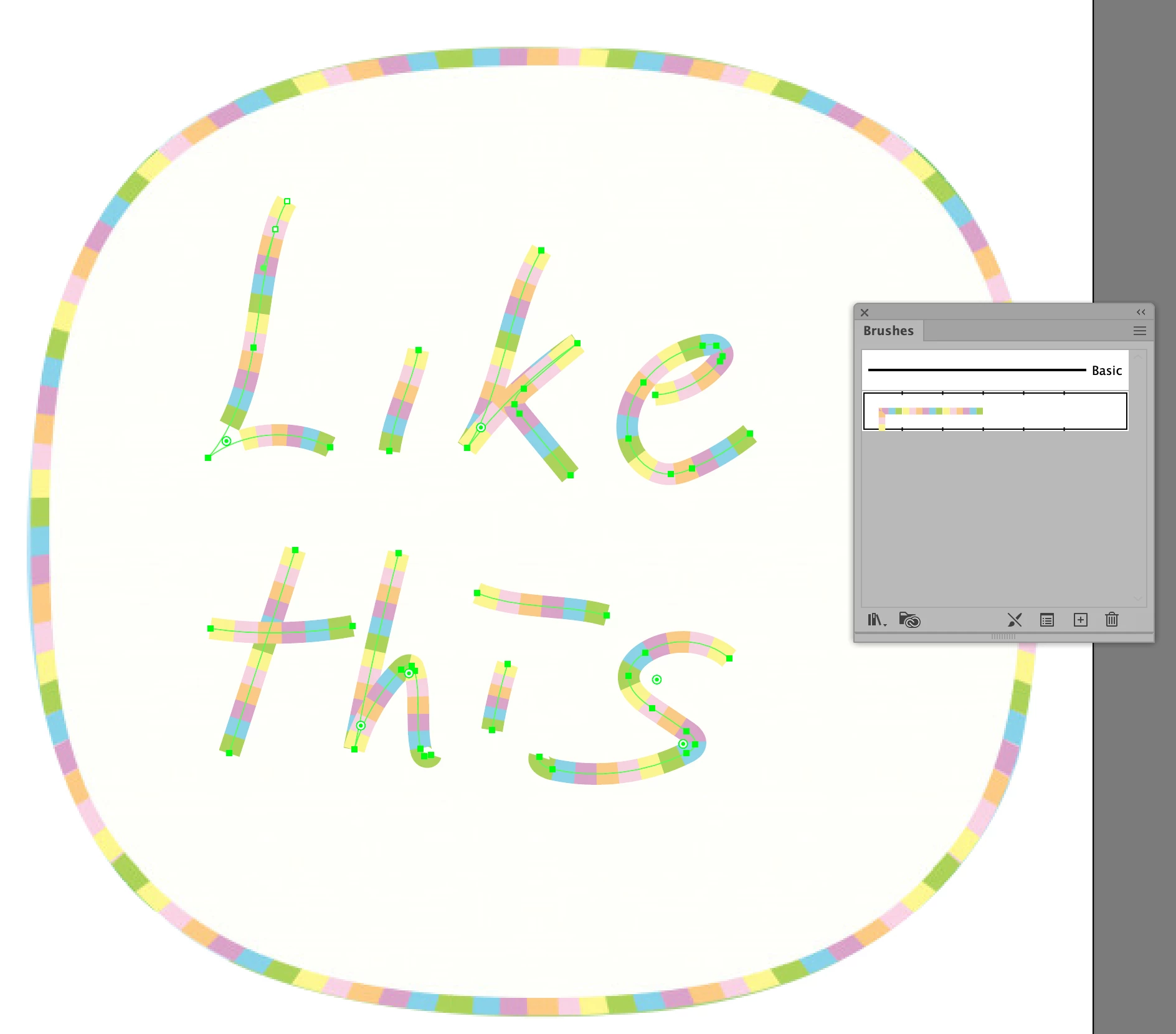
Hi, as the title reffering, i am struggling to create a stroke similar to a rainbow colors, i really wanna know if there's a way to convert an image style to a stroke and i can repeating everytime to get the same effect, i tried to make it manually but it's really time consuming and it's not at all the same result that i am looking for,for more details i hope that you check the attached image of what i am looking for.

thanks in advance.
This topic has been closed for replies.
Correct answer c.pfaffenbichler

You could look into Scripted Patterns in Photoshop, I guess, or you could take Semaphoric’s advice and use Illustrator. 

1 reply

Semaphoric
Community Expert
Community Expert
May 24, 2020

I would say brushstrokes on an empty layer, with Bevel and Emboss, and Gradient Overlay / Linear / Angle 90° / Probably a Noise Gradient with a medium Roughnes. Click on the Gradient bar in the Gradient Overlay tab to open the Gradient Editor, which is where you set the Noise Gradient.


Not that; I was looking at "your" image. The one yiou are after looks like it was done with an Art Brush in Illustrator.

PytGamerAuthor
Known Participant
May 24, 2020

Hi Semaphoric, thanks for the replay, i really don't know how it's made, but is possible to create that patern of colors than assign it somehow to the stroke gradiant, you gave me an idea which what i was suggesting, is to make the same colors patern than repeat it as a loop but how is that possible.

c.pfaffenbichler
Community Expert
c.pfaffenbichlerCommunity ExpertCorrect answer
Community Expert
May 24, 2020

You could look into Scripted Patterns in Photoshop, I guess, or you could take Semaphoric’s advice and use Illustrator.