Exit
  • Global community
    • Language:
      • Deutsch
      • English
      • Español
      • Français
      • Português
  • 日本語コミュニティ
  • 한국 커뮤니티
0

Masking multiple objects on the same layer?
Community Beginner ,
Apr 05, 2019 Apr 05, 2019

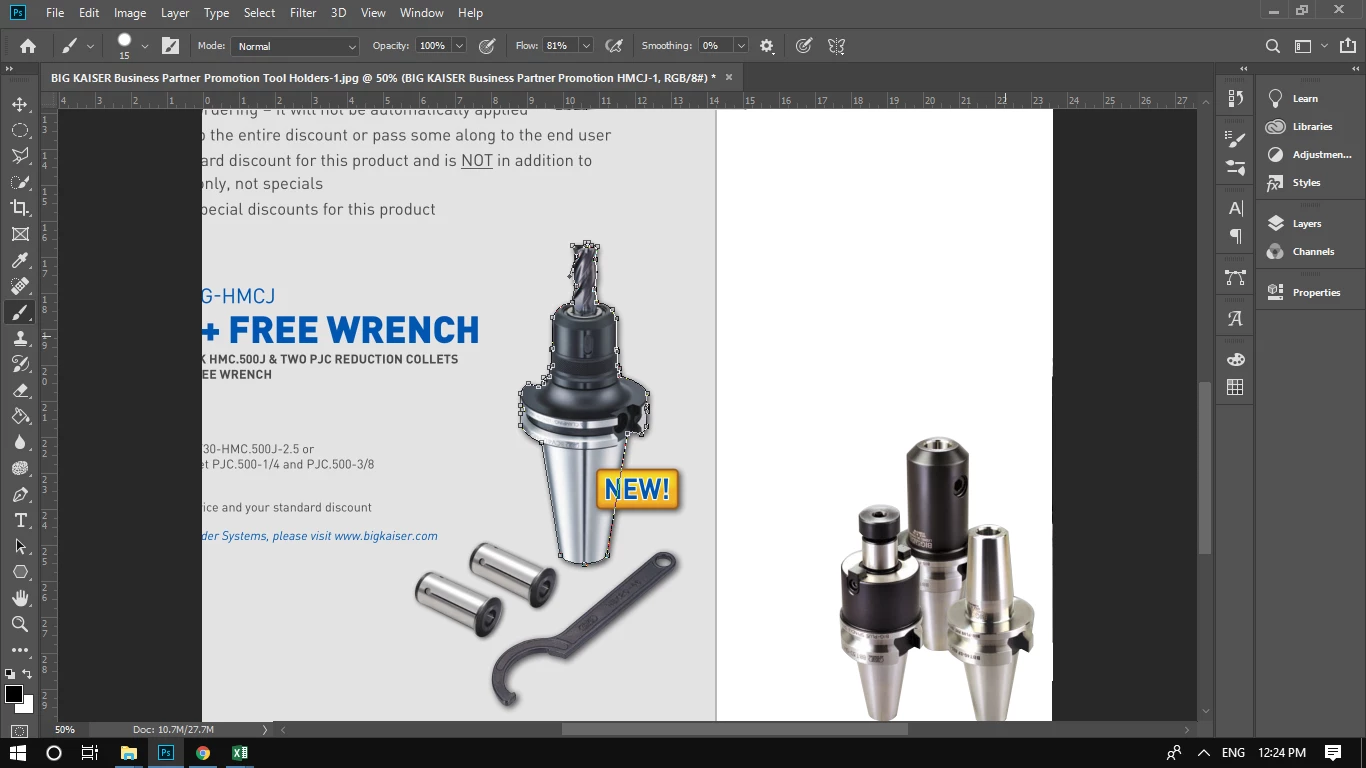
I have masked that big holder by using the pen tool. I would also like to mask those wrenches into the layer?

How can I do that?

2.1K
Translate
Report
Community guidelines
Be kind and respectful, give credit to the original source of content, and search for duplicates before posting. Learn more
community guidelines

correct answers 1 Correct answer

Community Expert , Apr 05, 2019 Apr 05, 2019

Hi

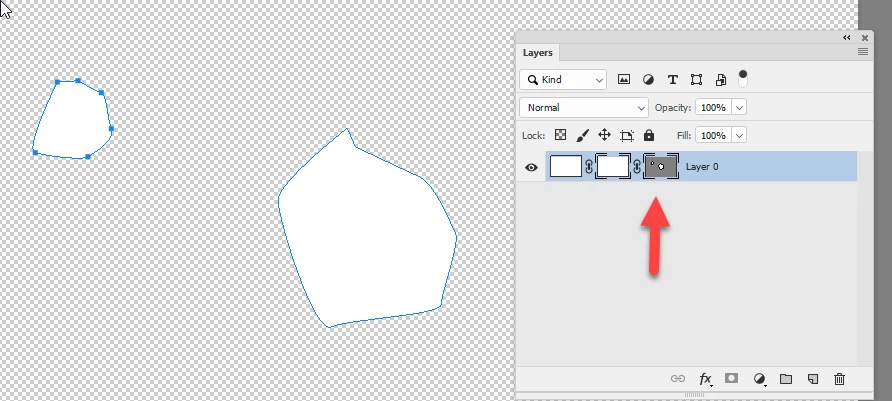
I can't see your layers panel but, assuming you have made a vector mask, click on the vector mask in the layers panel. Select the pen tool and make sure path operations is set to combine shapes. Then add your new path to the mask.

Dave

Translate
Adobe
Community Expert ,
Apr 05, 2019 Apr 05, 2019

Hi

I can't see your layers panel but, assuming you have made a vector mask, click on the vector mask in the layers panel. Select the pen tool and make sure path operations is set to combine shapes. Then add your new path to the mask.

Dave

Translate
Report
Community guidelines
Be kind and respectful, give credit to the original source of content, and search for duplicates before posting. Learn more
community guidelines
Community Beginner ,
Apr 05, 2019 Apr 05, 2019

Thankyou so much.

Translate
Report
Community guidelines
Be kind and respectful, give credit to the original source of content, and search for duplicates before posting. Learn more
community guidelines
Community Expert ,
Apr 05, 2019 Apr 05, 2019
LATEST

You're welcome

Dave

Translate
Report
Community guidelines
Be kind and respectful, give credit to the original source of content, and search for duplicates before posting. Learn more
community guidelines