Participant
July 13, 2020
Answered

Max Pen Pressure Dot With Most Brush Strokes

  • July 13, 2020
  • 3 replies
  • 1407 views

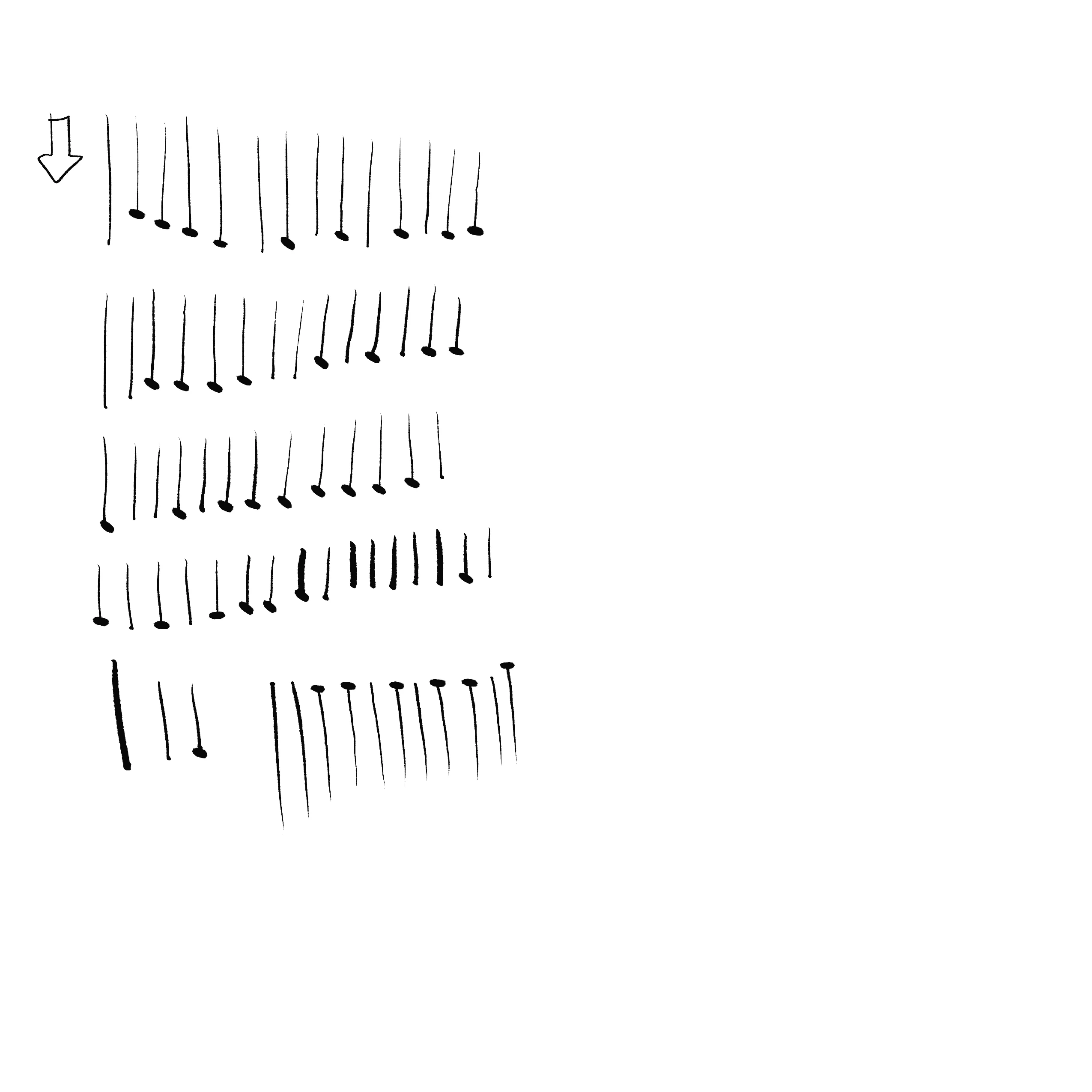
There is an issue that I started to see frequently once I updated to Photoshop CC 12.2. Whenever I make a brush stroke despite how light I do it, it always ends with a big dot set at the maximum pen pressure size. This makes inking a nightmare.

It's very similar to the "Build-up bug" that causes the stroke to have a big dot at the beginning. But after turning that off I am still stuck with the issue of the dot happening at the end of the stroke with light pressure applied to my tablet.


What I'm using:

Tablet - Cintiq Pro 24

Driver - Wacom 6.3.40-2

OS - macOS Catalina 10.15.5

Computer - iMac 27" Intel Core i9, 64GB RAM, Radeon Pro Vega 48

Software - Photoshop CC 12.2


As you can see everything is already up to date. And here is an image of what the issue looks like. I have already reinstalled photoshop but the problem still persists. If anyone has any other possible solutions that would be great to hear.

Thank you!
 

This topic has been closed for replies.
Correct answer oeppu

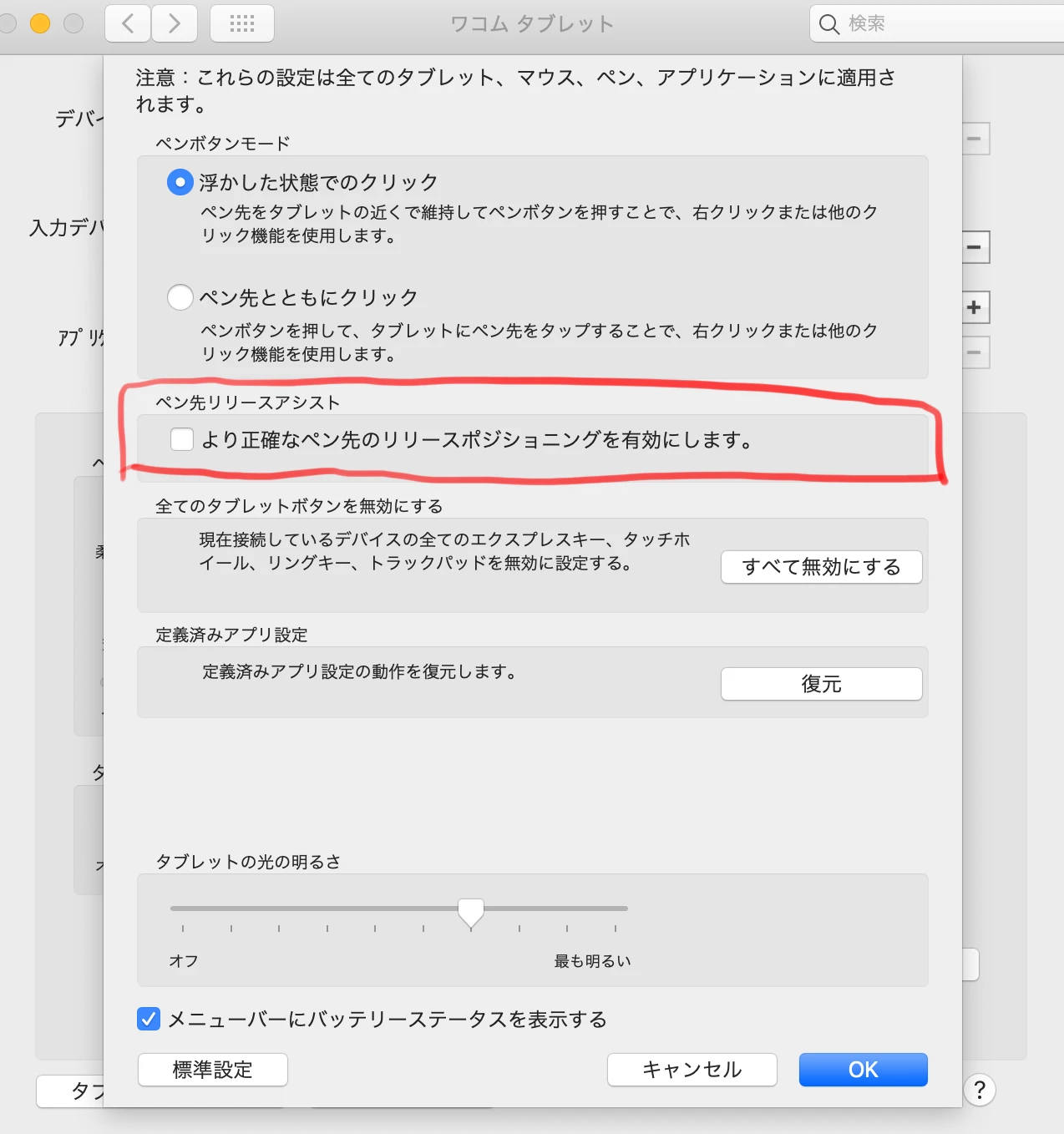
I'll share it with you as it was fixed by unchecking the following.

(The environment is Japanese, so the setting name may be different.)


System Preferences > Wacom tablet > Option... > Pen nibs release assist

3 replies

arjan
Participant
January 15, 2021

Thank you!!!

oeppuCorrect answer
Participant
September 20, 2020

I'll share it with you as it was fixed by unchecking the following.

(The environment is Japanese, so the setting name may be different.)


System Preferences > Wacom tablet > Option... > Pen nibs release assist

Participant
September 30, 2020

Thanks! That solved it for me. You are a life saver ❤️

Participant
September 6, 2020

My lines are doing the same thing in photoshop and it is unbelievably aggravating to ink or paint anything. 

I got a cintiq pro 24 P, fully updated. My photoshop is also updated to current. My computer is as follows: