Ilkabosh
Participant
April 27, 2018
Answered

Merging adjustment layer or clipping it to layer causes effect to disappear

  • April 27, 2018
  • 2 replies
  • 945 views

I JUST downloaded the 2018 version, though I use Photoshop a lot. I'm currently creating a picture using fire and I'm using a levels adjustment layer for specifically the fire. When I have the levels layer affecting ALL of the layers, the effect shows up fine - but on all of them, which is not what I want. But when I try to clip it to just the fire layer or merge it with the fire layer, the fire layer goes back to how it looked when I did not have the levels layer on, and the levels layer disappears.

Here's what I'm looking at (I'm using a black background just for these purposes):
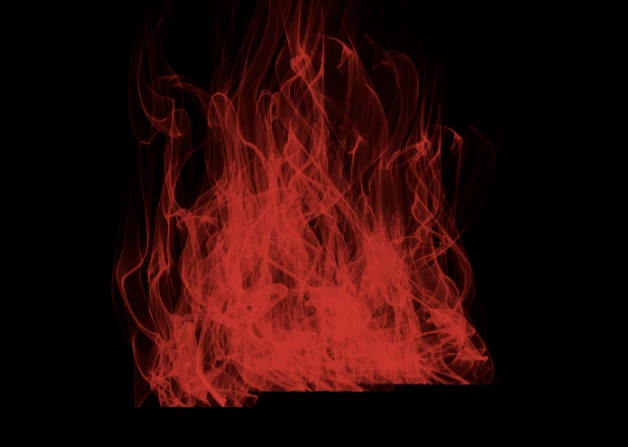
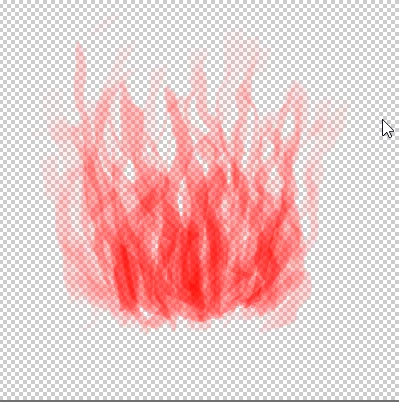
Levels layer off
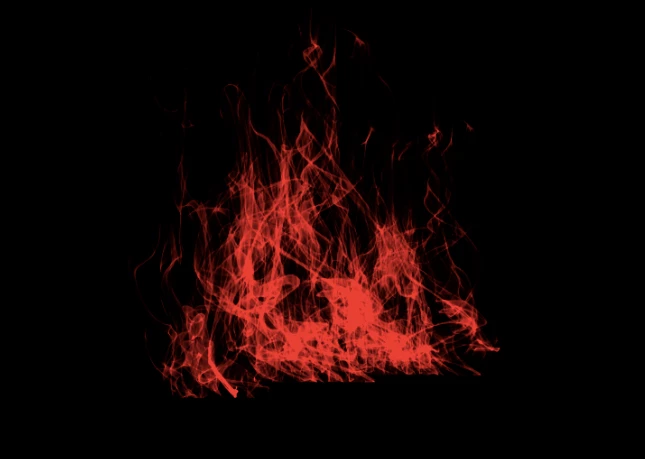
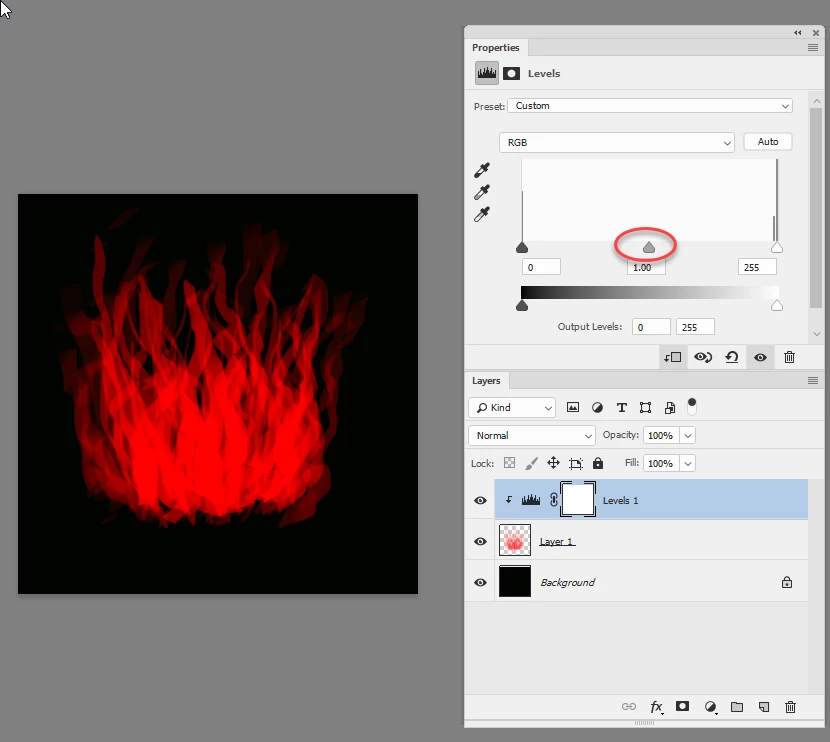
Levels layer on for ALL layers (what I need just the fire to look like)
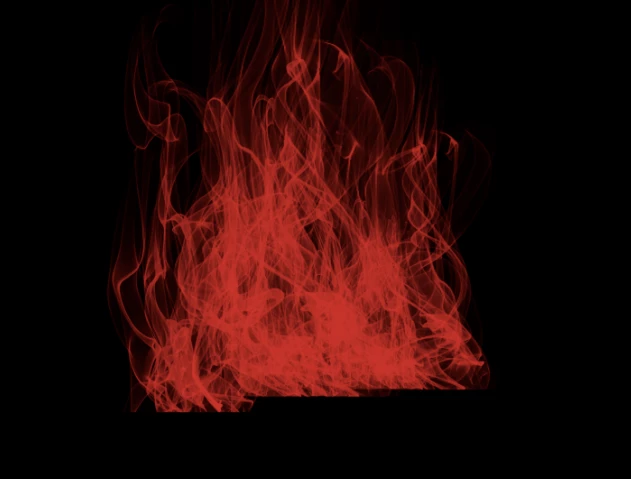
Levels layer merged with fire layer or clipped to it

Thank you SO much in advance for help - I really need to get this worked out and I'm completely stumped.
This topic has been closed for replies.
Correct answer davescm

Hi

The reason is fairly simple.

The Fire layer relies on opacity to give the impression of a range of shades where in actual fact the RGB values are much more limited.

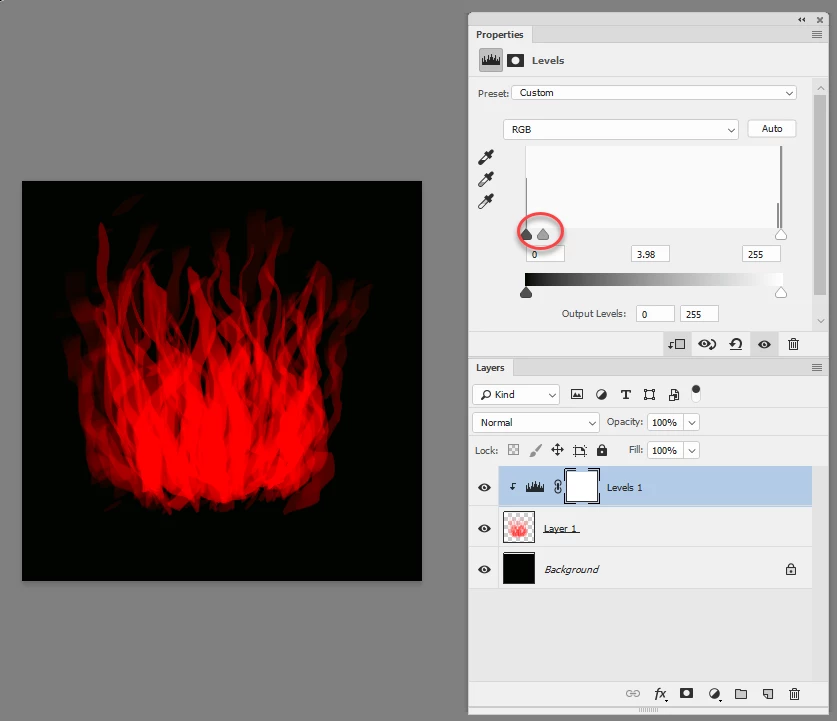
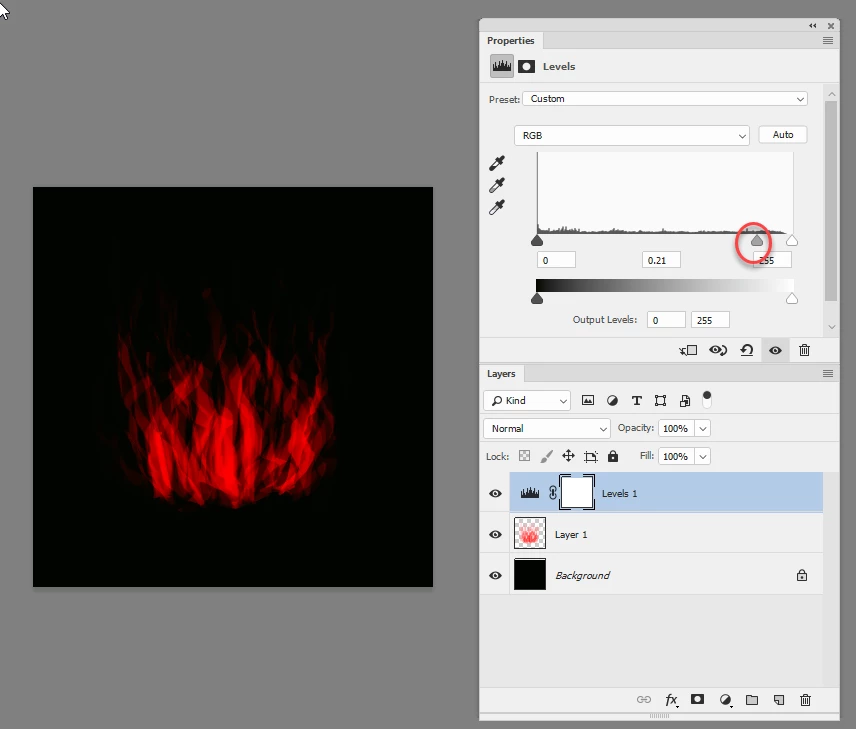
See example below : This is drawn entirely with RGB value of 252,0,0 although the opacity varies.

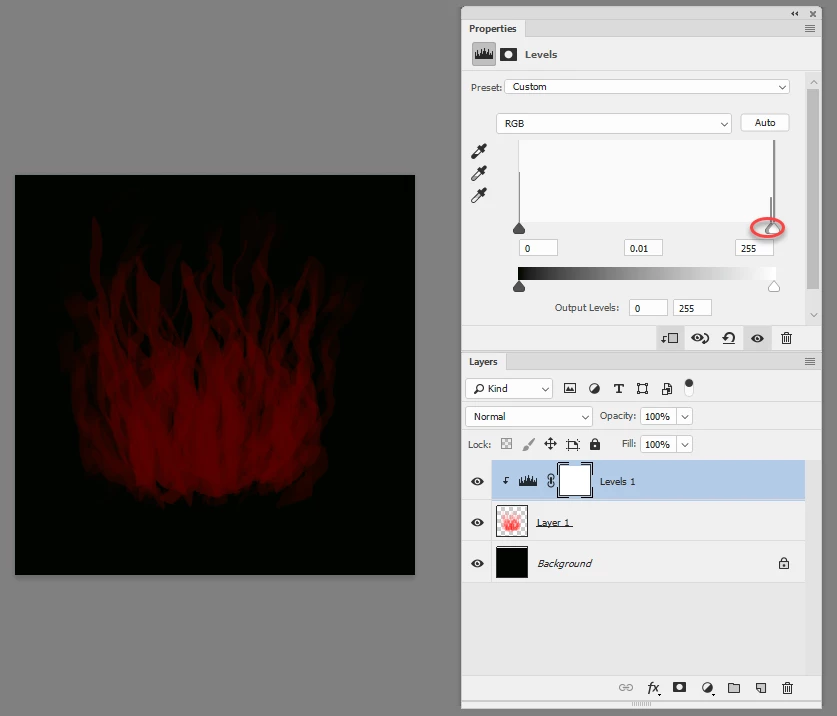
If I use levels on that layer only (which is what happens with a clipping mask)  I can alter all the pixels from 252 to another value but the scope is limited (look at the histogram) and the effect against black is as shown. In fact moving the gamma slider to the left has no effect as it is below the level of the actual pixels

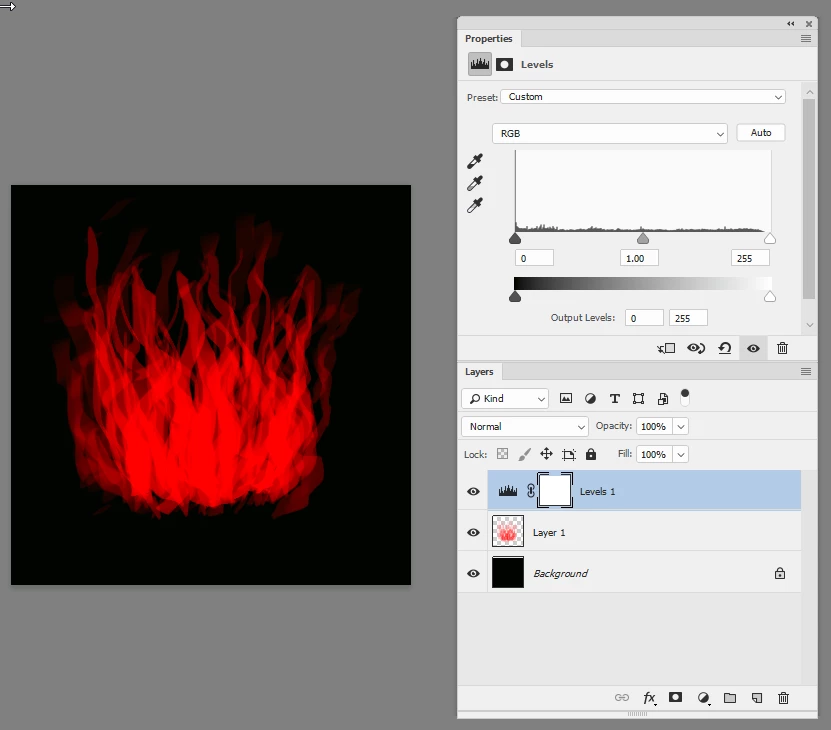
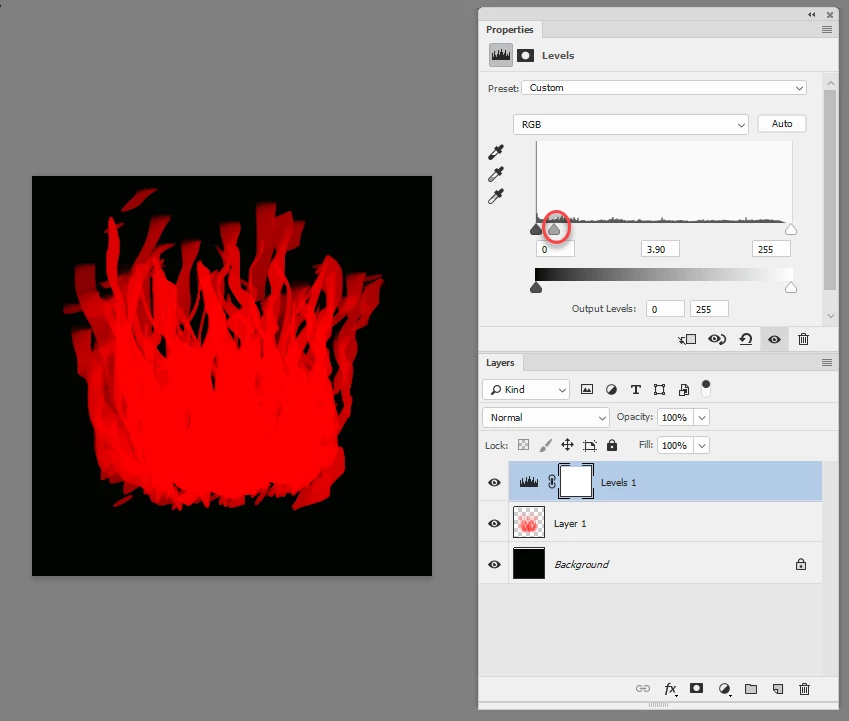
However If I use levels on that layer combined with the black background, the levels control is now acting on the result of the semi-opaque red pixels combined with the black and therefore there is a whole range of values for levels to alter (see the difference on the histogram)

I hope that helps

Dave

2 replies

Theresa J
Community Expert
Community Expert
April 30, 2018

Is the fire layer using a blend mode? Can you post a screen capture of the layers panel, with the fire layer selected?

Ilkabosh
IlkaboshAuthor
Participant
May 6, 2018

Blend mode is normal

davescm
Community Expert
davescmCommunity ExpertCorrect answer
Community Expert
May 6, 2018

Hi

The reason is fairly simple.

The Fire layer relies on opacity to give the impression of a range of shades where in actual fact the RGB values are much more limited.

See example below : This is drawn entirely with RGB value of 252,0,0 although the opacity varies.

If I use levels on that layer only (which is what happens with a clipping mask)  I can alter all the pixels from 252 to another value but the scope is limited (look at the histogram) and the effect against black is as shown. In fact moving the gamma slider to the left has no effect as it is below the level of the actual pixels

However If I use levels on that layer combined with the black background, the levels control is now acting on the result of the semi-opaque red pixels combined with the black and therefore there is a whole range of values for levels to alter (see the difference on the histogram)

I hope that helps

Dave

c.pfaffenbichler
Community Expert
Community Expert
April 29, 2018

The screenshots are pretty close to worthless without including the pertinent Panels (Layers, Channels, Options, …) and without indicating whether they have been taken at View > 100%.

What is the file Layer’s Blend Mode, what does it actually contain (pixels of varying colors, pixels of one color and varying opacity, …), …?

Ilkabosh
IlkaboshAuthor
Participant
May 6, 2018

It contains pixels of varying colors and opacities, and its blend mode is normal