Inspiring
August 3, 2017
Answered

Missing Gradient

  • August 3, 2017
  • 2 replies
  • 2712 views

I am working on a tutorial that calls for a Black to Transparent gradient, image below:
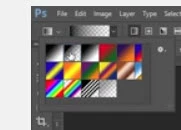
I have a Foreground to Background, Foreground to Transparent and a Black/White option--no Black to Transparent option?

Photoshop CS6 Extended, Windows 10, Firefox. Thanks for looking, Lucie.
This topic has been closed for replies.
Correct answer Barb Binder
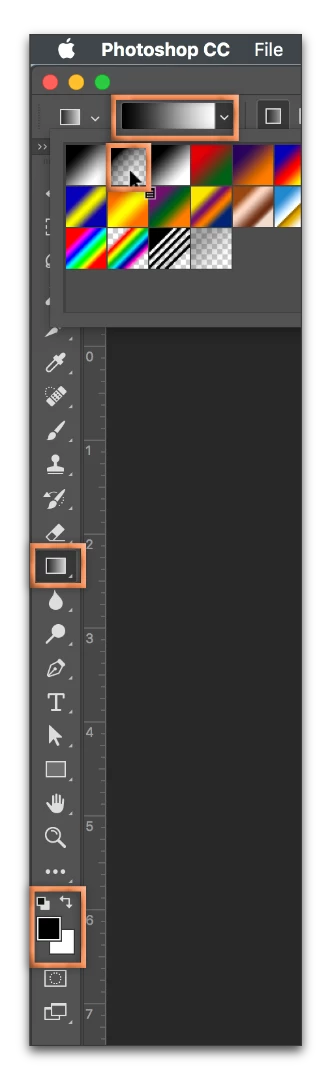
  • Close any open menus
  • Tap D (for Default colors to restore Black and White in the toolbar)
  • Then select your Gradient tool, and open the gradient list
  • It's the second option

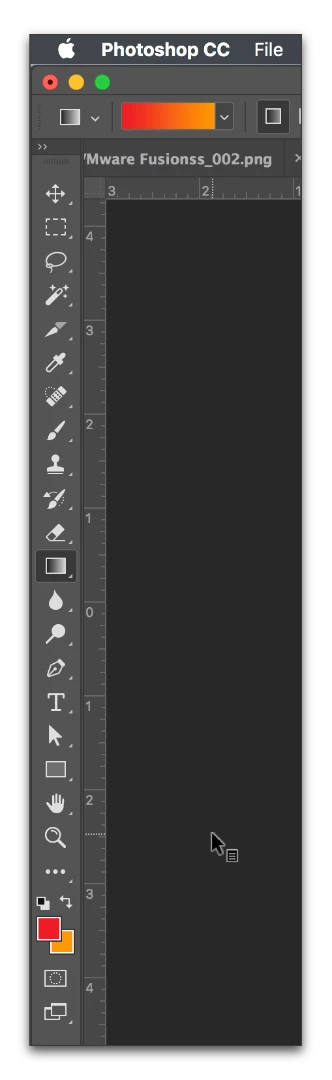
Custom colors on the left, after tapping the letter D on the right:

2 replies

Barb Binder
Community Expert
Barb BinderCommunity ExpertCorrect answer
Community Expert
August 3, 2017
  • Close any open menus
  • Tap D (for Default colors to restore Black and White in the toolbar)
  • Then select your Gradient tool, and open the gradient list
  • It's the second option

Custom colors on the left, after tapping the letter D on the right:

~Barb at Rocky Mountain Training
WILDCAT54
Inspiring
August 3, 2017

I'm not quite sure I am understanding what you are wanting.

If you set your foreground color to black and use the Foreground to Transparent gradient you would have a black to transparent.

Inspiring
August 4, 2017

Thanks so much for your response. I received two correct answers, yours being one of them!