
Participant
March 13, 2019
Answered

Missing menu items in the Layers menu.

  • March 13, 2019
  • 2 replies
  • 985 views

Assistance please!

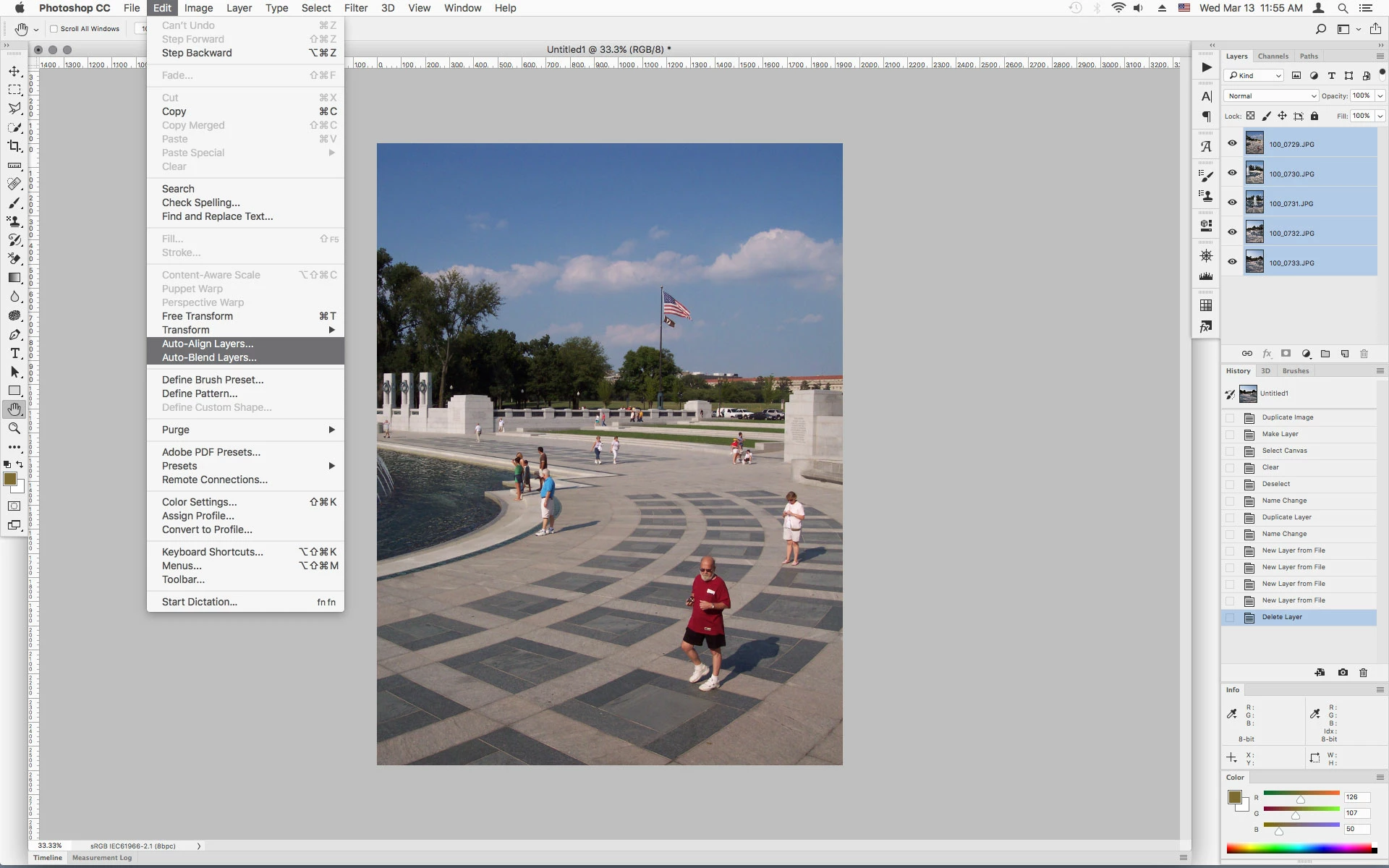
My Photoshop 2019 failed to display auto align layers and the auto merge layers commands in the Layers menu. Also in the latter case, it failed to create a merged layer at the end.

I updated to the latest CC version an hour ago but that had no effect. I have tried a restart but no resolution arrived.

Doing a HELP search for these missing menu items provided activation from the HELP menu. Also, Raya Pro provides buttons to stack and align so I have those shortcuts available too.

Alan Williams
This topic has been closed for replies.
Correct answer Jeff Arola

The auto align layers and the auto merge layers commands are under Edit.

2 replies

Jeff Arola
Community Expert
Jeff ArolaCommunity ExpertCorrect answer
Community Expert
March 13, 2019

The auto align layers and the auto merge layers commands are under Edit.

Participant
March 13, 2019

Thank you Jeff,

Put it down to a senior moment on my part. When had earlier resorted to Help the window opened adjacent to the layers menu. I think that is where my mistake originated.

Egg on my face again.

AW.

Sent from my iPad

Akash Sharma
Legend
March 13, 2019

Hi Alan,

Sorry that Photoshop is no longer showing the "Auto align layers and the auto merge layers commands in the Layers menu."

Could you pleas provide some screenshots of how the Layers panel is appearing in Photoshop?

Also, which exact version of Photoshop are you using?

Thanks,

Akash

Participant
March 13, 2019

Hello Akash,

Herewith screenshots as requested.

The Photoshop CC is the latest subscription version. I upgraded two hours ago. The previous version had the same fault.

AW