
My images are pixelated
So I am using Photoshop CS6 and when I place an image on the background this happens. I don't know how to explain it.
Here is a blank background
.png)
Then I put This image on the background

And when I placed it this happened
.png)
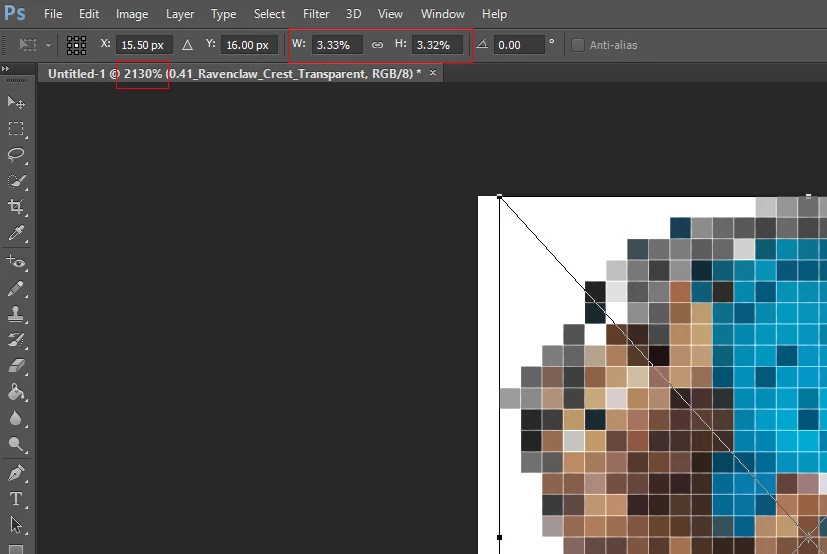
So I am using Photoshop CS6 and when I place an image on the background this happens. I don't know how to explain it.
Here is a blank background
.png)
Then I put This image on the background

And when I placed it this happened
.png)
When you place in the image all the pixels you have for the image were rendered for the smart object layer, However place's default is to scale large images to fit on canvas. So your Place has scaled your image to 3.33% of its size and you have Photoshop zooming that 3.33% sized image over 2000%. All you image pixels are in the smart object layer. You need to increace the canvas size and then transform the scales down object back up in size.

Already have an account? Login
Enter your E-mail address. We'll send you an e-mail with instructions to reset your password.