Participant
March 12, 2017
Question

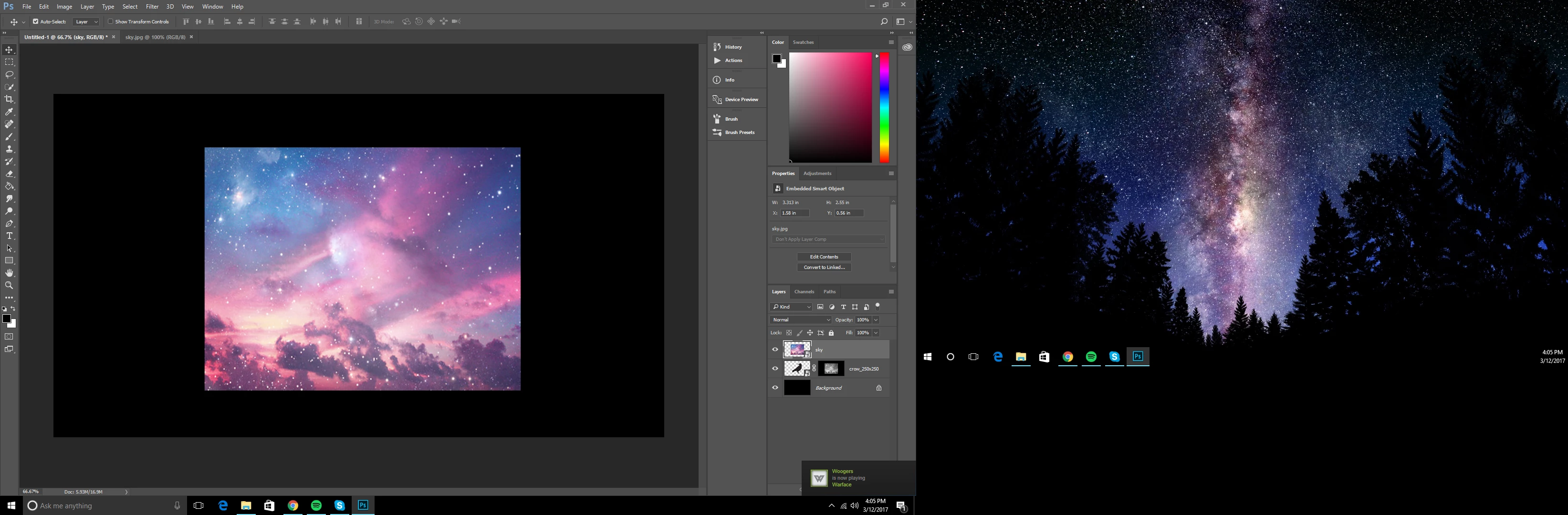
My masks turn the picture grey
  • March 12, 2017
  • 1 reply
  • 1344 views

I dont know why this happens. Is there anyway to fix it?

This topic has been closed for replies.

1 reply

Silkrooster
Legend
March 12, 2017

The mask is selected in the layers panel, you can see an outline around the mask thumbnail and in the tab at top of document, it says mask.

In this mode you are seeing just the mask, which is why it is greyscale.

Just click on the image thumbnail.

If I recall you need to hold down a modifier key when selecting the mask for it to be the only thing visible. Otherwise it should show the affect the mask would have on the image when editing the mask.

What is confusing is the image in the top layer matches the mask.

davescm
Community Expert
Community Expert
March 12, 2017

.

If I recall you need to hold down a modifier key when selecting the mask for it to be the only thing visible. Otherwise it should show the affect the mask would have on the image when editing the mask.

Yes - Alt Click on mask to see the mask in greyscale. Alt click again to see the effect of the mask

Dave