
Participant
April 5, 2020
Question

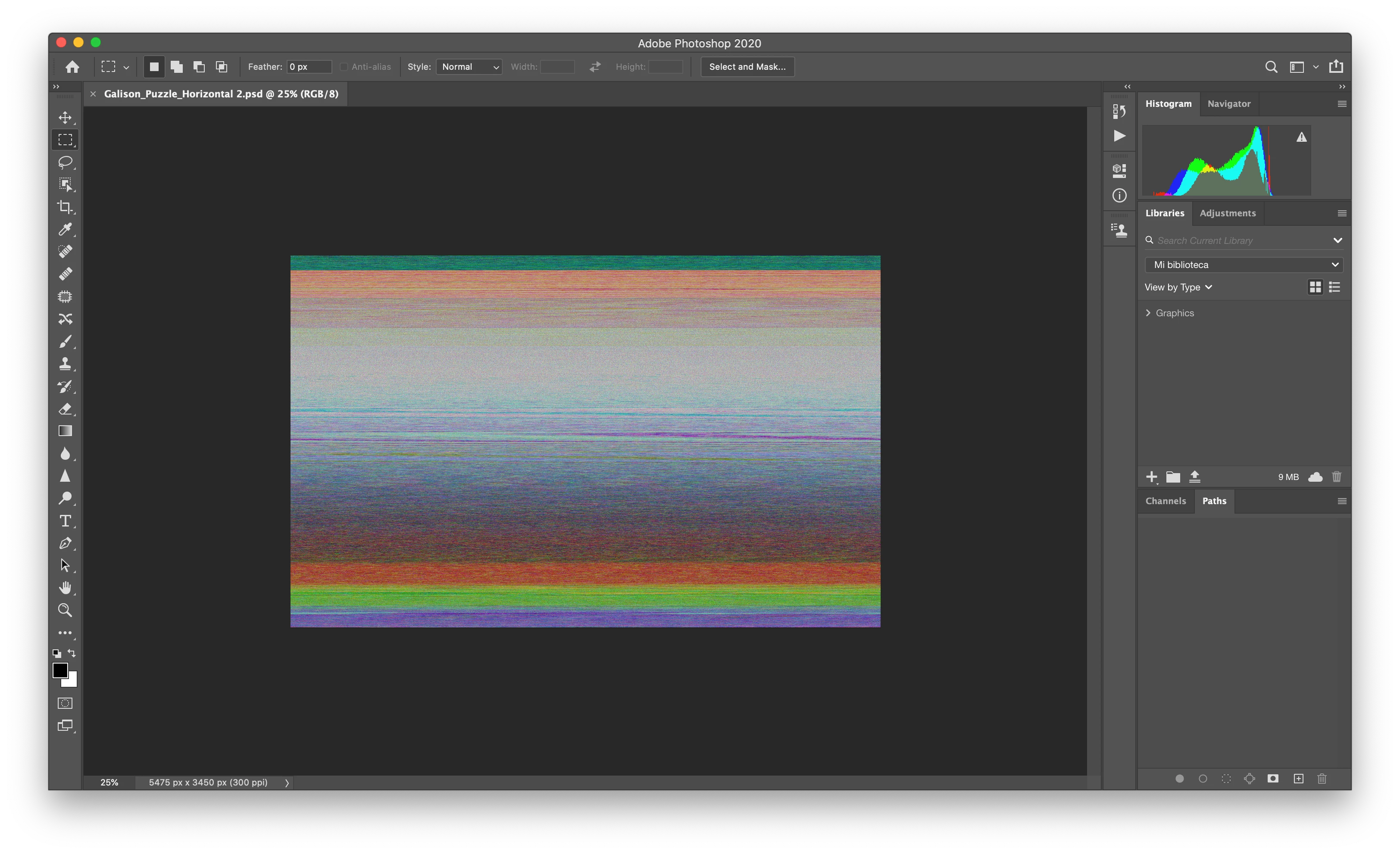
My PSD file opens with color lines and no layers at all!

  • April 5, 2020
  • 3 replies
  • 1439 views

Hello, I am dying here, I have this file I've been working on FOR DAYS and when opening again to continue working the file opened like this and ALL MY LAYERS ARE GONE. 

I had a double file in my trash and restored it and is the same. 


Has anyone have had this problem before?? 

Is a 80 gb file, it has around 70 layers. I am working on PS 2020. Already turned off and on my computer, uninstalled and installed photoshop and alredy tried to open it in PS C6. I am running out of ides. 
 

This topic has been closed for replies.

3 replies

Chris 486
Community Expert
Community Expert
August 15, 2022

Hi @Karencantuq ,


Sorry to hear that! It can happen that a file becomes corrupt. If that is your only version of the file, you can try the methods outlined here and see if it helps.


Troubleshoot file recovery in Photoshop (adobe.com)


Participant
August 15, 2022

Thanks for the tips Chris.

I tried all the steps and the file is not able to be restored. Luckily I had an earlier version saved on another drive. 

One question has arose from this situation; why isn't there Auto Save function/ preference for Photoshop?

Not Auto Recover, that already exists and is completely different.  


Premiere files Auto Save, why doesn't Adobe add this preference to Photoshop?  

jane-e
Community Expert
Community Expert
August 15, 2022

@AustinShiny wrote:

One question has arose from this situation; why isn't there Auto Save function/ preference for Photoshop? Not Auto Recover, that already exists and is completely different. Premiere files Auto Save, why doesn't Adobe add this preference to Photoshop?  


You can create a new post and tag it as "Ideas" instead of "Discussions" for the product developers to consider. We don't know if it would be easy or complex.


The "why" question is close to impossible to answer! When I started using Photoshop, there was one Undo — sometimes. This was before the History panel and many years before Auto Recover. Our workflow was to Save everytime we did something right and to make incremental backups along the way. We've come a long way since then.


Jane

Forum volunteer


Participant
August 15, 2022

This just happened to me. Working on a Mac Pro. The file crashed while saving. Then finder crashed and the computer needed a force restart. No autorecover file after a restart.. Upon opening the file, it looked exactly like yours.

No way to recover this exact file.

Best advice, like Derek hinted to, save a copy of working files. Either after the work is done for the day, or even before you start working on the file again.

Learning from mistakes is hard, but gains experience 👍

Derek Cross
Community Expert
Community Expert
April 5, 2020

The maximum file size for a PSD file is 2 GB,you need to save as a PSB for larger but 80GB sounds unlikely.

Presumably you have saved backup earliet versions?