dsev1
Inspiring
March 31, 2020
Question

Natural Brush Strokes with Pressure in Photoshop?

  • March 31, 2020
  • 3 replies
  • 7295 views

I am trying to figure out the best way to get natural-looking brush strokes with pressure in photoshop. I am doing this on my laptop (Photoshop CC 2020).


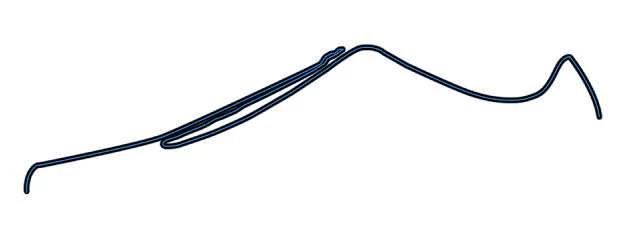
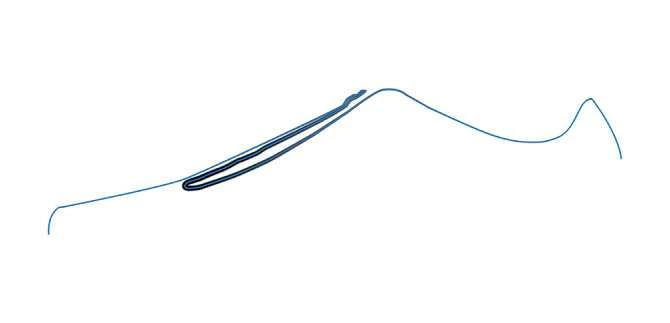
You can see below that when I using apply pressure sensitivity (for stroking path) and brush settings with pen pressure enabled, I get not so great results---Very thin near ends and thick in the middle.


On the other hand, with no pressure, I get a consistent stroke, but it does not look natural. 


Any suggestions?


Thanks! 
This topic has been closed for replies.

3 replies

JJMack
Community Expert
Community Expert
March 31, 2020

Does your Pen's device driver have a feature you can customise the pen feel of Pen pressure? Usind  diffent brusg tip type mat also help 


JJMack
dsev1
dsev1Author
Inspiring
March 31, 2020

Right, so I'm just using my mouse/trackpad on my Macbook Pro. Trying to see if I can create natural looking lines without a pen-based device in Photoshop. Thanks1

Participant
September 28, 2020

Nope. Never found a solution. I think we do need the Wacom driver.


I tried inklet https://tenonedesign.com/inklet.php which is kind of cool, but, costs $40 and I feel like using it is a little unintuitive, kind of controls my cursor more than I prefer. But, it might work for you.

KShinabery212
Community Expert
Community Expert
March 31, 2020

Are you using a Wacom, Huion, Parblo or XP-Pen tablet?

If so that would be a good idea.

Let's connect on LinkedIn. https://www.linkedin.com/in/kshinabery/
dsev1
dsev1Author
Inspiring
March 31, 2020

No tablet, Just my Macbook Pro and either my mouse or trackpad....I am trying to see if there's a way to do it well without a pen-based device like a tablet or wacom. thanks!

JJMack
Community Expert
Community Expert
March 31, 2020

You can stroke paths with a brush and simulate pressure but creating a new path for each brush stroke and then stroking the path would be painfully slow work-flow.  Get a pen.


Stroking Paths with simulated pressure works great for some things

JJMack
Mohammad.Harb
Community Expert
Community Expert
March 31, 2020

Simualte pressure option in the stroke panel does a good job in "simulation " of the pen pressure . You will not get what you have on your mind with this option.


the workaroung For stroking "path" with variable width is using the width tool in "Illustrator " you can use the pen tool to draw the path, add stroke then you can use the width tool (shift + w) to adjust the width , then copy /past the path back to photoshop .


dsev1
dsev1Author
Inspiring
March 31, 2020

Thanks, I tried the Simulate Pressure option...

But that's how I got the results above.


Right, I'm aware of the Illustrator options, but I'm trying to stay in Photoshop, if possible. Thanks!