
New Document profile - Change the Clipboard preset to Inches & 300ppi
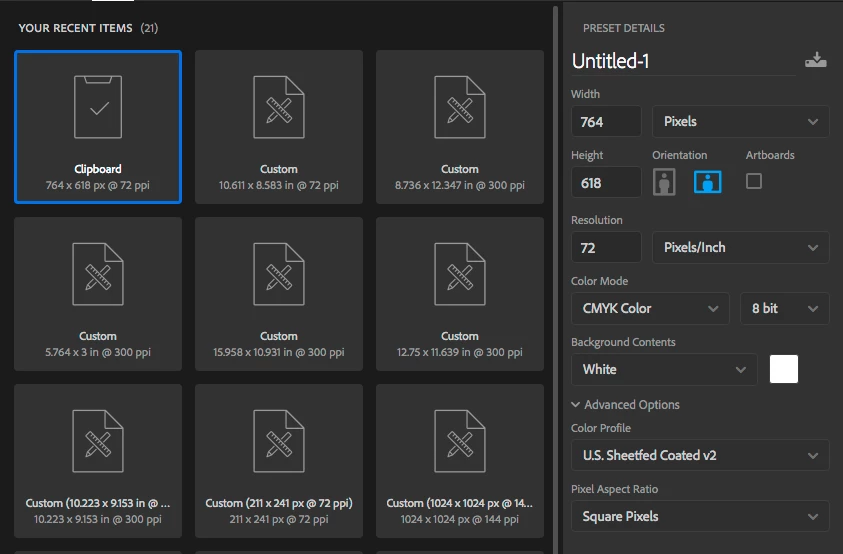
Every time i copy artwork from Illustrator to paste into a new photoshop document, the only available preset for creating the new document from the Clipboard has the dimension in pixels and the resolution @ 72 ppi. How can i change this default to be Clipboard, Inches & 300ppi?
I already know that i can manually change Pixels to Inches and then Resolution from 72 to 300 each and every time I create a new document, i'm just hoping to eliminate those two steps. I also know that i can create a custom profile that is, say, 10" x 10" @ 300ppi and then i can resize the canvas to match whatever i paste into it. i'm not looking for a workaround. If the New Document "clipboard" profile already exists, there should be a way to either change its preference or create a new one with the preferences i outlined above. I just can't figure out how.
Ages ago, photoshop used to retain the units of dimension and resolution from the previously created new document.
I had an online chat with Adobe Customer Service and I couldn't get them to understand what i was asking for.
anyone?
 AdChoices