david.silva@tripspark.com
Participant
November 28, 2016
Answered

New document transparent background by default?

  • November 28, 2016
  • 4 replies
  • 22705 views

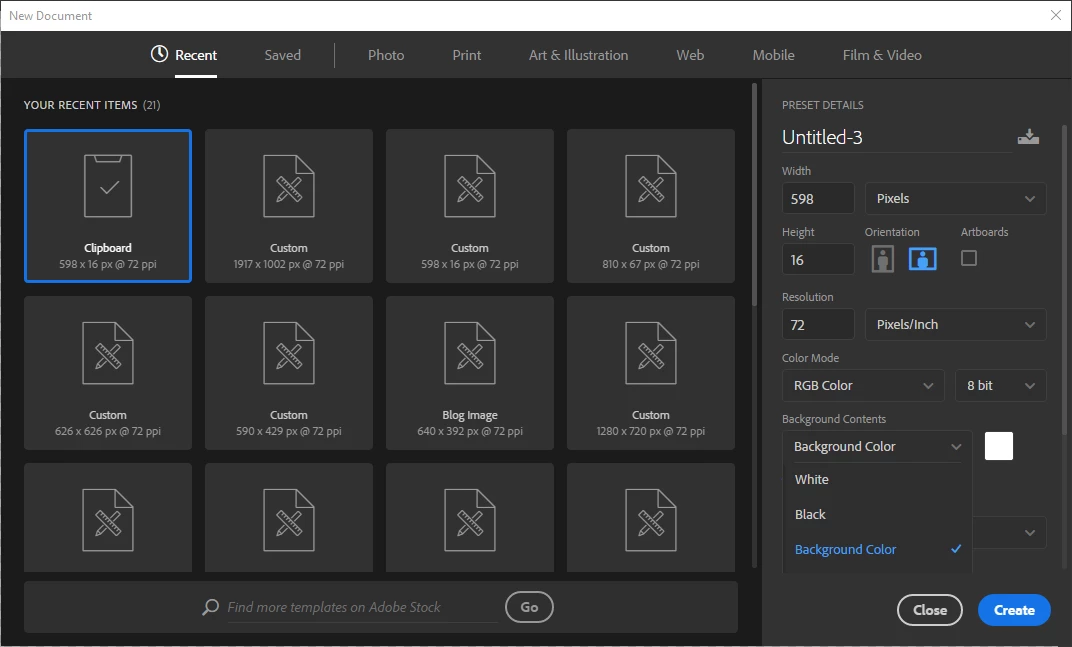
I've just updated to the 2017 version of Photoshop and I can't figure out how to have a transparent artboard by default (when creating new documents).

It used to be a preset option but I can't find it there anymore . . .
This topic has been closed for replies.
Correct answer Semaphoric

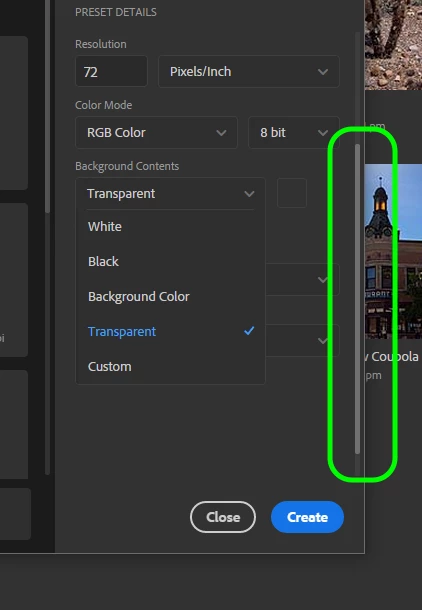
You need to scroll down to see it, but the scroll bar is so inconspicuous that a lot of people don't see it:


4 replies

Participant
May 7, 2019

You are a legend. Now to see if I can see it

bobd26357185
Known Participant
April 21, 2020

With the latest update to 2020 now the transparent background doesn't stay as default when creating a new document. With every new document it defaults back to white and pasting a new image goes onto a new layer. This is a total wase and an additional step as I have to now delete the white layer because I never use it.


Put back the ability to set the default to whatevey backgoround the user wants to use for new documents.

Participant
April 23, 2020

Yes! Completely agree. I'm here because I thought I had somehow done something wrong to cause this. What a stupid 'update'.

Participant
May 4, 2018

Amazing, thanks!

Never would have seen that!

SADDLE-UP
Participating Frequently
February 3, 2017

Thank you, I totally missed it too !

Semaphoric
Community Expert
SemaphoricCommunity ExpertCorrect answer
Community Expert
November 28, 2016

You need to scroll down to see it, but the scroll bar is so inconspicuous that a lot of people don't see it:


david.silva@tripspark.com
Participant
November 28, 2016

Wow! Thank you! That is quite the interface design flaw

jaradcollier
Participating Frequently
November 16, 2020

MAJOR interface design flaw! Agreed!!