

Question
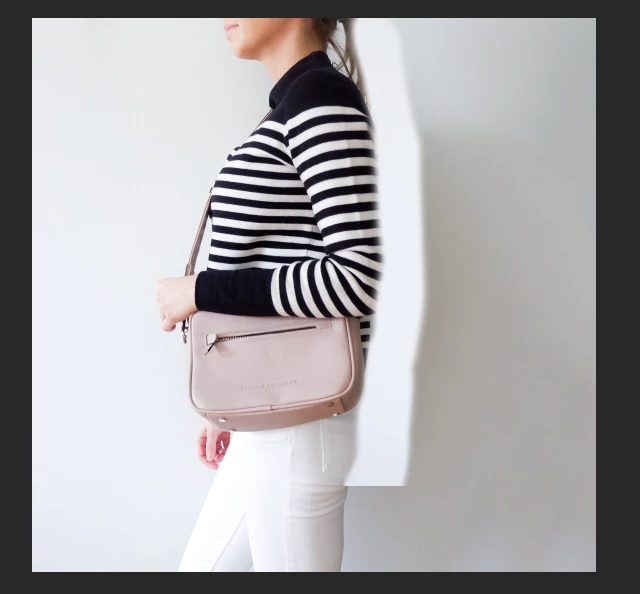
[newbie problems] Clone Stamp not allowing to go past weird borders or How to get rid of the wall shadows?
Total newbie here so please be gentle 
what I wanted to do here is make the right-hand side of the picture the same shade as the left. How I wanted to do it is:
1. Duplicate Layer
2. Add a new layer in between
3. Use a clone stamp to get rid of the shade
Pretty much like in this video: Remove shadow from wall in Photoshop - YouTube
Why am I encountering this weird border at the bottom?
And if I'm doing this completely wrong how would you try to even out the shades on the right and lighten them up a bit?
 AdChoices