
Inspiring
February 19, 2018
Answered

No select and mask ?

  • February 19, 2018
  • 3 replies
  • 18063 views

Hi

I am using Photoshop 2015 and am doing a course in the program.

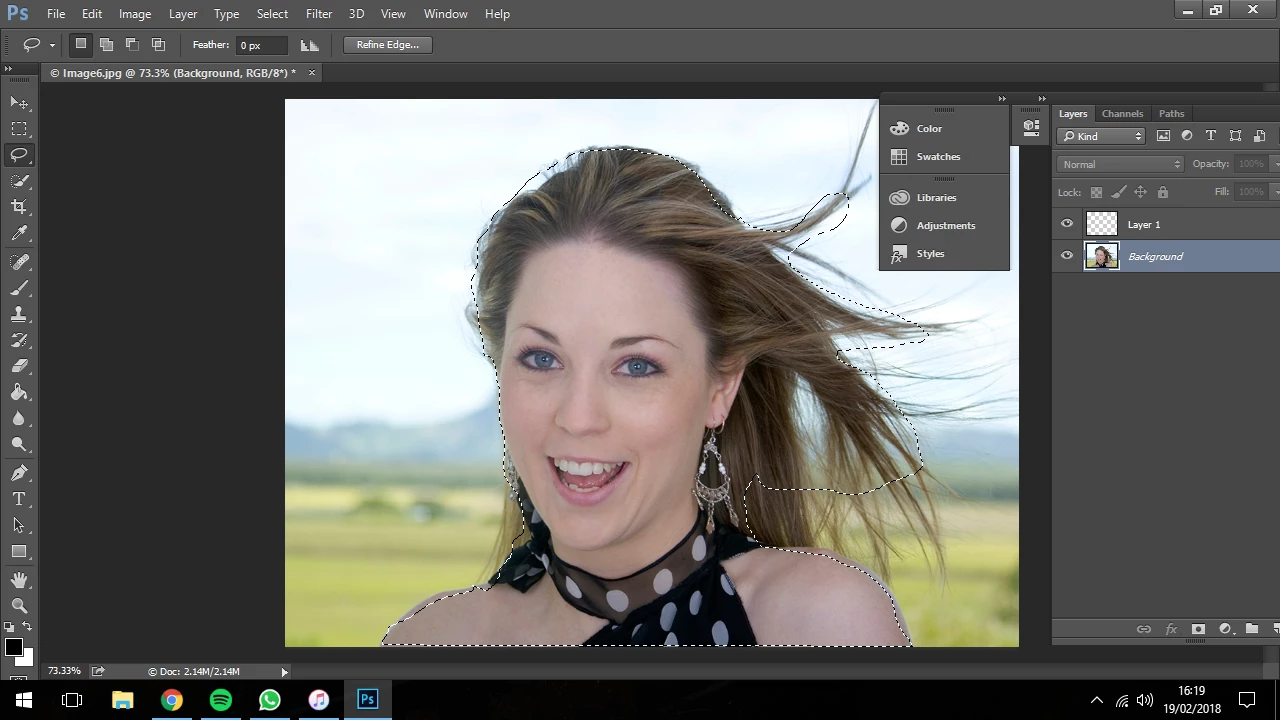
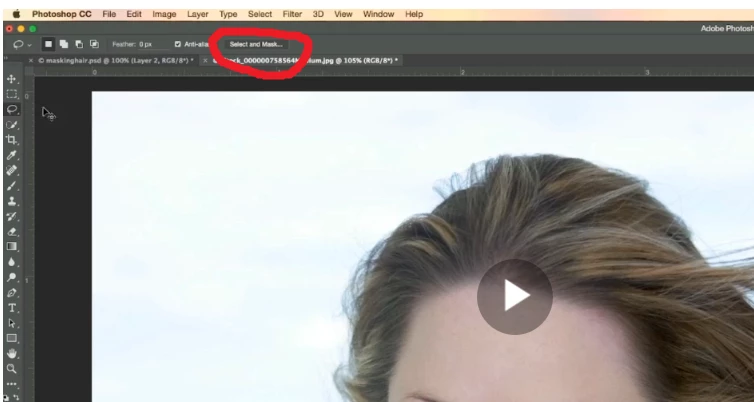
On the tutorial sit explains how to choose the lasso then select and mask. I have managed to use the lasso to go around the face and shoulders however theres no " Select and Mask " button at the top.

#
As you can see from the video ( below ) it has a " Select and Mask " button
    This topic has been closed for replies.
    Correct answer simmys25068204

    After a bit of playing about with  " Refine Selection " i have done it

    thanks

    3 replies

    simmys25068204AuthorCorrect answer
    Inspiring
    February 19, 2018

    After a bit of playing about with  " Refine Selection " i have done it

    thanks

    c.pfaffenbichler
    Community Expert
    Community Expert
    February 19, 2018

    As you seem to be paying for the CC anyway why do you not use a newer version of Photoshop?

    c.pfaffenbichler
    Community Expert
    Community Expert
    February 19, 2018

    According to

    Adobe Photoshop version history - Wikipedia

    »Select and Mask« was introduced in Photoshop CC 2015.5.

    When deciding to work with an obsolete Photoshop version one has to expect that some newer tutorials will not apply.

    c.pfaffenbichler
    Community Expert
    Community Expert
    February 19, 2018

    Might you be working with an obsolete Photoshop version that still offered »Refine Edge«?     

    Inspiring
    February 19, 2018

    Thanks !

    Yes it does have " Refine Edge " however i tried all of them and it ends up with this..

    As opposed to this