Participant
July 14, 2019
Question

Paint bucket creating colour blotching

  • July 14, 2019
  • 3 replies
  • 498 views

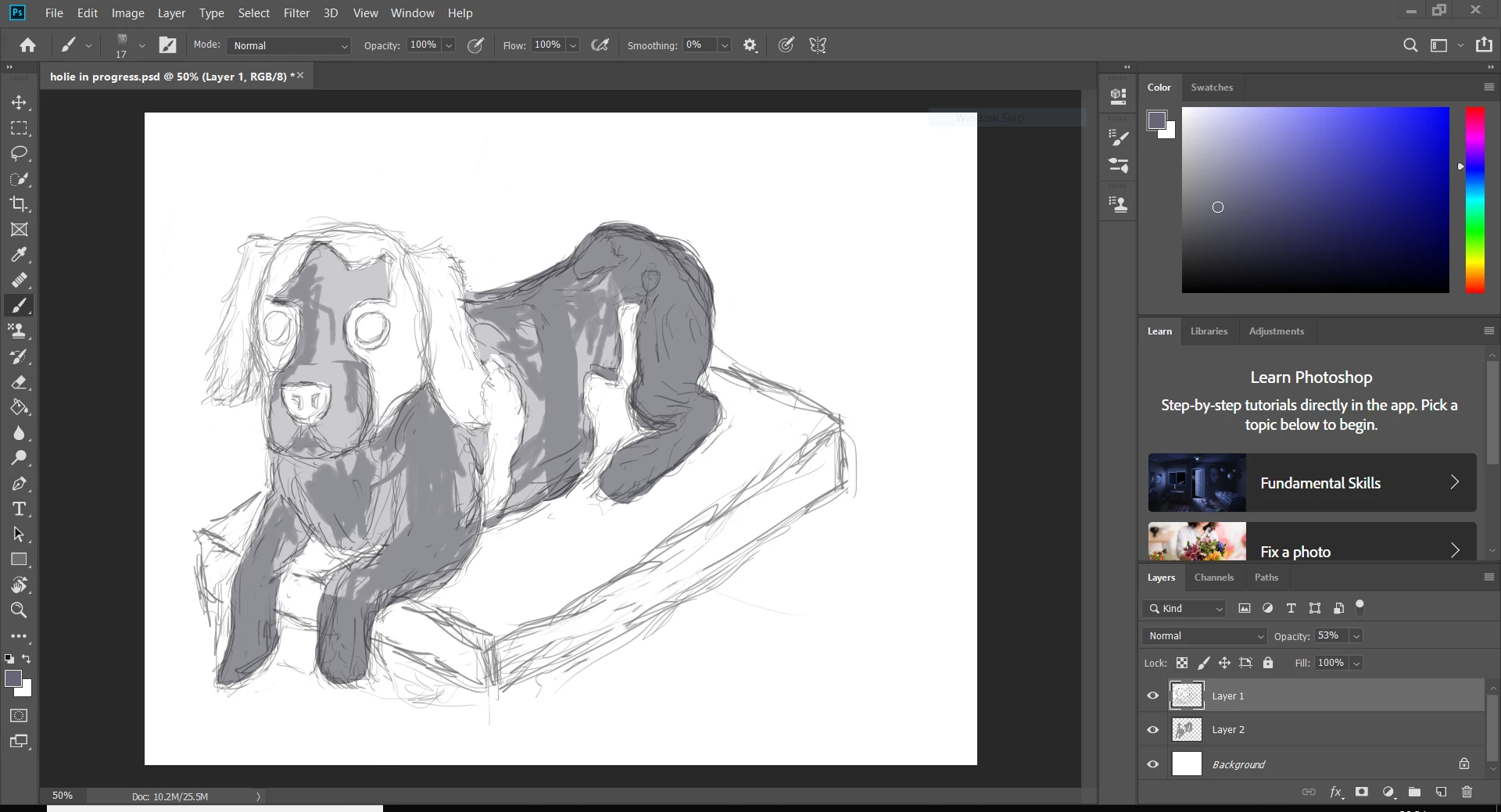
Hi, completely new to photoshop and just trying my hand at digital art. The thing is after lassoing and paint bucketing the drawing, the colour is blotchy in some areas. I have no idea why.

    This topic has been closed for replies.

    3 replies

    Participant
    July 14, 2019

    I think I know where I've gone wrong. I think I've erased with white on layer one so its covered layer two.

    JJMack
    Community Expert
    Community Expert
    July 14, 2019

    Its hard to tell what you did. In your screen capture the Paint brush Tool is the current tool and layer 1 the top  is the current targeted layer.   Layer 1 look like has some white and gray pain area perhaps a paint brush was used.  Layer 2 below it looks like it has some Gray paint area and the bottom background layer look like its solid white.

    The Paint bucket tool has tool options  has some feature that are quite like some Magic wand tool options.

    I have no idea as to which layer you may have used the paint bucket tool on.

    JJMack
    Simmer1
    Community Expert
    Community Expert
    July 14, 2019

    Hi,

    I can see you have a sketch Layer and a base colour Layer with two tones within the same Layer.

    Firstly I would try and keep all the different tones you use on it's own Layer.

    Also I think the Lasso Tool and the paint Bucket are difficult Tool use to paint the above.

    Try using the Brush Tool, Short cut B

    Here are a few tutorial that you may find helpful:

    Tutorial: Basic Photoshop/Drawing + Kirby Tutorial [PS CS6] - YouTube

    Digital Painting Workflow in Photoshop - YouTube

    I hope this help!