
Known Participant
March 26, 2018
Answered

Panorama 360° Collage

  • March 26, 2018
  • 2 replies
  • 633 views

Hello,

I was wondering if it's possible to make a 360° Panorama (like https://raw.githubusercontent.com/aframevr/aframe/v0.7.0/examples/boilerplate/panorama/puydesancy.jpg )

with Photoshop but only with existing "normal photo" with a collage technique.

Composing your own 360° photo with parts of photos.

Thanks in advance,

FJ
This topic has been closed for replies.
Correct answer JJMack

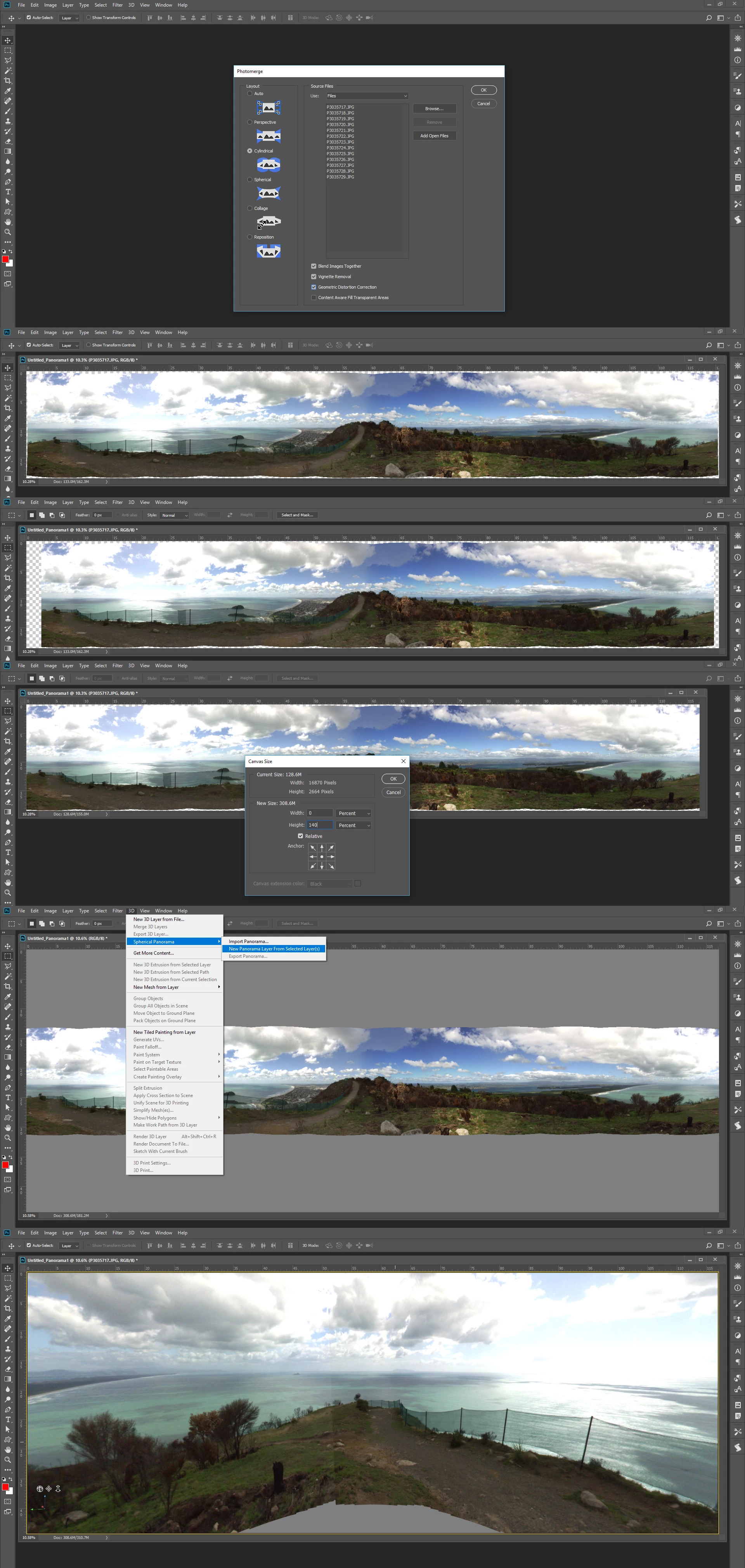
I stitched 13 5MP shots done on a tripod into a 360+ Cylindrical Panorama and trimmed the ends to make it a 360 one and added gray canvas for the missing sky and ground.  I a made it  a 3d Spherical panorama for viewing in Photoshop 3D feature,  The final seam was better than I thought it would be,

2 replies

JJMack
Community Expert
JJMackCommunity ExpertCorrect answer
Community Expert
March 26, 2018

I stitched 13 5MP shots done on a tripod into a 360+ Cylindrical Panorama and trimmed the ends to make it a 360 one and added gray canvas for the missing sky and ground.  I a made it  a 3d Spherical panorama for viewing in Photoshop 3D feature,  The final seam was better than I thought it would be,

JJMack
JJMack
Community Expert
Community Expert
March 26, 2018

You will be able to view and patch  360 spherical Panorama in Photoshop 3D feature.  You will not be able to stitch seamless 360 spherical panorama with Photoshop.  They Are normally shot with fisheye lens and stitched with specialized stitching software.  Photomerge and Photoshop stitching will not be able to do a good stitching job.

JJMack