pjglad
Inspiring
July 7, 2018
Answered

Perfectly Clear Filter

  • July 7, 2018
  • 3 replies
  • 2262 views

I am using Photoshop CC 2018 on iMac. I do not have Perfectly Clear installed but there is entry in the Filter Menu for Athentech Imaging. Why is that? Can I remove it? Thanks.

    This topic has been closed for replies.
    Correct answer davescm

    It's not there


    Try here:

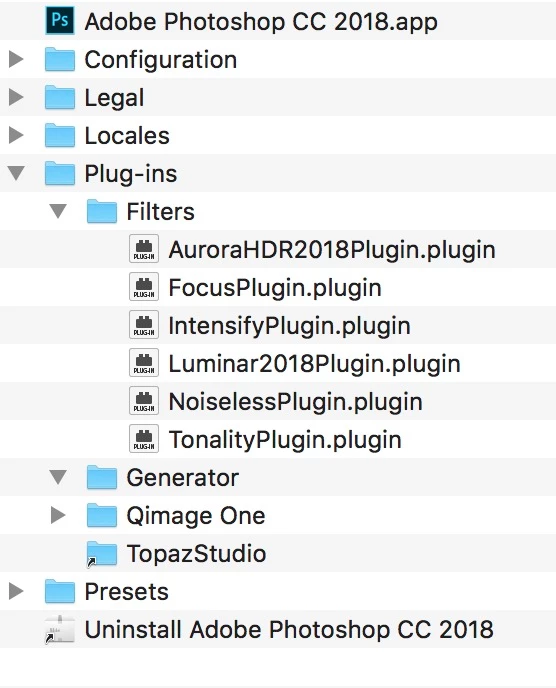
    Hard Drive /Library/Application Support /Adobe/Plug-Ins/CC

    Dave

    3 replies

    Derek Cross
    Community Expert
    Community Expert
    July 7, 2018

    Can you post a screen shot of this filter menu?

    pjglad
    pjgladAuthor
    Inspiring
    July 7, 2018

    Derek Cross
    Community Expert
    Community Expert
    July 7, 2018

    Just delete it from your PS plug-ins folder if you don't want it.

    Trevor.Dennis
    Community Expert
    Community Expert
    July 7, 2018

    pjglad  wrote

    I am using Photoshop CC 2018 on iMac. I do not have Perfectly Clear installed but there is entry in the Filter Menu for Athentech Imaging. Why is that? Can I remove it? Thanks.

    Are you sure that it has not been installed previously?

    If you check this link, and scroll down to the bottom of the Mac file locations,

    Photoshop CS6 preference file functions, names, locations

    ...it gives this location.  I can't check it because I am using Windows.

    Users/[user name]/Library/Application Support/Adobe/Adobe Photoshop CS6/Presets/[feature name]

    Derek Cross
    Community Expert
    Community Expert
    July 7, 2018

    This (to me anyway) is a confusing message – can you expand the information and issue a bit more please.

    Trevor.Dennis
    Community Expert
    Community Expert
    July 7, 2018

    It's a new one on me Derek.

    Using Perfectly Clear with Photoshop - Perfectly Clear

    I love the video tutorial..

    First open Photoshop.

    Chose open, and find the image you want to fix

    Make sure the layer you want to fix is active.

    To use Perfectly Clear, go to the filter menu

    and so on.  ROTFL!

    I think this is actually the advanced tutorial for experienced users.  The beginners tutorial starts with

    Turn on your computer, after first making sure it is connected to an outlet, and that the outlet is turned on.