
Participant
July 27, 2019
Question

Perspective Warp Issues

  • July 27, 2019
  • 1 reply
  • 653 views

Greets!

Having an issue with Perspective Warp (Photoshop v.20.0.5/ Windows 10 Pro 1803 b.17134.885 x64/ dual Xeon CPU's - E-5 2670's @ 2.60GHz - 8 cores each/ 64GB RAM per processor/ dual GeForce GTX 780 Ti graphics cards...

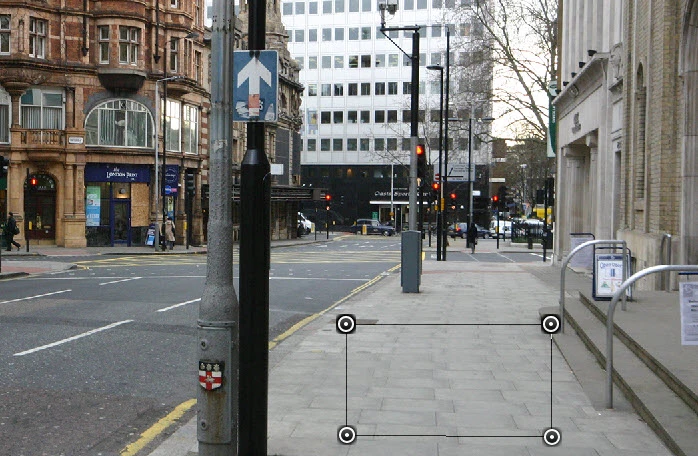
The Perspective Warp tool seems to have some functionality & I am able to utilize it, but in the "Layout" phase, I do not get the 9 section, segmented grid for defining planes, just a 4-sided frame. CTRL+H only hides the entire frame, it does not reveal/hide a grid as I had hoped, for an easy solution, LOL. I can click & drag any of the anchor points but It does not want to snap 2 or more planes together automatically, although I can do this manually.

I have been through every FAQ & tips, I can't find anyone having experienced this same issue... Like I said, I can work with it, but there are times aligning to an image would be much more precise if I had the grid & I don't like to see any part of my software performing at less that intended design status without understanding why... Anyone have any ideas?
This topic has been closed for replies.

1 reply

Chuck Uebele
Community Expert
Community Expert
July 27, 2019

Have you tried resetting your preferences? Something is odd about your screen show. It would have helped more to see your entire screen. It looks like all the anchor points are selected, which I'm not sure is possible. Here is the layout mode with Classic colored handles:

This is warp mode, note no guides and the handles look a little bit more like yours, except you have a rectangle around the controls, and all of the control points are selected, where as mine only has one selected.

MaxImpactAuthor
Participant
July 27, 2019

Chuck,

Thank you for the input & here is a full screen shot in Layout Mode. Each anchor point is independent & once I switch to Warp Mode, there is still no grid, nor do the anchor points change in any manner. I have tried this with image converted to a smart object as well, no difference; I am stumped... I looked throughout the preferences for anything that seemed to indicate it might change something with perspective warp, but nothing... BTW, I do have 4K monitors, but I keep the far right screen at 1920x1080 for Photoshop, because I get lag in some tools if I keep it in a normal configuration... Not sure if that matters at all but I know how touchy these things can get. Hopefully someone will see this & have seen something similar.

Tony

Chuck Uebele
Community Expert
Community Expert
July 29, 2019

Have you tried resetting your preferences?