Participant
April 30, 2017
Answered

Photoshop 2017 cc templates

  • April 30, 2017
  • 2 replies
  • 2249 views

Downloaded Template

I know it downloaded because in the upper right hand corner of the template is a blue circle with a check mark inside

It is my understanding that the downloaded template should appear in Library

The template is not in my library

Any and all help is greatly appreciated.

Correct answer Terri Stevens

Hi there,

yes templates should appear in the library panel but not necessarily in the library called 'My Library'

When you download a template it appears with a blue check mark
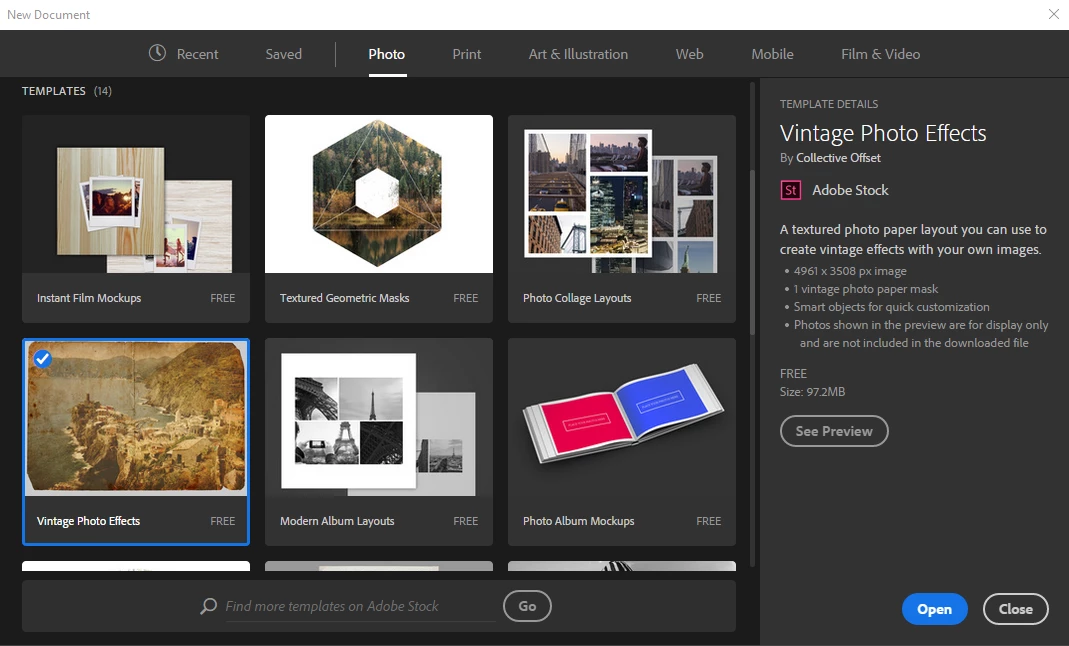
You know it has been saved to your hard disk because it shows up under the 'saved' tab

If you want you can open it from there

If you look at Libraries on the Adobe website you see all your current libraries. In the top right corner of the libraries panel select 'view on website'
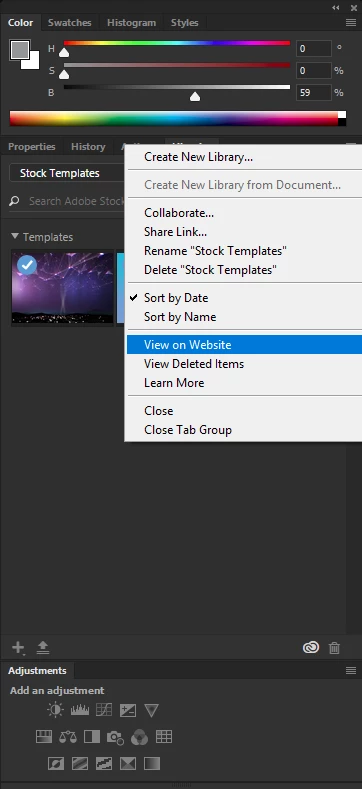
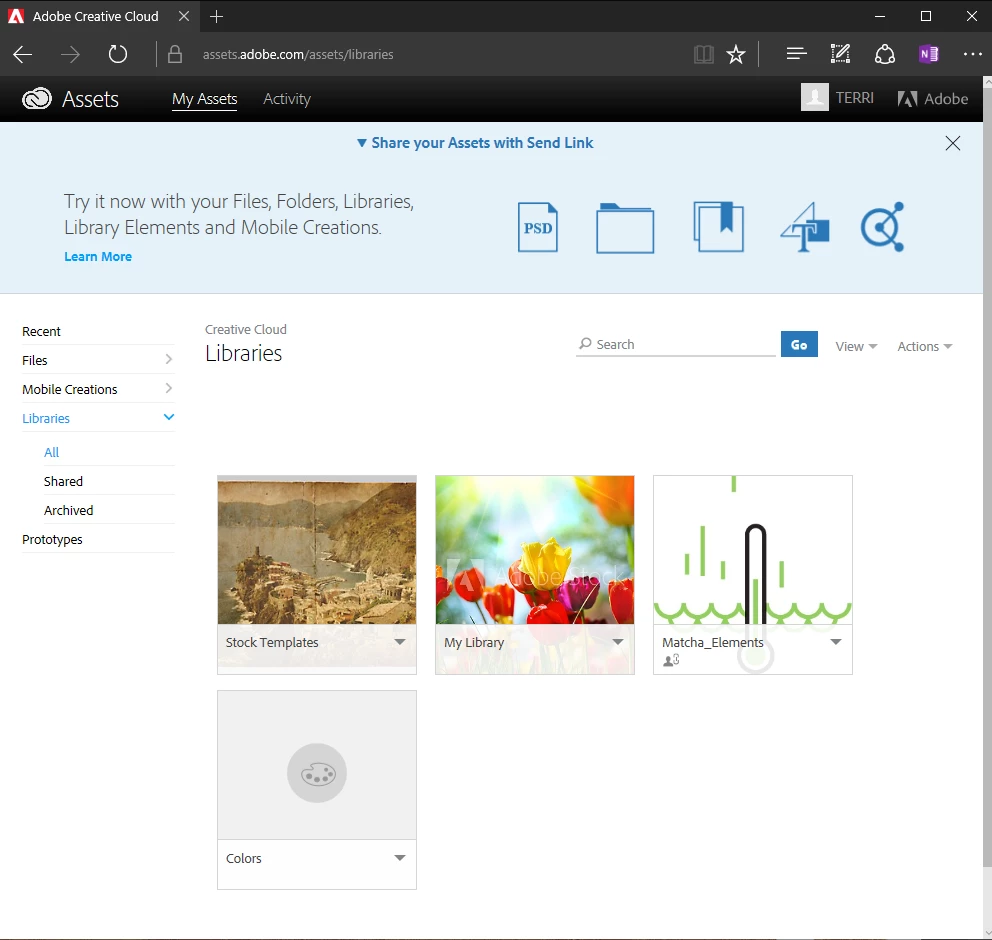
A browser will open. As you can see Stock Templates have a dedicated folder and don't go into the default 'My Library'.
This can sometimes be a problem and you may have to 'Create a new library yourself. In the library panel called 'Stock Templates'
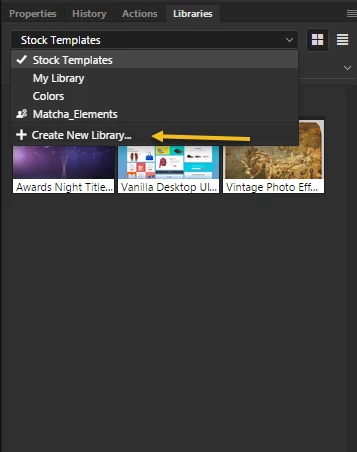
It happened automatically for me, but I'm using Windows so a Mac maybe more obstinate. However you only need to do this once

After that your templates should be visible in the library like below.
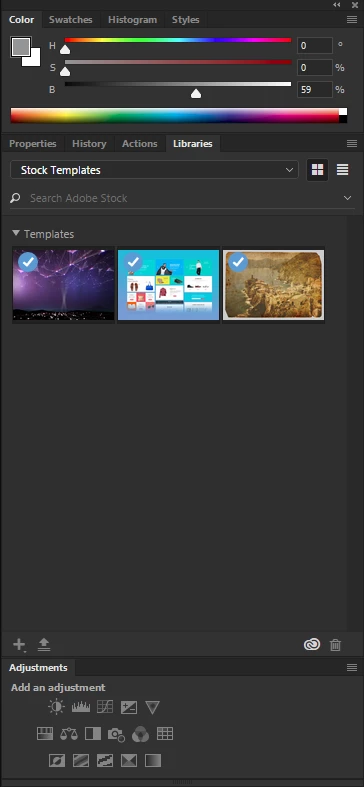
Templates are just Psd files with a Psdt extension. In fact you can create your own template from a psd file by renaming it *.psdt. You can find them on your hard disk by doing a search on *.psdt, but Adobe have not been particularly helpful as they reside in hidden folders with GUID names and so you need to make those folders visible before you can see them. On Windows it's just a matter of making changes in folder options, but I think it's a little more involved on a Mac.

To speed up a search on Windows jump to the 'AppData' section. Like below

C:\Users\<profileName>\AppData\Roaming\Adobe\

The Mac folders are arranged differently so one of our Mac users would need to tell you the precise location there.

2 replies

Terri Stevens
Terri StevensCorrect answer
Legend
May 1, 2017

Hi there,

yes templates should appear in the library panel but not necessarily in the library called 'My Library'

When you download a template it appears with a blue check mark

You know it has been saved to your hard disk because it shows up under the 'saved' tab

If you want you can open it from there

If you look at Libraries on the Adobe website you see all your current libraries. In the top right corner of the libraries panel select 'view on website'

A browser will open. As you can see Stock Templates have a dedicated folder and don't go into the default 'My Library'.

This can sometimes be a problem and you may have to 'Create a new library yourself. In the library panel called 'Stock Templates'

It happened automatically for me, but I'm using Windows so a Mac maybe more obstinate. However you only need to do this once

After that your templates should be visible in the library like below.

Templates are just Psd files with a Psdt extension. In fact you can create your own template from a psd file by renaming it *.psdt. You can find them on your hard disk by doing a search on *.psdt, but Adobe have not been particularly helpful as they reside in hidden folders with GUID names and so you need to make those folders visible before you can see them. On Windows it's just a matter of making changes in folder options, but I think it's a little more involved on a Mac.

To speed up a search on Windows jump to the 'AppData' section. Like below

C:\Users\<profileName>\AppData\Roaming\Adobe\

The Mac folders are arranged differently so one of our Mac users would need to tell you the precise location there.

Trevor.Dennis
Community Expert
Community Expert
April 30, 2017

Hi Joshe

Can you give us the link you sourced the template from?

Does the file have an extension, and if yes, what is it?

What browser did you use, and what is your operating system?

Participant
April 30, 2017

Hi,

Link was sourced by clicking new on smart page. New document opened that contains blank document presets and templates. I clicked on Textured Geometrics and created it.

My operating system is macOS 10.12.4.

Google is my browser.

How can I tell if the file has an extension?

Thanks