
Photoshop 2018 Brushes
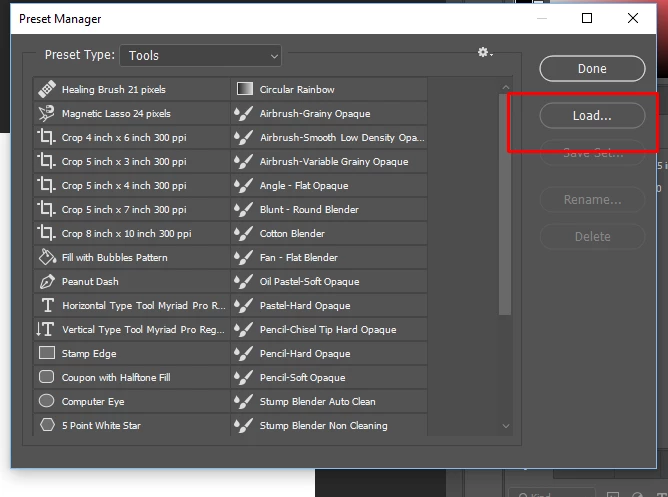
Why 'fix' something when it ain't broke? I am a digital photographic artist and after nearly 20 years of using Photoshop I, naturally, have established efficient work flow patterns, one of these being the use of brushes. I have kept all my brush presets (and I have hundreds) in a folder independent of PS and when I needed a particular preset I simply went to the drop down menu on the brush palette and selected 'Load Brushes'. Simple! When I had finished with that set I simply restored 'Basic Brushes'.
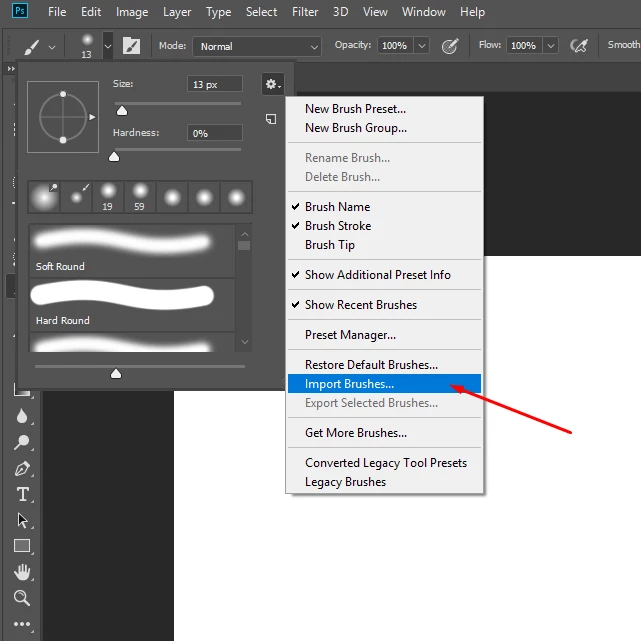
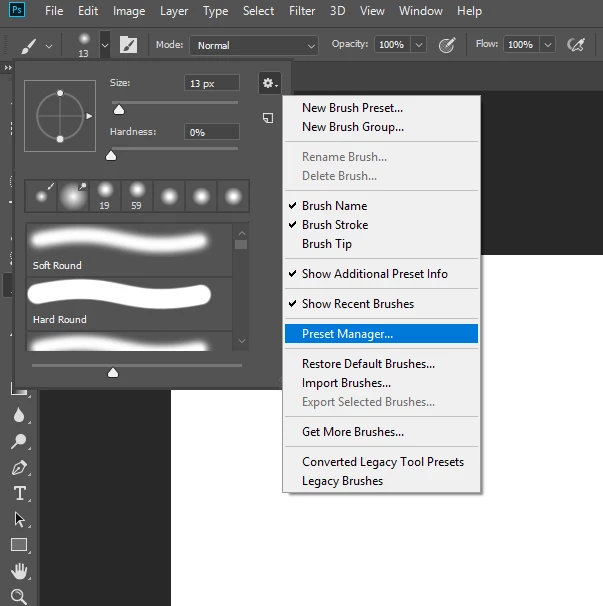
I installed Photoshop 2018 a couple of days ago at the suggestion of a (very nice) chat operator to fix an issue I was having with the filter gallery (it didn't fix it!) I started the 2018 update version, went to the brush palette looking for 'Load Brushes' and it wasn't there! Instead I was faced with a large palette that I cannot select a 'view' for. I explored, listened to Julianne Kosh's video, read forums but I am still faced with only option I can find of having a brush preset palette, when I add my presets, that stretches half way to China. If there is a way of simplifying this then please tell me.
I am so disappointed and frustrated with Adobe's continual meddling with things that are perfectly fine simply for the sake of an 'upgrade'.
 AdChoices