
Participant
June 3, 2020
Question

Photoshop Blank Black Opening Screen

  • June 3, 2020
  • 4 replies
  • 1153 views

HELP!!!! I've spent the day trying to fix this Black Blank Screen on Photoshop 2020 opening.
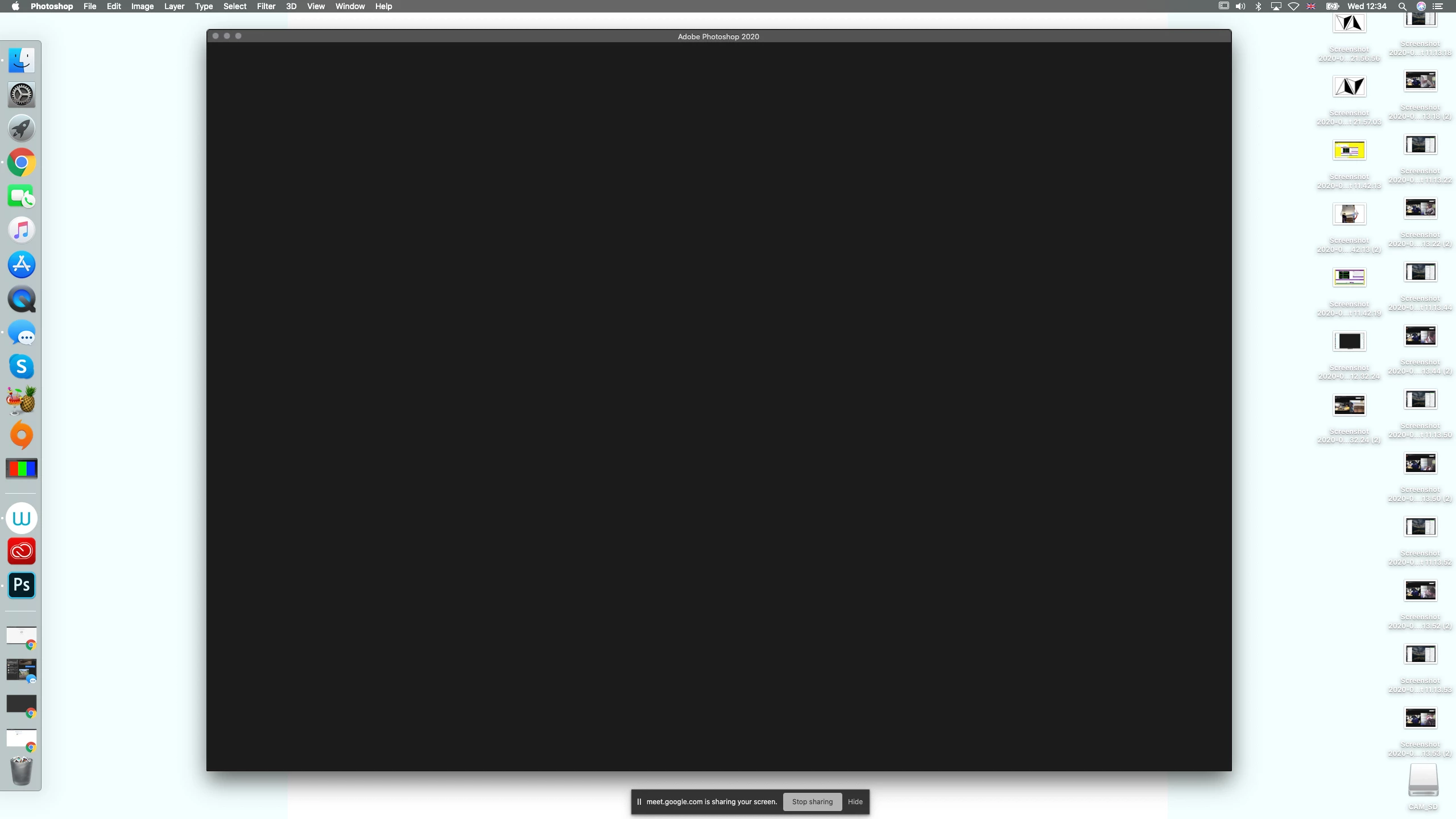
Tried these things but no luck! Please Help!

  • Deselecting and selecting The Graphics Prossesor.
  • Reinstalling Photoshop.
  • Deleting Everything todo with ADOBE off Mac and Reinstalling everything.
  • Signing in and out of Creative cloud app and with in Photoshop.
  • Updated My Macs Graphics Driver to latest Intel Iris Plus Graphics 645
  • Downloading Previous versions of Photoshop 

I may have also tried many otherthings that I forgotten I did but if someone could try and help me that would be great!!!!!

Weird thing is I can open my previous PSD's but I can't create and New Projects.

This topic has been closed for replies.

4 replies

Participant
January 2, 2021

@jackatcollege did you ever figure this out?? I am having the same problem! 


Known Participant
October 7, 2020

it's not just the Window > Application Frame ? 

Known Participant
October 7, 2020

or pressing "tab" ? 

Participant
October 7, 2020

I'm having this same exact problem and have tried all the things you mentioned. Did you figure it out?

Bojan Živković11378569
Community Expert
Community Expert
October 7, 2020
Bojan Živković11378569
Community Expert
Community Expert
June 3, 2020
Participant
June 3, 2020

Thanks for the link, but the problem I'm having isn't the black screen inside my project, its a Blank opening screen, I can't see the usual start up Menu and I cannot actualy create a new project. 

Bojan Živković11378569
Community Expert
Community Expert
June 3, 2020

I think that second link is addressing your issue