
Question
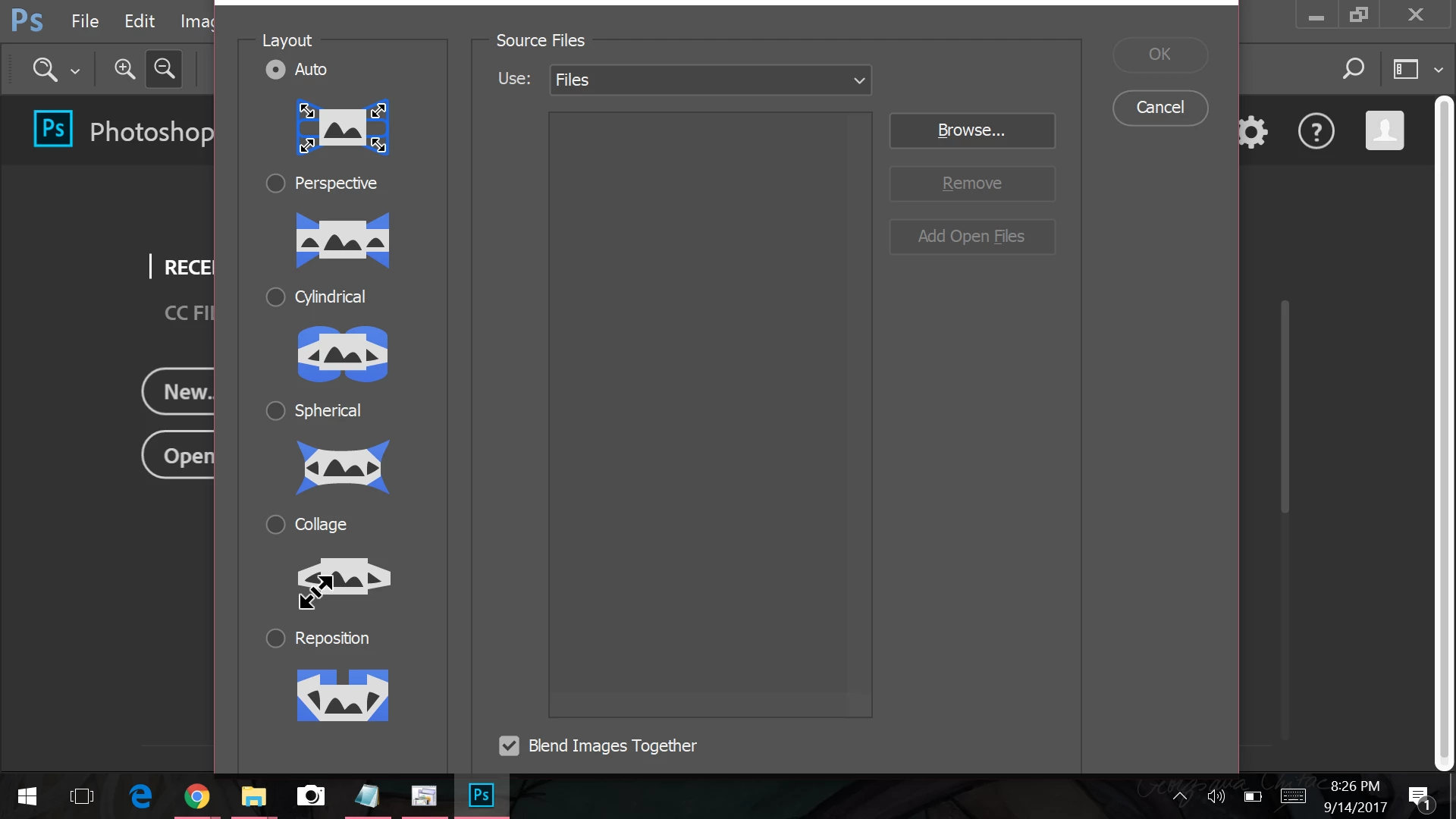
Photoshop boxes won't fit my laptop screen and I can't resize
Sorry I couldn't find another word for boxes but I think it kind of makes sense. Running Adobe Photoshop CC 2017 on my Windows 10 laptop, and what I am trying to do is this:
I open photoshop (fine)
File > automate > photomerge
the box that pops up.. there should be 4 options to check at the bottom. All I can see is one (blend images together) and there is no way for me to resize this box. I can move it but it's pointless because at the highest point, I can still only see blend images together and not the other 3. I have no idea how to fix this. It's driving me crazy!
 AdChoices