
Photoshop cannot recognize my graphic processor
So I've got a problem with photoshop recognizing my graphic processor. The only way to resolve this is for now is to reset my photoshop preference every time I quit photoshop, but that's annoying:) If I only change my preference only a little bit and close photoshop without resetting, the next I open it, it won't recognize the graphic processor.
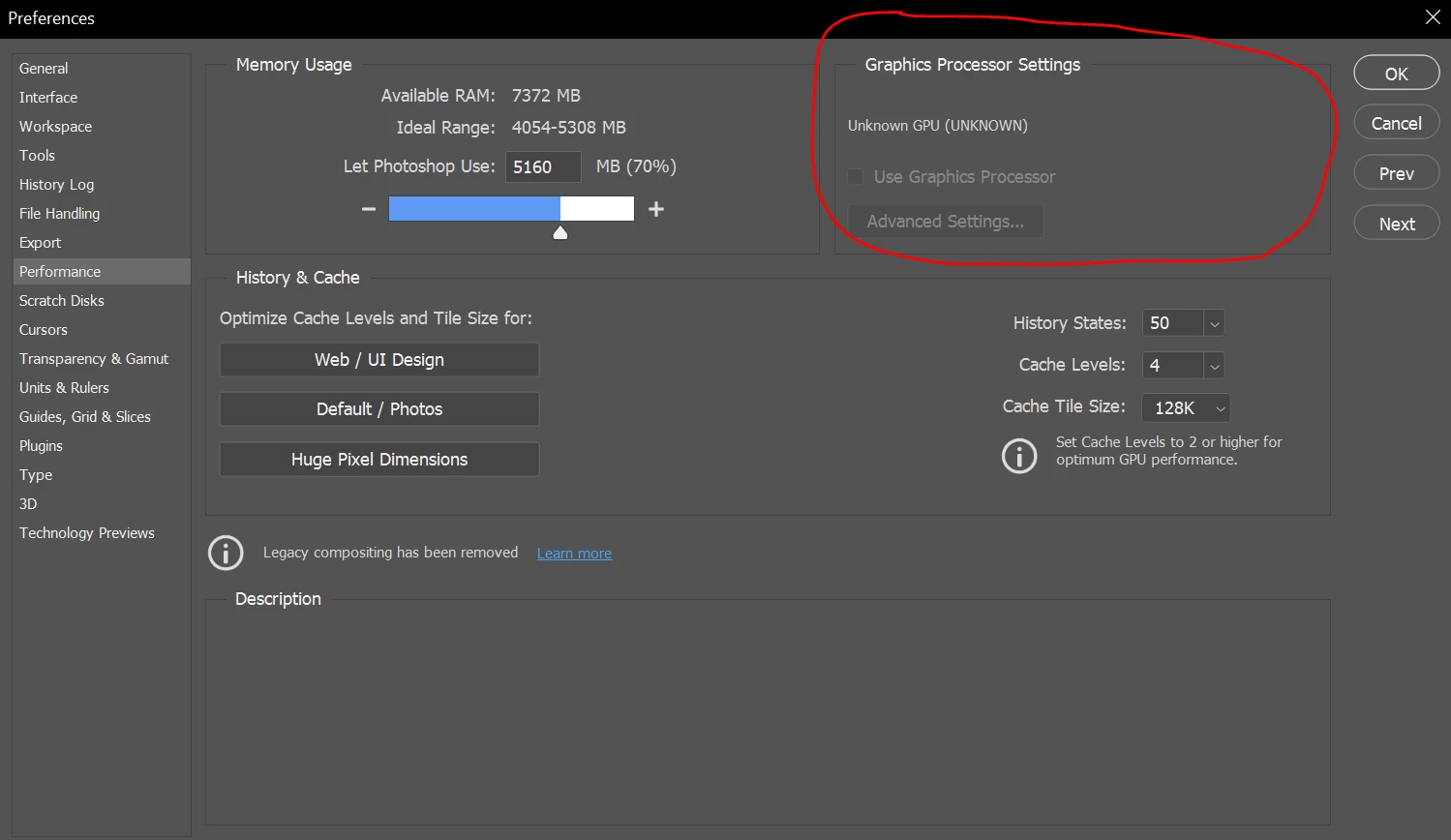
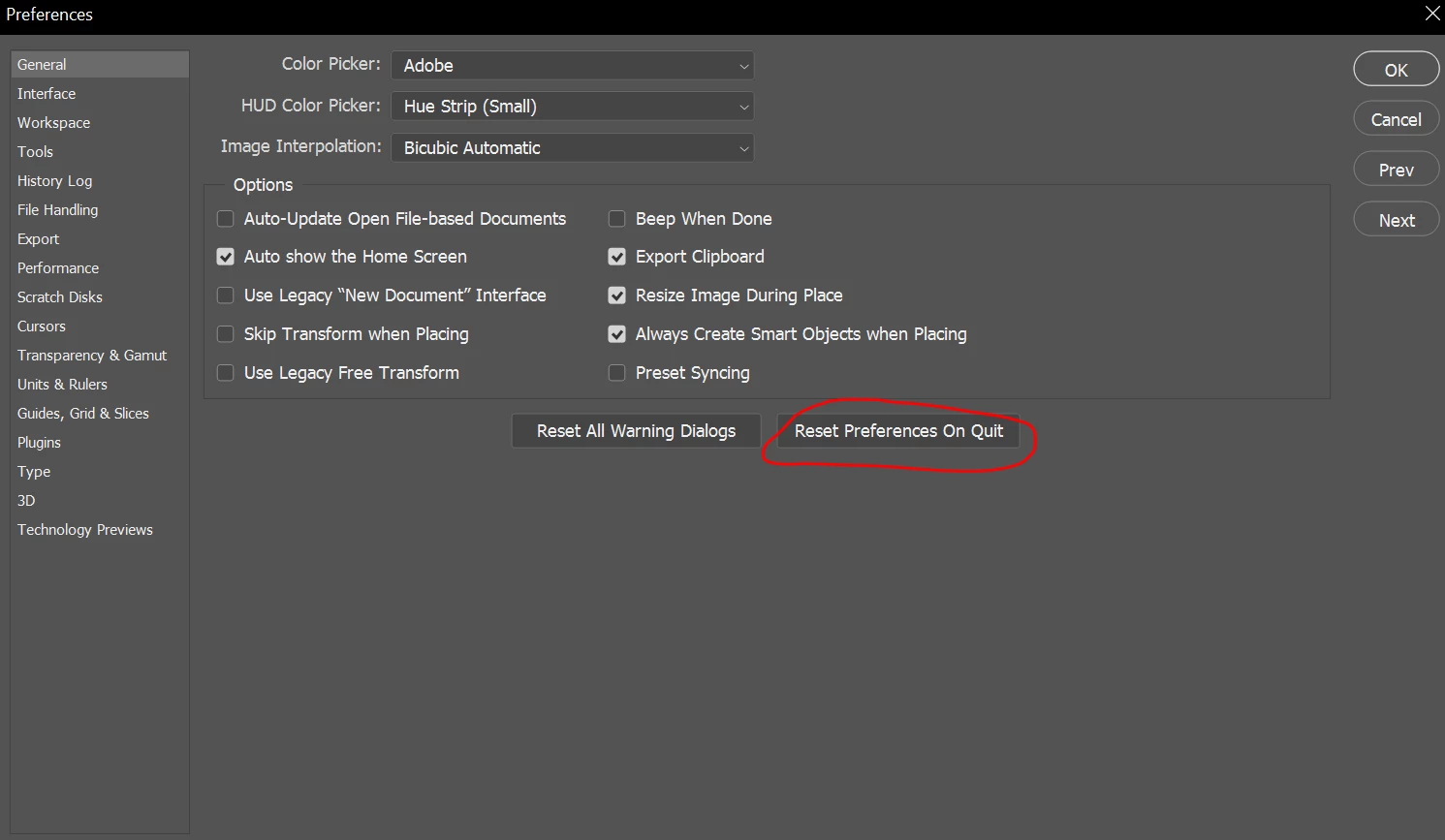
I need a permanent solution to this.
The details of my laptop are as follow:
Adobe Photoshop Version: 22.3.1 20210406.r.122 990be2c x64
Number of Launches: 13
Operating System: Windows 10 64-bit
Version: 10 or greater 10.0.19041.928
System architecture: Intel CPU Family:6, Model:14, Stepping:9 with MMX, SSE Integer, SSE FP, SSE2, SSE3, SSE4.1, SSE4.2, AVX, AVX2, HyperThreading
Physical processor count: 2
Logical processor count: 4
Processor speed: 2712 MHz
Built-in memory: 8075 MB
Free memory: 5161 MB
Memory available to Photoshop: 7372 MB
Memory used by Photoshop: 70 %
This is what is given after using sniffer.exe in command prompt to troubleshoot the problem (as of adobe's suggestion to do this and ask for help from the community):
Tester="Photoshop"
snifferStart="2021-06-11_11:10:33"
NumGLGPUs=1
glgpu[0].GLVersion="4.6"
glgpu[0].IsIntegratedGLGPU=1
glgpu[0].GLMemoryMB= 134
glgpu[0].GLName="Intel(R) HD Graphics 620"
glgpu[0].GLVendor="INTEL"
glgpu[0].GLDriverVersion="27.20.100.8681"
glgpu[0].GLDriver="C:\WINDOWS\System32\DriverStore\FileRepository\iigd_dch.inf_amd64_a086f01cc7be643a\igdumdim64.dll,C:\WINDOWS\System32\DriverStore\FileRepository\iigd_dch.inf_amd64_a086f01cc7be643a\igd10iumd64.dll,C:\WINDOWS\System32\DriverStore\FileRepository\iigd_dch.inf_amd64_a086f01cc7be643a\igd10iumd64.dll,C:\WINDOWS\System32\DriverStore\FileRepository\iigd_dch.inf_amd64_a086f01cc7be643a\igd12umd64.dll"
glgpu[0].GLDriverDate="20200905000000.000000-000"
glgpu[0].GLRenderer="Intel(R) HD Graphics 620"
glgpu[0].HasGLNPOTSupport=1
glgpu[0].CanCompileProgramGLSL=1
glgpu[0].GLFrameBufferOK=1
glgpu[0].GLIsPreferred=1
NumCLGPUs=1
clgpu[0].CLPlatformVersion="OpenCL 2.1 "
clgpu[0].CLDeviceVersion="2.1"
clgpu[0].IsIntegratedCLGPU=1
clgpu[0].CLMemoryMB= 3,386
clgpu[0].CLName="Intel(R) HD Graphics 620"
clgpu[0].CLVendor="INTEL"
clgpu[0].CUDASupported=0
clgpu[0].CLIsPreferred=1
clgpu[0].CLBandwidth=1.600000e+10
clgpu[0].CLCompute=170.630873
clgpu[0].CLRawDeviceName=Intel(R) HD Graphics 620
clgpu[0].CLRawDeviceVendor=Intel(R) Corporation
clgpu[0].CLRawPlatformName=Intel(R) OpenCL HD Graphics
clgpu[0].CLRawPlatformVendor=Intel(R) Corporation
NumNativeGPUs=1
nativegpu[0].NativeName="Intel(R) HD Graphics 620"
nativegpu[0].NativeGPUAccessibleRAMInMB= 4,367
nativegpu[0].NativeVRAMInMB= 134
nativegpu[0].NativeDedicatedSystemRAMInMB= 0
nativegpu[0].NativeSharedSystemRAMInMB= 4,233
nativegpu[0].NativeVendor="INTEL"
nativegpu[0].NativeDriver="C:\WINDOWS\System32\DriverStore\FileRepository\iigd_dch.inf_amd64_a086f01cc7be643a\igdumdim64.dll,C:\WINDOWS\System32\DriverStore\FileRepository\iigd_dch.inf_amd64_a086f01cc7be643a\igd10iumd64.dll,C:\WINDOWS\System32\DriverStore\FileRepository\iigd_dch.inf_amd64_a086f01cc7be643a\igd10iumd64.dll,C:\WINDOWS\System32\DriverStore\FileRepository\iigd_dch.inf_amd64_a086f01cc7be643a\igd12umd64.dll"
nativegpu[0].NativeDriverVersion="27.20.100.8681"
nativegpu[0].NativeDriverDate="20200905000000.000000-000"
nativegpu[0].NativePowerEnvelope="UNKNOWN"
nativegpu[0].NativeDeviceAttachment="UNKNOWN"
nativegpu[0].NativeAPIVersion="12.0 (12.0)"
nativegpu[0].NativeIsPreferred=1
snifferEnd="2021-06-11_11:10:36"
 AdChoices