
Photoshop CC Ram Errors
Hi,
- First the problem(s): Using Photoshop CC has revealed new issues I never had with CS4 with Ram running out preventing any actions. This happens no matter what the image resolution is, small or large, and once it happens I literally cant edit or save the project.
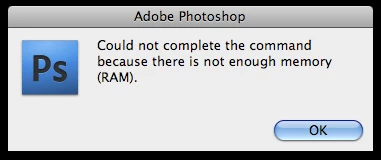
(This is from a google search to show the pop up. I do not have a Mac - but the error is identical)
This error or notice pops up whenever I try to save, use a brush etc. Even if I flatten my document down into one layer and change the image size to something smaller it wont let me save it. It wont even let me take a Print Screen screenshot. My only option is Snipping Tool to save what I have worked on.
- I have gone in and made sure to adjust the amount of available ram that photoshop uses and have played with the values in many ways but it has never had any real affect (Except for bad when I put it too high or low). The ram error eventually pops up after a couple hours of painting.
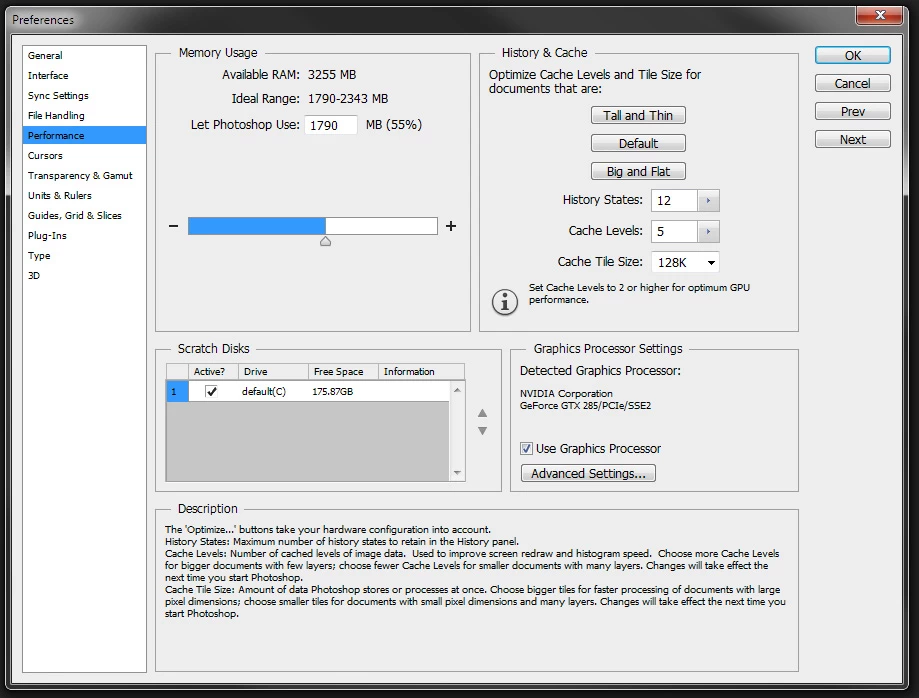
- These are my current settings. As you can see I only have the one default C drive sitting at around 180 free gigs. I do not know if this is enough but I have heard as long as I have at least 60 gigs available Photoshop should be able to run pretty well.
- Specs:
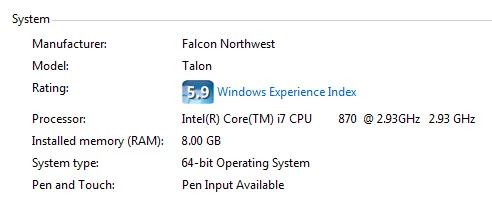
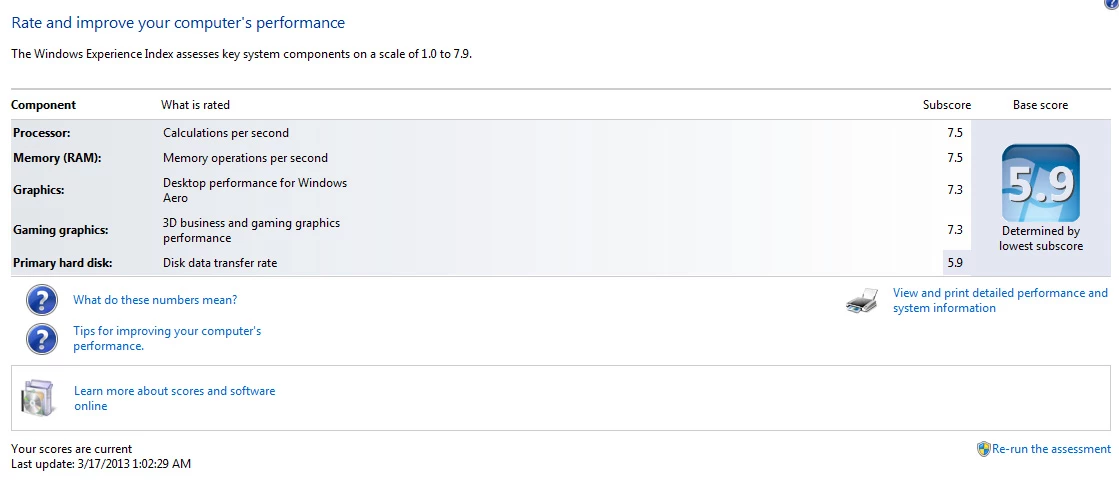
Other issues that may or may not be related to the problem:
- Photoshop takes about 1-2 minutes to open up after a computer reboot and another couple minutes to open any document of any size.
- OpenGL will randomly shut off after a few hours of painting. The only way to turn it back on is for a full comp restart
- System lags more and more as I Livestream paintings. It starts out OK but it becomes unworkable in under 2 hours - even small resolution sizes get unbearable.
- Color picker starts to lag when I select colors. Eyedropping takes a second or two while pressing default hotkey 'Alt' for it to identify colors.
- Just overall slowdown until it finally says that Ram is depleted.
My solutions:
- Buy a SSD and put photoshop and windows on it. ( I do not know where to even begin looking for good solid state drives)
- Remove my Addons/ Extensions. I use 'PaintersWheel' which isnt optimized for CC yet but seems to work. But when the lag starts to hit the wheel gets much worse and is almost unusuable.
What else is my computer running when the issue occurs?:
- Sometimes nothing but Photoshop CC
- Google Chrome with multiple tabs
- Skype (I hear this can a system hog?)
- When livestreaming, Open Broadcasting Software (32bit) for Twitch.
My computer should be able to handle three things, right?
That's all I have. I do not know how to specifically target the issue anymore. Is there a memory leak? Does my computer have some weird virus or malware? I upgraded from CS4 and had none of these issues a few months ago. Now tha I upgraded to CC these things are taking a toll on my work habits.
I have seen other posts about this same issue and have tried addressing it the ways people suggested but I have had no luck (most deal with allocating more/less space to photoshop). What it seems to come down to is I simply 'have something wrong with my computer.' That isnt a very good answer for someone that isn't that computer literate.
Thanks in advance!
Scott
 AdChoices