

Photoshop Changing Colors On Export (NOT a color profile issue)
Greetings,
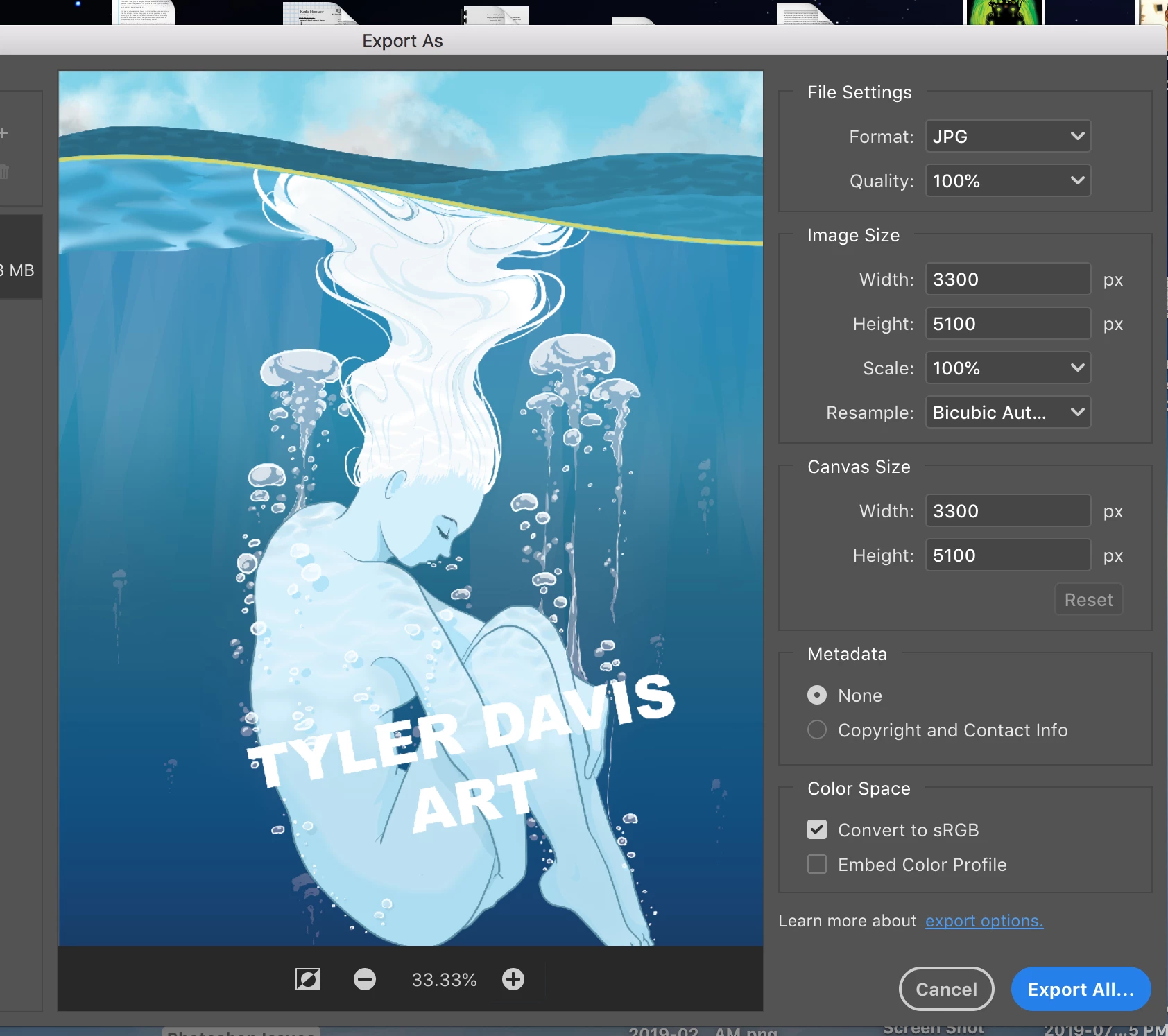
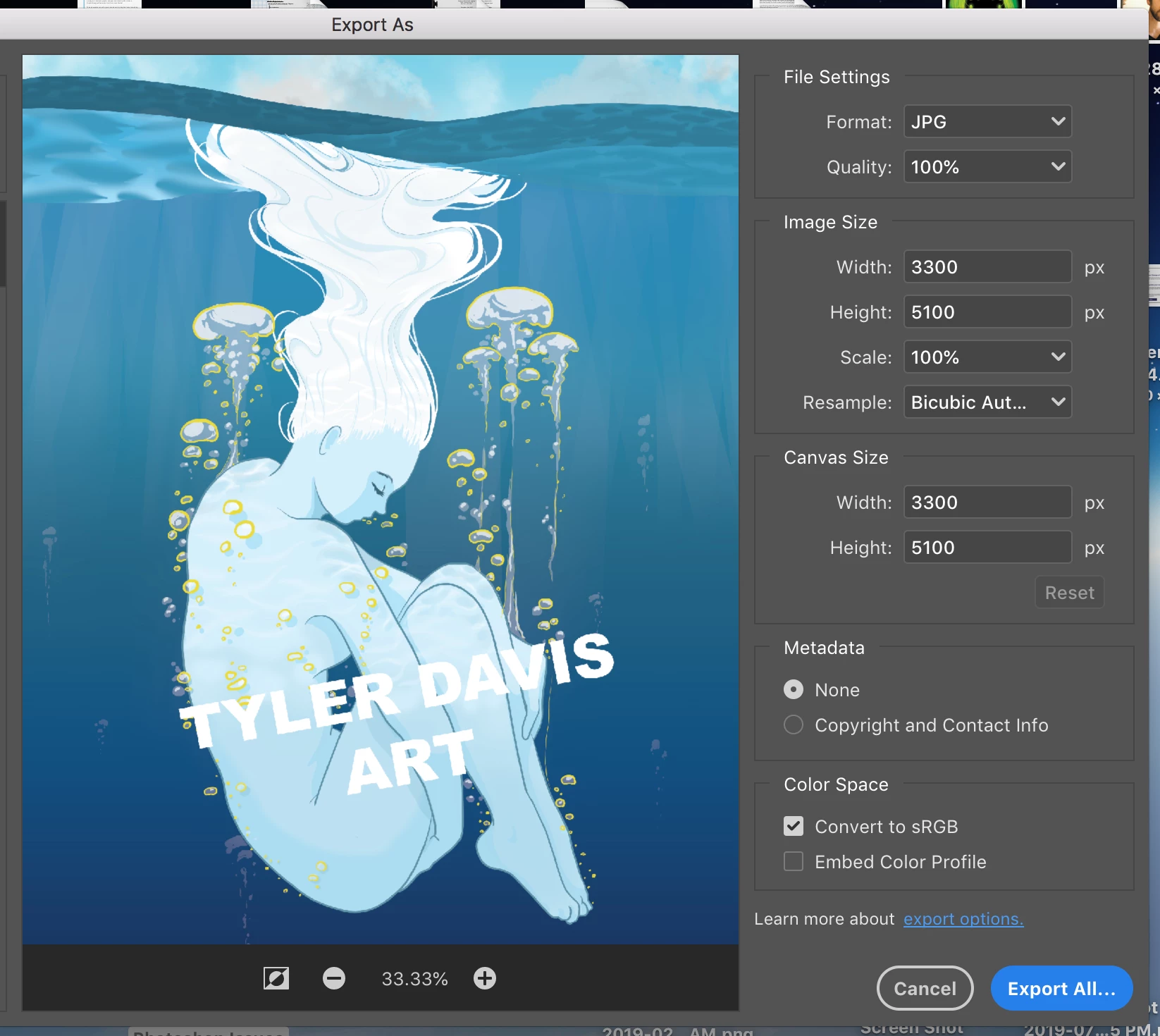
I'm using Photoshop CC 2019 to create a digital painting. Everytime I go to export (as JPEG), the color of the pixels on one of my layers changes to a bright yellow-ish color (I can see this in the preview, AND in the exported JPEG file). I did some experimenting, and hid the problematic layer, but the problem shifted to the layer below it upon export.
Possibly noteworthy info:
1. The layer in question was originally created using the pen tool, rasterized, command clicked (to select all pixels on that layer), then colored an alternate shade of blue.
2. The file is using CMYK color profile, and I'm exporting to sRGB color space...but I've never had an issue like this in the past...especially not the DRASTIC change in color display.
Here is what's going on, below:
Image 1: Original (as seen in PS).
Image 2: Export preview with "wave edge" layer turning yellow-ish.
Image 3: Hidden "wave edge" layer causes layer below (bubble outlines) to produce the same issue on THAT layer.

Any help would be greatly appreciated. Thanks in advance!
 AdChoices