
Participant
February 2, 2020
Question

Photoshop CS6 Image Opening Bug

  • February 2, 2020
  • 3 replies
  • 526 views

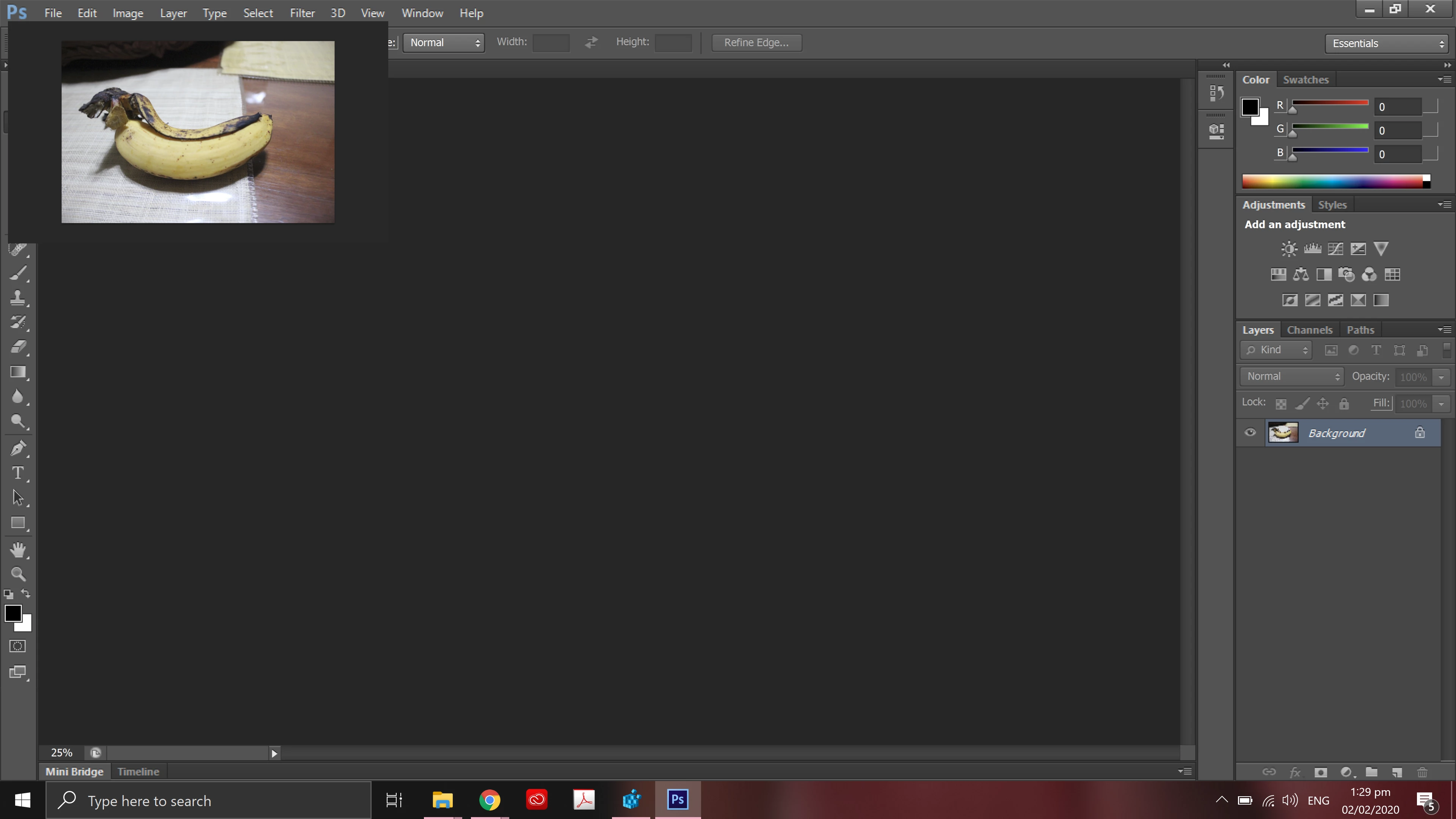
PLEASE HELP! I have a 4k monitor laptop and I cannot use my adobe photoshop cs6. I have followed all the instructions on how to fix the scaling problem, but another bug occured when I tried to open an image. Please check the image attached. The image can be moved, but it doesn't expand into the workspace. 
Specs: 32Gb Ram, 1tb storage, Nvdia gtx 1650
Adobe Photoshop v 13.0 
This topic has been closed for replies.

3 replies

JJMack
Community Expert
Community Expert
February 2, 2020

CS6 version 13.0 is very buggy it need the CS6 Updates, The perpetual CS6 Windows version should be version 13.0.1.3.  The Creative cloud version 13.1.2.   You screen capture look like at least one document is being edited in a floating window and its floating window is missing its Windows's window frame and adobe image frame that may or may not contain rulers  besides the bottom status area and scroll bar areas.

JJMack
gener7
Community Expert
Community Expert
February 2, 2020
Derek Cross
Community Expert
Community Expert
February 2, 2020

CS6 is not optimised for high resolution screens, upgrade your version of Photoshop to 2020.