
Participant
July 10, 2020
Question

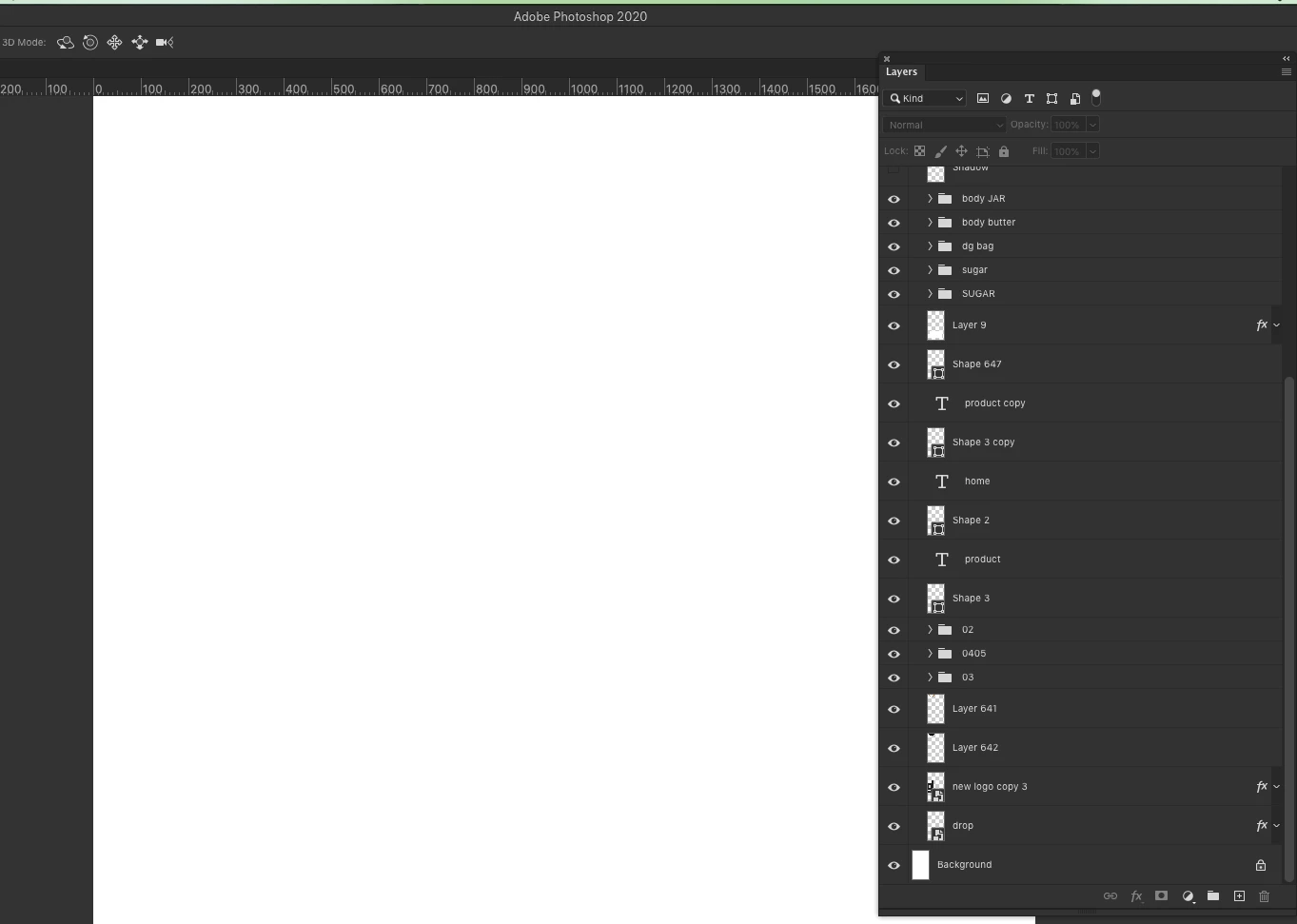
photoshop document opening up blank but layers are on

  • July 10, 2020
  • 3 replies
  • 9198 views

I have a file I created in April of this year and when I open it in the new version of photoshop all the layers are on but the file is blank. I can select items like text but it stays white and the whole canvas remains blank. I have went in to Preferences > Performance > and turned off Use Graphic Processor and restarted Photoshop. It didn't fix the issue. Anyone else having this issue and have a fix?
This topic has been closed for replies.

3 replies

Stephen Marsh
Community Expert
Community Expert
November 6, 2023

I'm guessing that such issues are related to "Display native canvas" in Preferences/Technology Previews, or perhaps a GPU or driver related issue.

Matthew A
Inspiring
February 10, 2024

PS 25.4.0 Intel on Mac running Sonoma 14.2.1 — several documents now simply open blank, I can see the channels, layers, duplicate layers etc — but the document window itself is completely blank?!!

wtf!?

Stephen Marsh
Community Expert
Community Expert
February 10, 2024

See my previous reply, or the many others in the forum with GPU related display issues and fixes.

b46239767
Participant
November 6, 2023

I'm having this problem with all my psd's following a recent update. The solution I found was to select the layer Select all ( ctrl A) then Copy + Paste . The contents of what's on that layer are then visible in the new layer. Though everything is now cropped to the edge of the canvas. You also lose any masks and adjustment layers. It's concerning to put it lightly.

Participating Frequently
July 10, 2020

Are you sure all these layers are not placed inside a folder who's visibility is turned off? 😉

Participant
July 10, 2020

Positive. Here is the image shot at the top of the document with the main folder on. I upgraded today to see if that would fix it and it didn't. 😞 Even when I select things on the art board they remain invisible. 


Participating Frequently
July 10, 2020

Maybe there's a white layer then in one of those folders hiding everything beneath it?