
Ender_Ady
Participant
September 10, 2018
Answered

Photoshop exporting different contrasts?

  • September 10, 2018
  • 3 replies
  • 3010 views

So every time i try to export a project i've been working on, no matter what method of saving i use it always comes out with a higher contrast.
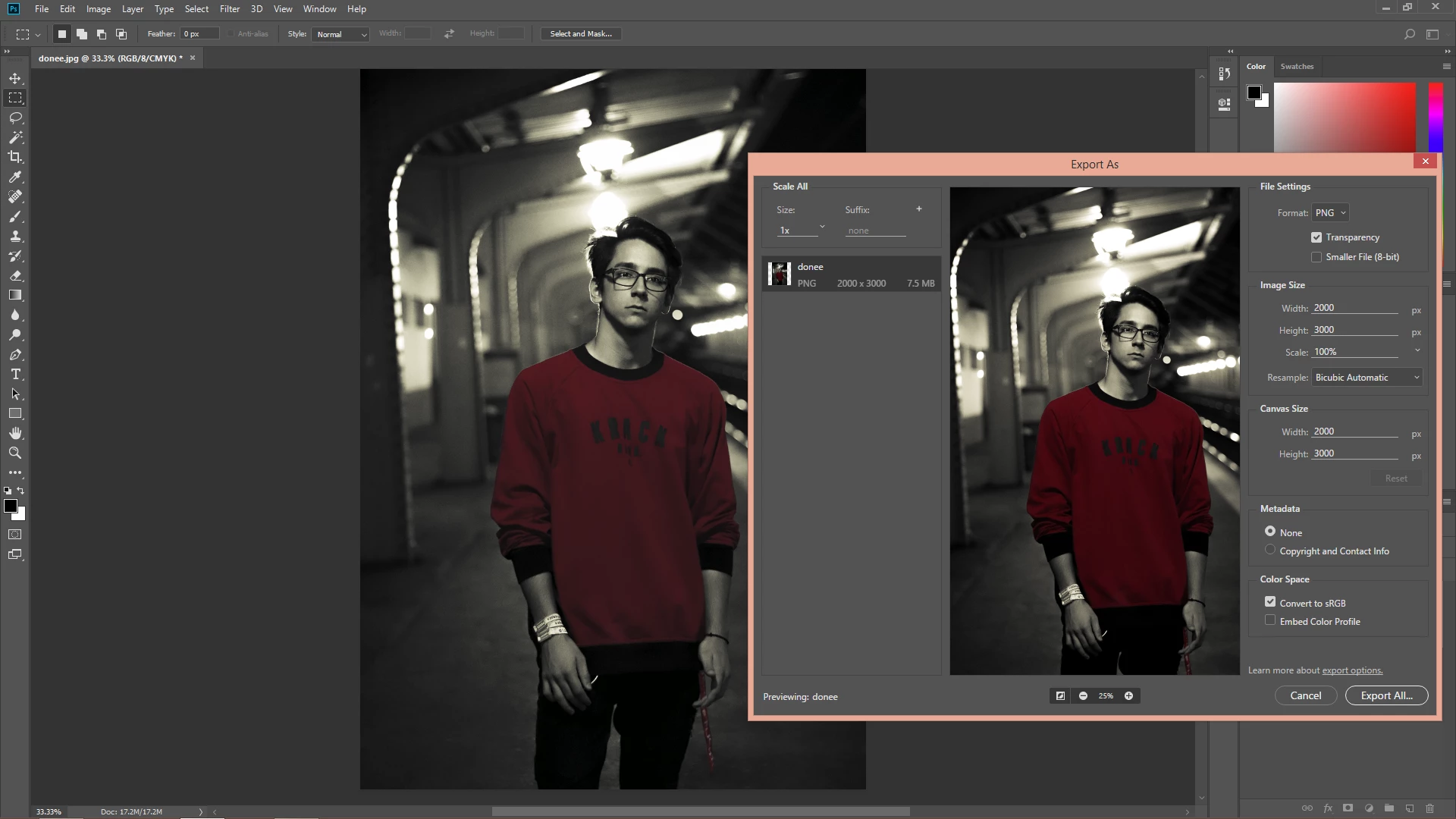
As you can see in this photo, I would like photoshop to export the exact same colors i have on the project, if that's a possibility.

This topic has been closed for replies.
Correct answer D Fosse

The Export module has color management turned off by default. You enable it by checking "embed color profile". Then they should match.

3 replies

Ender_Ady
Ender_AdyAuthor
Participant
September 11, 2018
Legend
September 11, 2018

The problem with "as you can see" is that it really means "as I can see". Designers are really close to their design and in tune with their aims. Others aren't. I can't see anything from your screen shot, I'm afraid. Please tell us

* where you see the changed contrast (what app and window) or if we should see it in the two views of your screen shot

* whether you have a high gamut monitor

* system

* an easy way to see your problem (e.g. a particular part of the photo)

Please post screen captures in the forum, there is little trust of external sites. Unfortunately screen captures is about all it's good for, other shares need external sites.

Please carefully answer all the questions we make. You did not. Please indicate what you tried and what effect it had, rather than just saying things don't work.

Ender_Ady
Ender_AdyAuthor
Participant
September 11, 2018

1.The contrast change seems to appear all over the photo but its most visible on the red shirt and on the shadows. It look fine in photoshop but once i export it it gets darker and there is more contrast. I compare the photo in photoshop's working space to the exported one opened with either photo app from windows 8.1 or windows photo viewer(which seems to make it look even more darker if not in full screen mode).
2.I do not know what a high gamut monitor is. I performed the test on a BenQ RL2455 - Standard picture mode (not sRGB)
3. BenQ RL2455, i guess that's all that matters.
4.I have noticed that the image gets closer to the export if I change the View>Proof Setup to Monitor RGB and enabling Proof colors but that does not fix the problem.

D Fosse
Community Expert
D FosseCommunity ExpertCorrect answer
Community Expert
September 10, 2018

The Export module has color management turned off by default. You enable it by checking "embed color profile". Then they should match.

Legend
September 10, 2018

Is your original in CMYK? Converting CMYK to RGB might cause some problems, usually you only want to work in CMYK if your images are for print and you remain in CMYK.