Ali Teshnizi
Participating Frequently
January 16, 2020
Answered

Photoshop lens blur not working with depth map

  • January 16, 2020
  • 3 replies
  • 2432 views

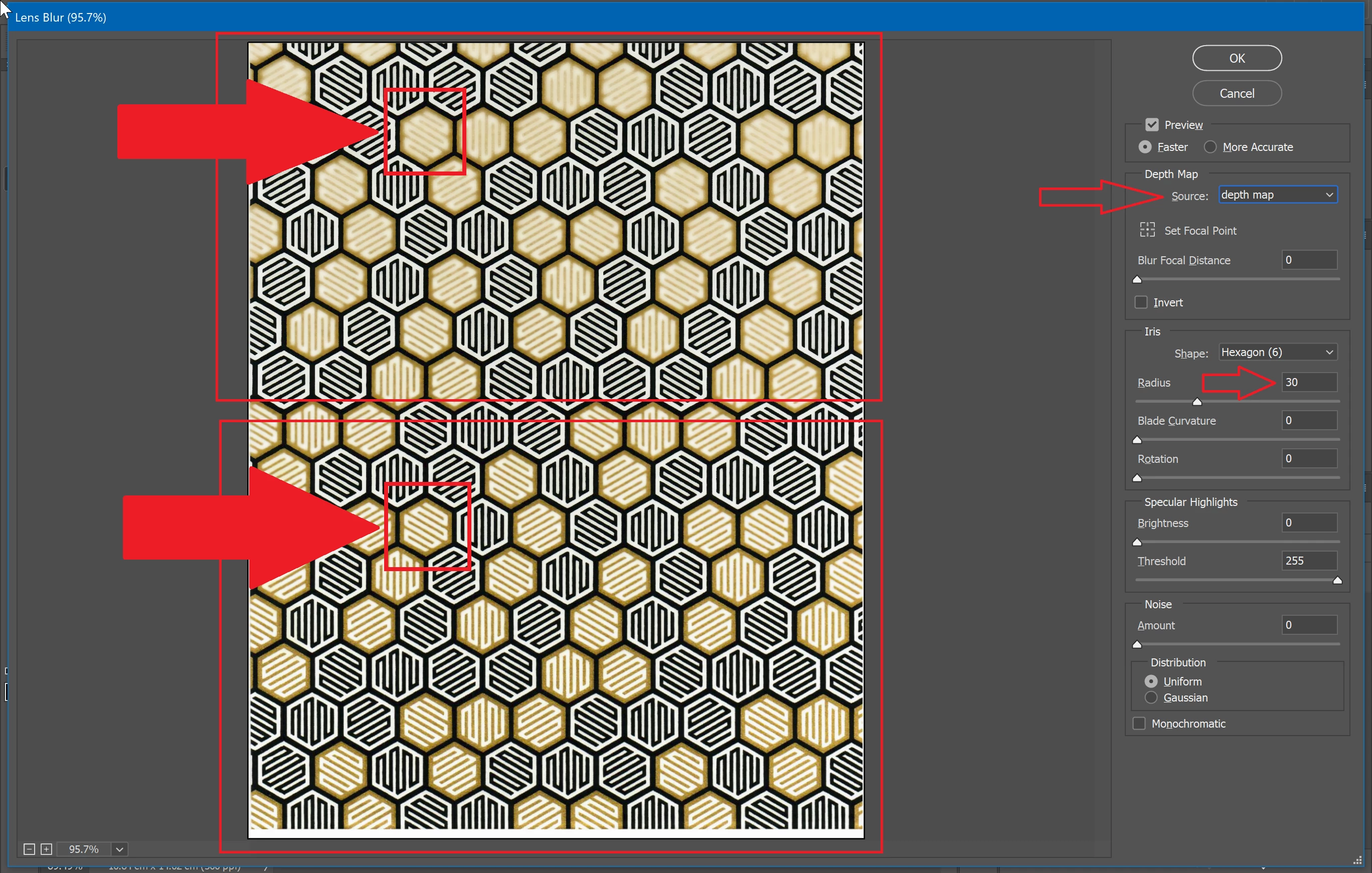
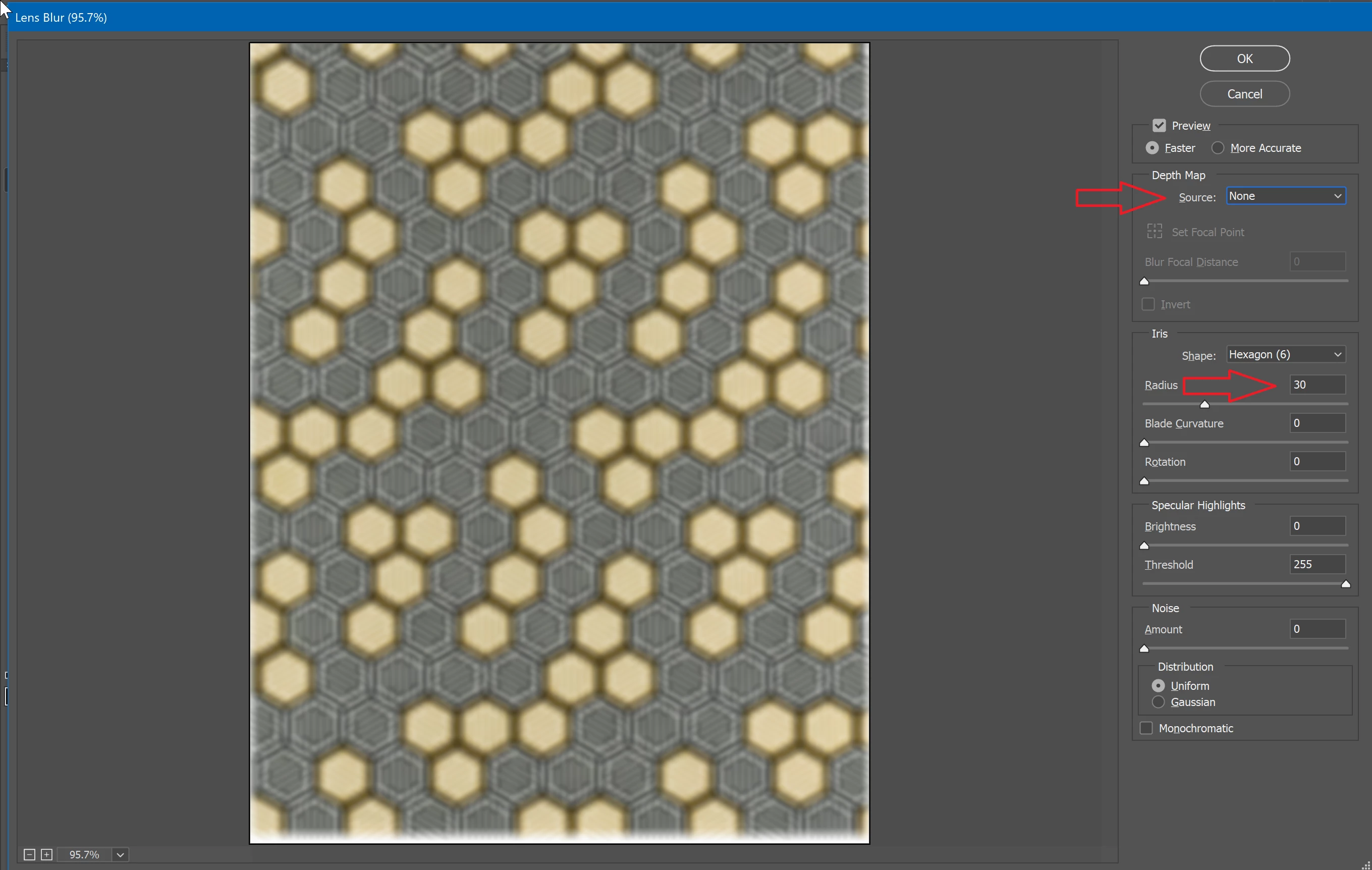
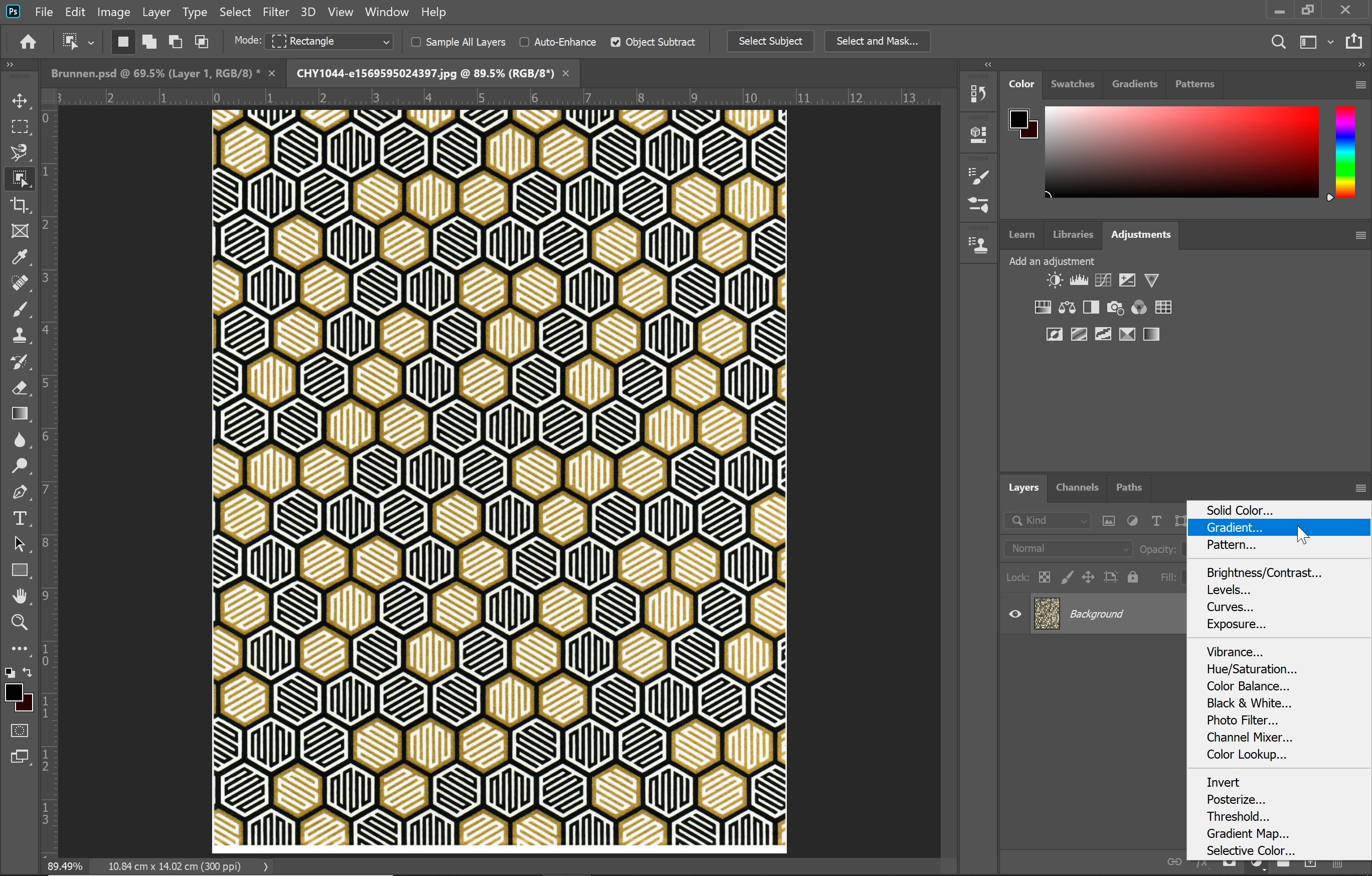
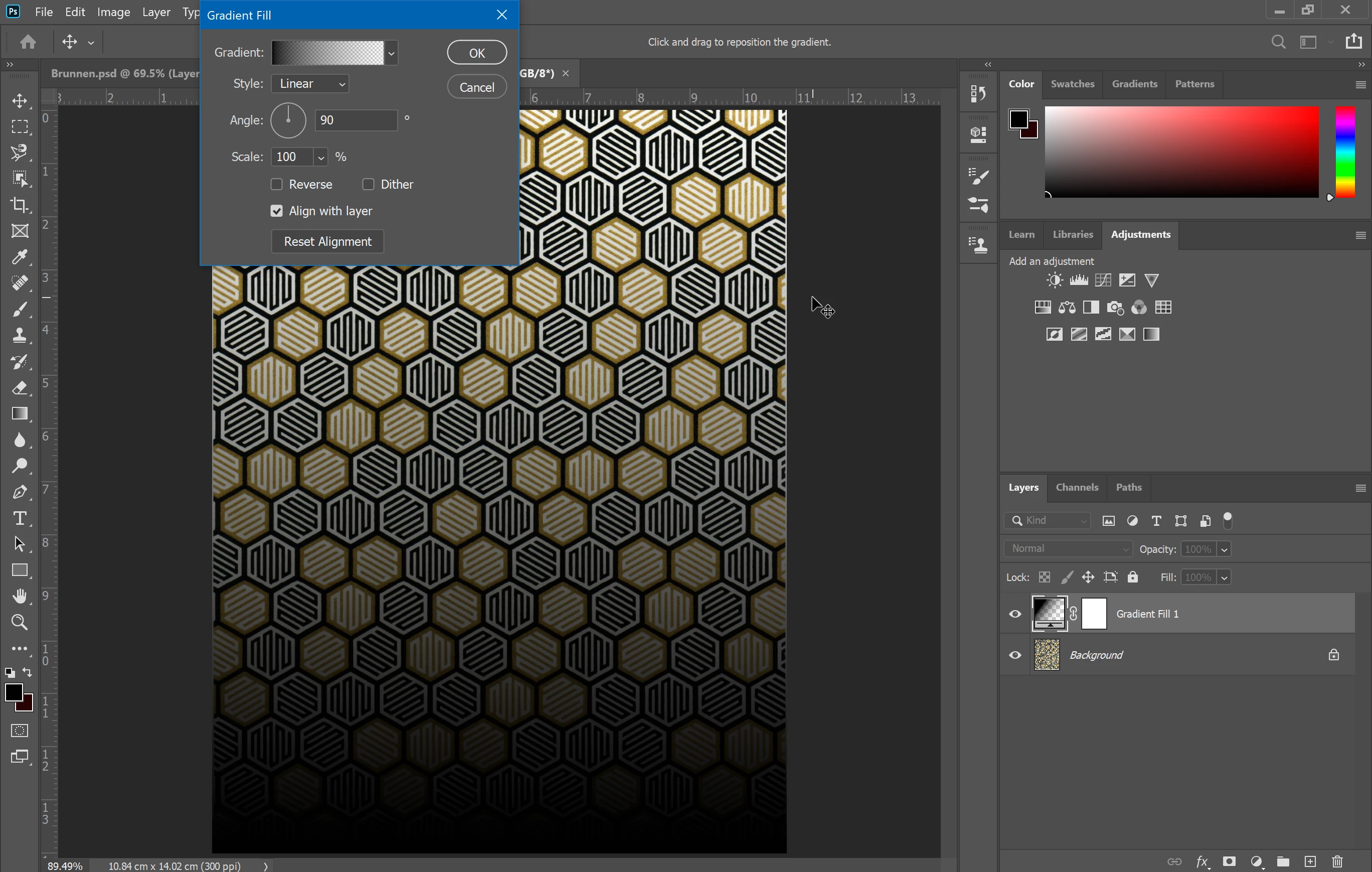
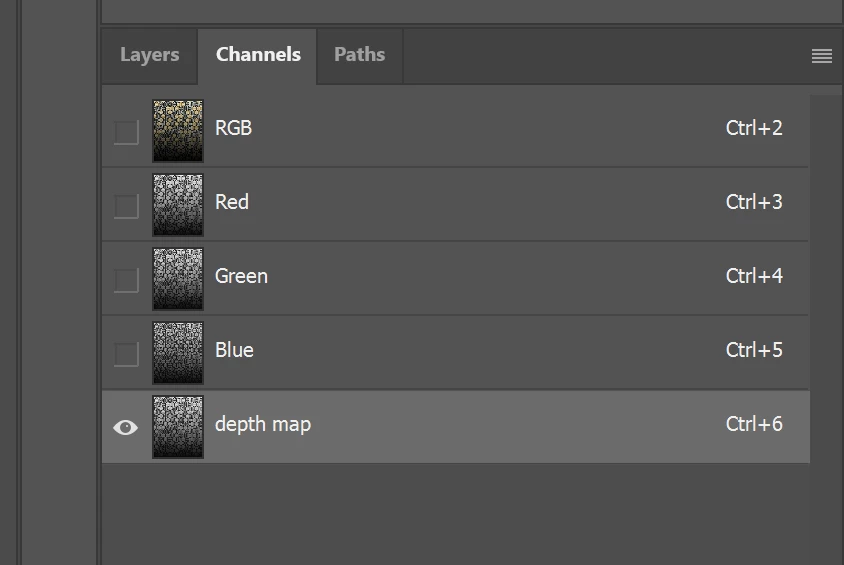
I am trying to blur a picture gradually. As you see in the pictures I made a Gradient map, but at the end the lens blur effect does not work properly. Though there ist a different between the top and the buttom of the picure. But it is not like a real blur effect!
This topic has been closed for replies.
Correct answer davescm

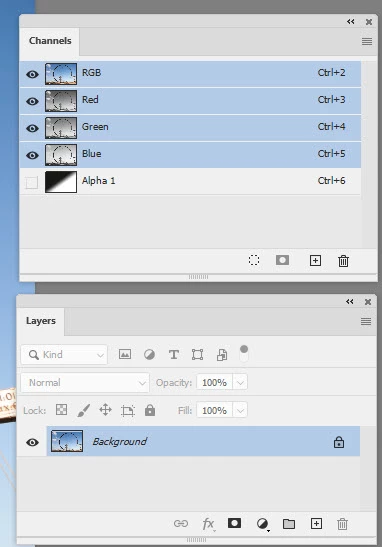
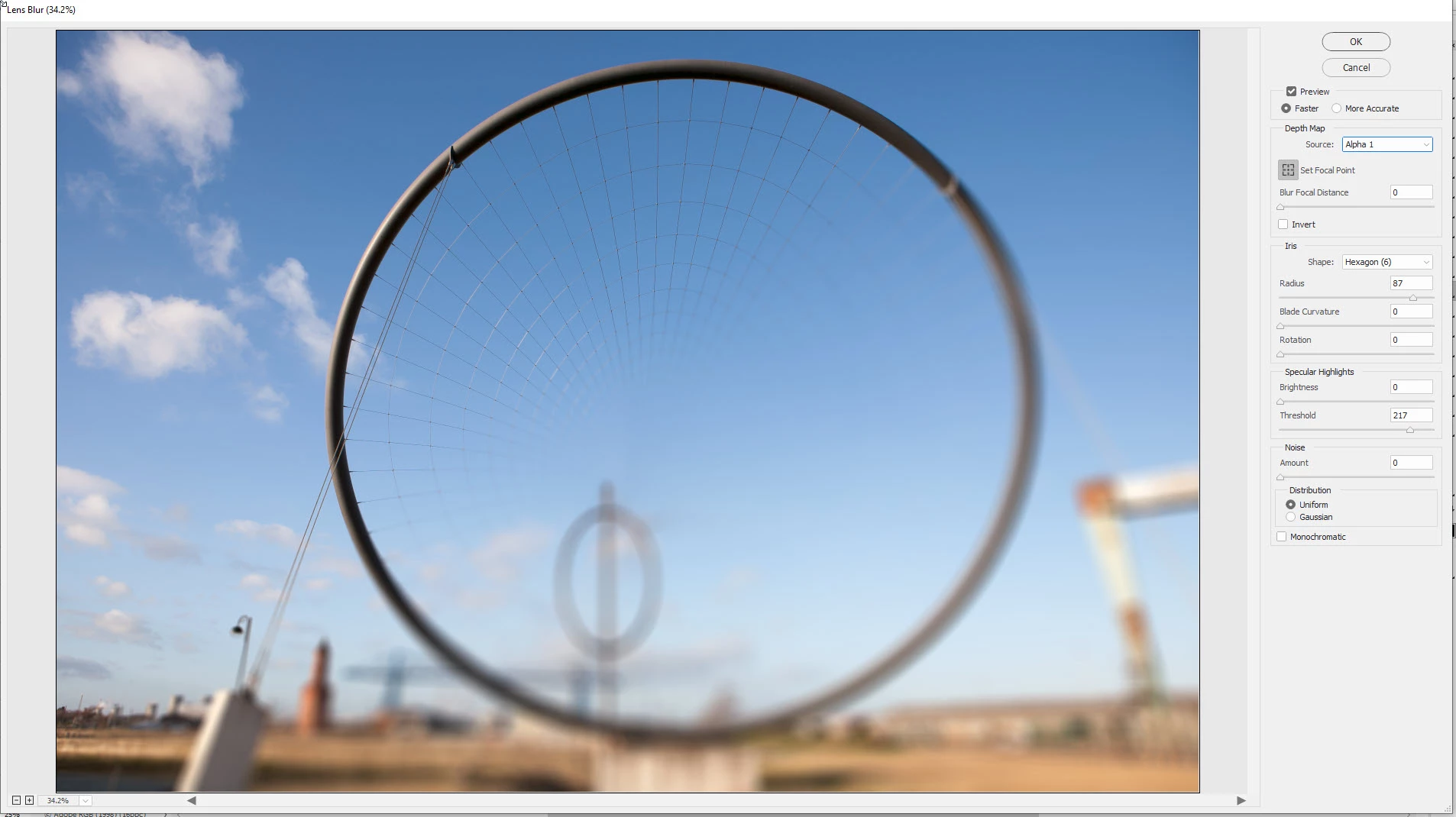
Try setting your layers and channels  like this so the Alpha channel just contains greyscale gradient - nothing else


Dave


3 replies

Chuck Uebele
Community Expert
Community Expert
January 16, 2020

As Dave mentioned. Just have your depth map channel as just the gradient. Look at your screen shot. You have the pattern of your main layers showing on the depth map. This is because you used a gradient with transparency. But you should just use the gradient tool directly on a new channel and not on a layer. 

davescm
Community Expert
davescmCommunity ExpertCorrect answer
Community Expert
January 16, 2020

Try setting your layers and channels  like this so the Alpha channel just contains greyscale gradient - nothing else


Dave


Chuck Uebele
Community Expert
Community Expert
January 16, 2020

You've got the pattern on your image in the depthmap channel, which is throwing things off, bluring some items and not others at the top of the image. Rather than create a gradient layer, make a new channel and apply the gradient just to it for your depthmap.

Ali Teshnizi
Participating Frequently
January 16, 2020

I am quiet a beginner. So I did not understand what you mean. Could you explain a bit?