
persius007
Known Participant
August 11, 2018
Answered

Photoshop minimized at startup

  • August 11, 2018
  • 2 replies
  • 2210 views

Just recently Photoshop started to launch in minimized mode and I can't correct this.   I want it to launch full screen and so far my attempts have failed.
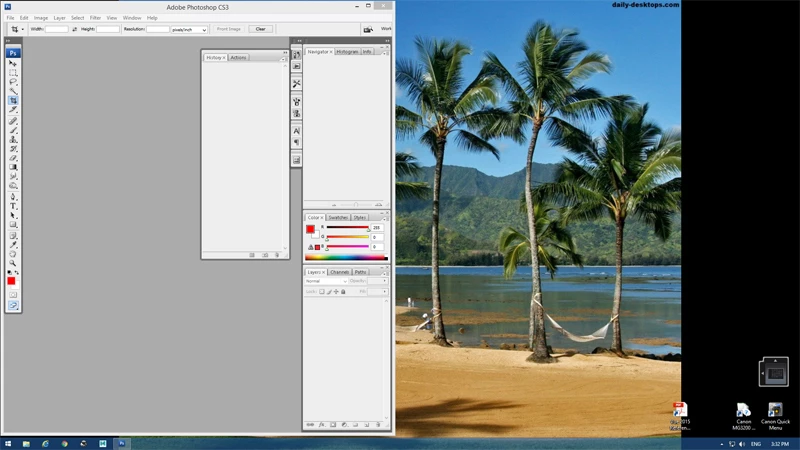
I've attached a screenshot to illustrate what is happening.    What setting do I need to change to correct this?


Thank you.
    This topic has been closed for replies.
    Correct answer Jeff Arola

    Resetting the photoshop preferences will hopefully resolve the issue.

    Just after you click or double click the cs3 icon to launch photoshop press and hold the Shift+Ctrl+Alt keys.

    (you have to be quick about pressing the keys or you won't get the below dialog)

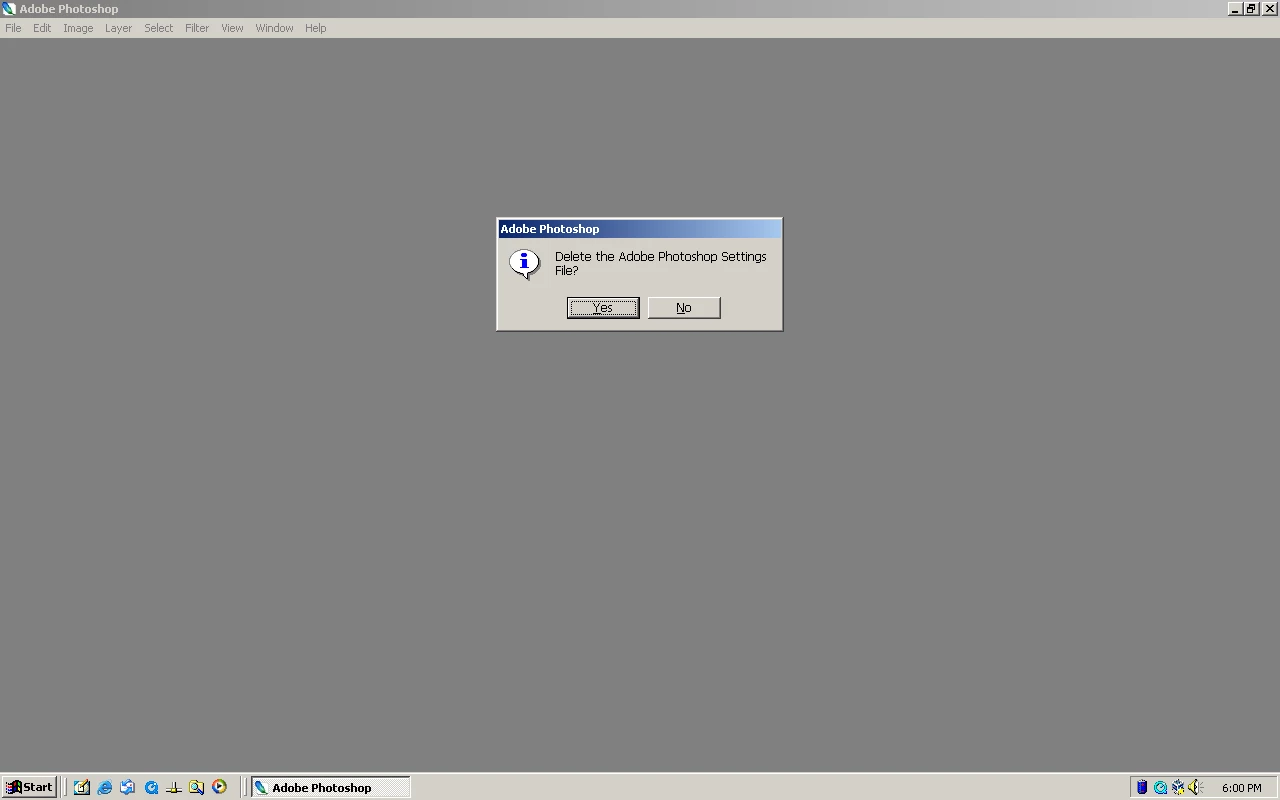
    Keep holding the keys down until you a dialog asking if you want to Delete the Adobe Photoshop Settings File.

    Press Yes

    2 replies

    MarekMularczyk
    Community Expert
    Community Expert
    August 14, 2018

    Photoshop typically remembers how you opened it last time, which means that if you follow Jeff's reply above and make it fullscreen, next time you open it it will open fullscreen.

    Adobe Community ExpertAdobe Certified Professional
    persius007
    Known Participant
    August 14, 2018

    Hello Jeff & marer

    Sorry for the late reply.

    I am aware of the icon in the corner and I've used it many times with various programs and this is what confuses me.   Photoshop does not seem to remember when I maximize the screen for next time!    That is why I wanted to post this question to see if perhaps I was losing my mind about how to open the program full screen!    I'm going to try again repeating this through the day and see what happens.  I'm suspecting that perhaps there may be a software glitch but we'll wait to see.

    Lastly, I'm using Win 8.1.

    Thanks

    Jeff Arola
    Community Expert
    Jeff ArolaCommunity ExpertCorrect answer
    Community Expert
    August 14, 2018

    Resetting the photoshop preferences will hopefully resolve the issue.

    Just after you click or double click the cs3 icon to launch photoshop press and hold the Shift+Ctrl+Alt keys.

    (you have to be quick about pressing the keys or you won't get the below dialog)

    Keep holding the keys down until you a dialog asking if you want to Delete the Adobe Photoshop Settings File.

    Press Yes

    Jeff Arola
    Community Expert
    Community Expert
    August 12, 2018

    After opening you clicked on the Maximize button to fit cs3 to screen and then tried a restart of cs3?

    What version of windows are you using?