
Participant
May 2, 2021
Question

Photoshop Properties

  • May 2, 2021
  • 3 replies
  • 689 views

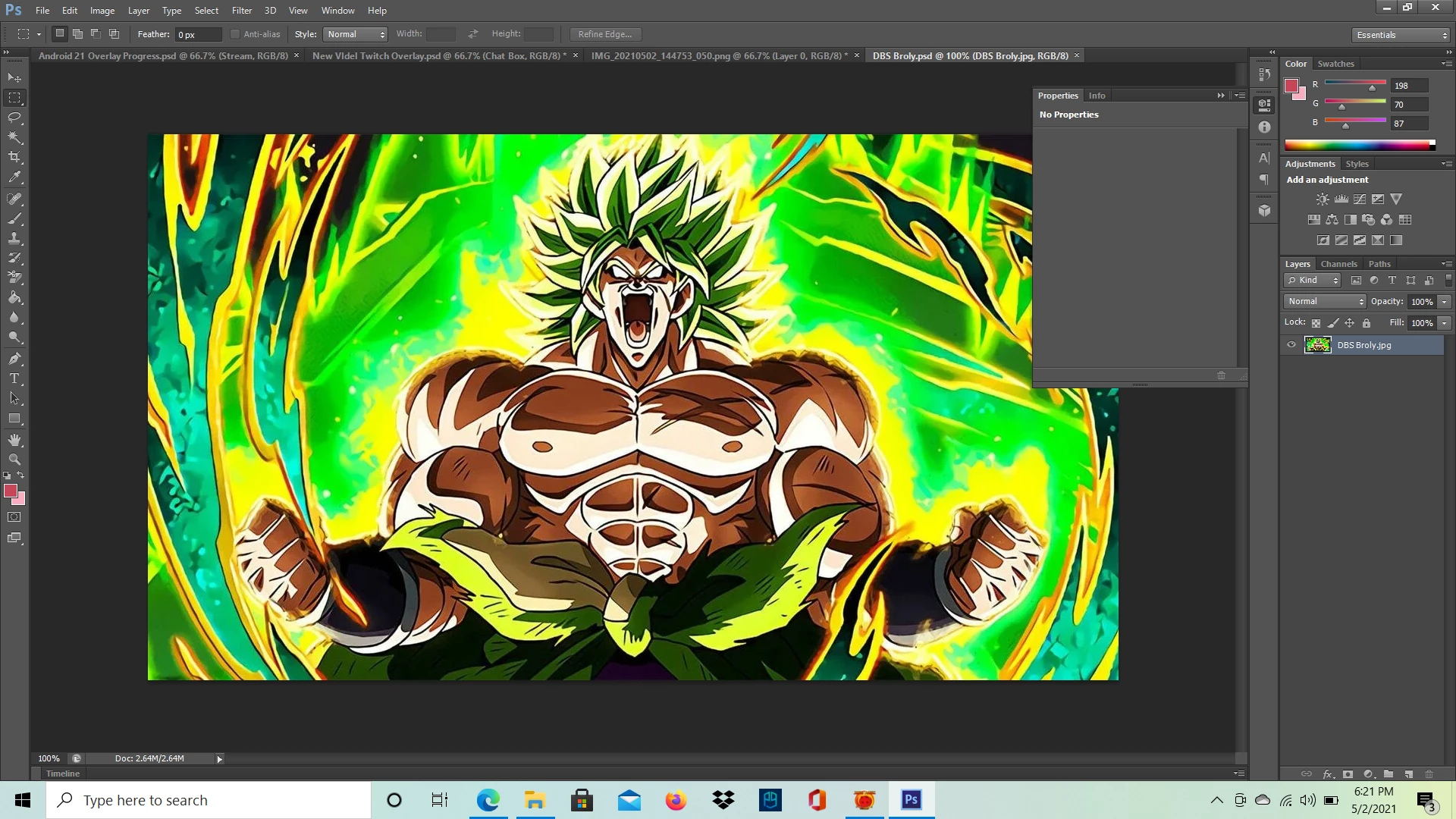
So recently, I've been having an issue on Photoshop CS6 where I can't see any detail in the properties tab - especially the "Quick Actions". My intentions was to use such tool to remove this background and continue to work on a custom overlay project afterwards. This is what I'm being shown unfortunately. What causes this and how can I fix it?
This topic has been closed for replies.

3 replies

Jeff Arola
Community Expert
Community Expert
May 3, 2021

Your wanting a feature not available in photoshop cs6.


Quick Actions and the Background Remover were added in the 2020 subscription photoshop.


https://helpx.adobe.com/photoshop/using/whats-new/2020.html


https://www.photoshopessentials.com/basics/using-the-enhanced-properties-panel-in-photoshop/

JJMack
Community Expert
Community Expert
May 3, 2021

The "Quicy Actions" ?


On My Windows 10 system CS6 the Properties Palette seems to show Properties only for  targets Shape and Adjustment  layers .  Other types of targeted Layers the Property Panel shows No Properties.


JJMack
Participating Frequently
May 2, 2021

There isn't anything to fix. The Properties window is used in conjunction with adjustment layers, not image layers.